
RSFiles! System plugin
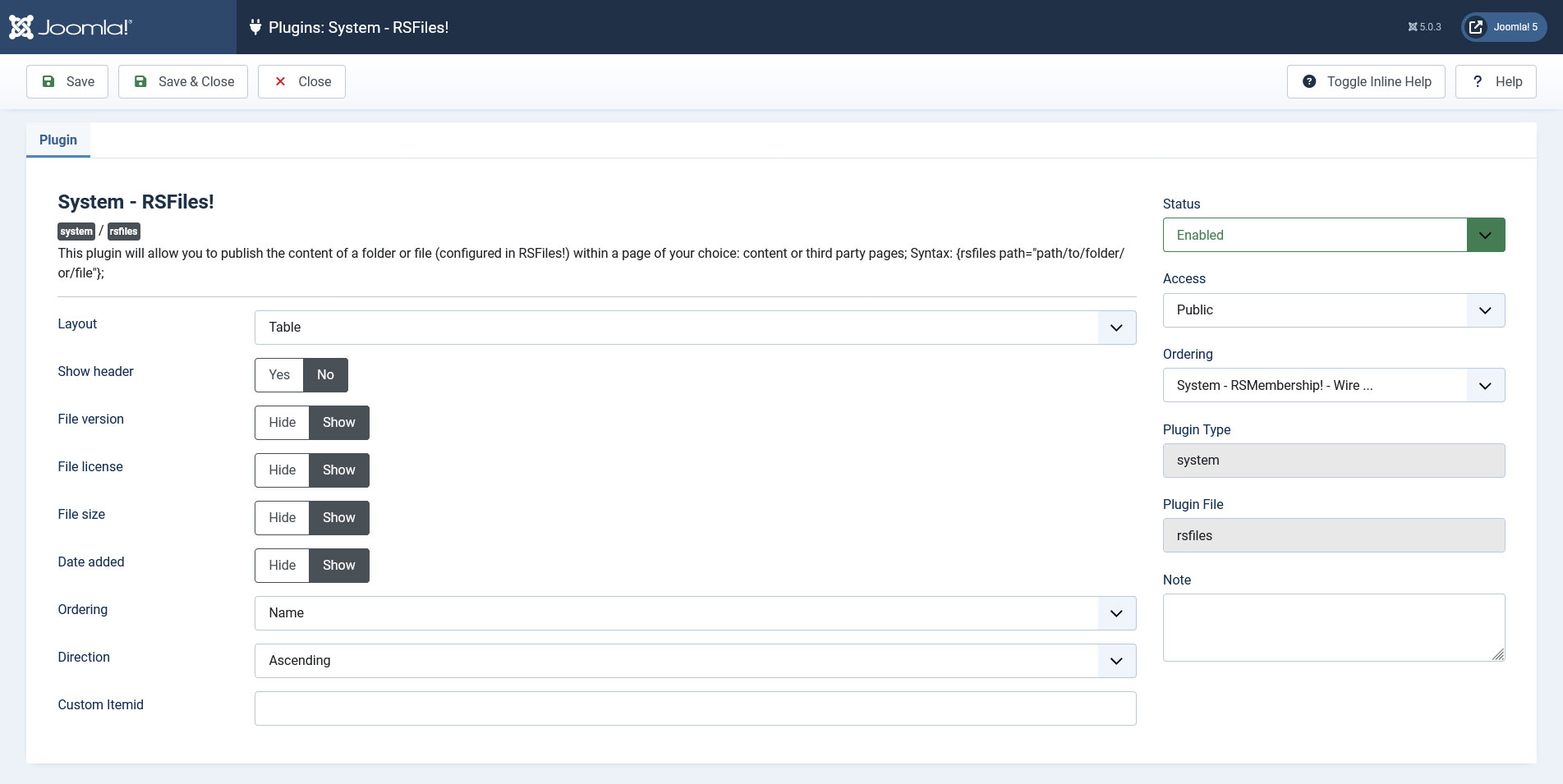
The RSFiles! System plugin allows you to publish the content of a folder or file (configured in RSFiles!) within a page of your choice: content (articles) or third party pages.
The plugin is included in the RSFiles package and installs along with the RSFiles! component.
Configuration options:
- Layout Table / Columns - Select the type of layout;
- Number of Columns 1, 2, 3, 4, 6 - Select the number of columns;
- Show header Yes / No - Show the header;
- File versionYes / No - Show the file version;
- File licenseYes / No - Show the file license;
- File sizeYes / No - Show the file size;
- Date addedYes / No - Show the file date added;
- Ordering - Set the ordering (Name, Date, Hits);
- Direction - Set the Ordering Direction (Ascending or Descending);
- Custom Itemid - Set a cusotm Itemid. Leave black for current.
To publish a specific file or folder follow the steps:
- in the "Article Manager", select the article where you want to add the file/folder
- in the bottom of the editor, click on the RSFiles! button
- a new window opens that allows you to select the file/folder; RSFiles! will automatically add the corresponding file/folder placeholder.
To publish the whole content of your configured download folder follow the steps:
- in the "Article Manager", select the article where you want to add the entire download folder
- in the bottom of the editor, click on the RSFiles! button
- a new window opens that allows you to select a file/folder; RSFiles! will automatically add its corresponding file/folder placeholder:
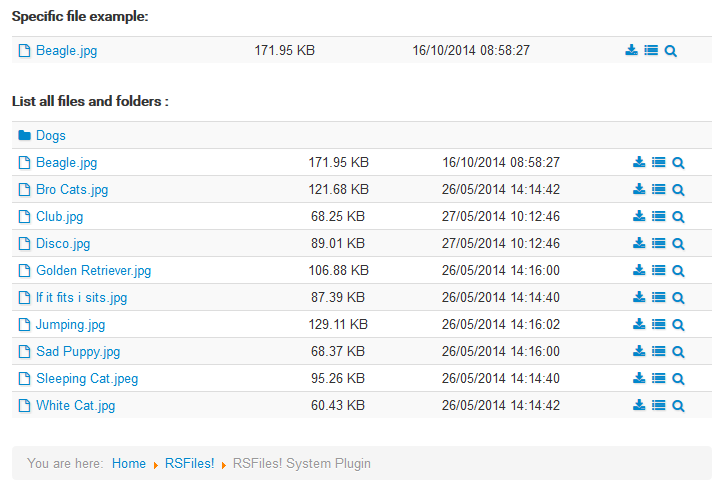
- leave the path blank so RSFiles! lists all files and folders:
{rsfiles path="/path/folder" version="1" license="1" size="1" date="1" ordering="name|date|hits" order="ASC|DESC" itemid=""}
You can disable certain table columns by setting (e.g.) version="0"
Watch the video tutorial:
Ep. 50: Publish files and folders inside Joomla! articles with RSFiles!
Customizing the files and folders listing
The manner in which the files and folders are being displayed using the System Plugin can be altered using template overrides. The files controlling these layouts can be found under the following path:
/components/com_rsfiles/views/rsfiles/tmpl/plugin.php
/components/com_rsfiles/views/rsfiles/tmpl/plugin_columns.php
/components/com_rsfiles/views/rsfiles/tmpl/plugin_table.php
2 persons found this article helpful.
You Should Also Read
Files HOT |
What does RSFiles! do ? HOT |
Groups |
Statistics |
Licenses |
