RSMembership! Wire Transfer plugin
The RSMembership! Wire Transfer plugin allows you to display specific offline payment information upon completing the membership subscription.
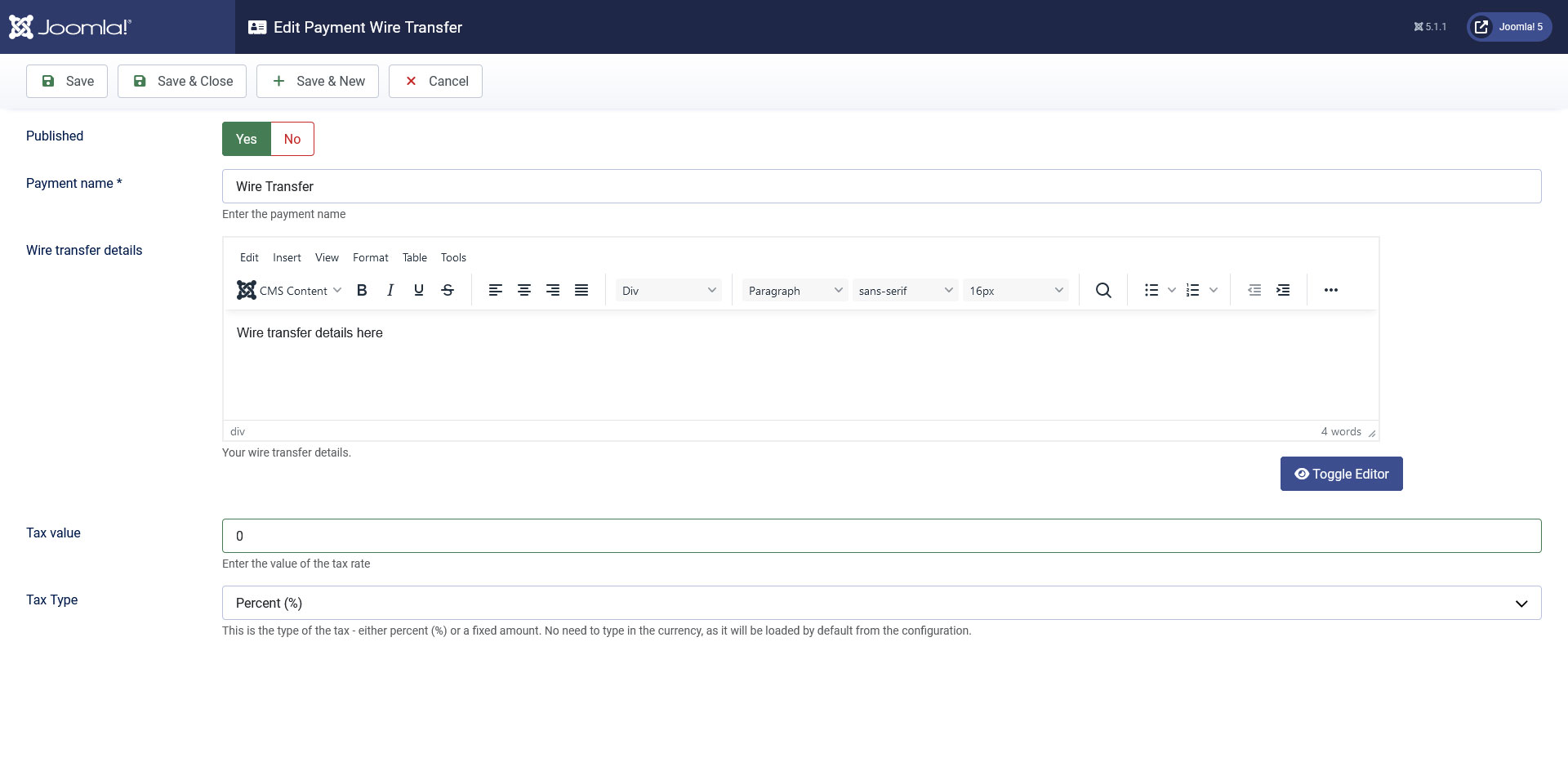
By default, if the RSMembership! Wire transfer plugin is published only one offline payment methods will be displayed. If more are needed (you can set a unlimited number of offline payment methods), you can add them in the Components > RSMembership! > Payment Integrations area. Clicking the New button will display the following configuration screen (click to enlarge):
Configuration options
- Payment name: this name will be displayed in the payment radio group selection (when subscribing to a membership)
- Wire transfer details: WYSIWYG editor area that will allow you to specify a HTML message. This oftenly used to provide indications on how the payment will carried out. In this area you can also use placeholders to return specific information about the purchased subscription. The usable placeholders are:
- {price}: which returns the price of the subscription
- {tax}: which returns the applicable tax that was set up in the plugin's configuration area
- {coupon}: returns the used discount coupon
- {membership}: returns the name of the purchased membership
- {category} - returns the membership category
- {transaction_id} - returns the id of the transaction
- {date_purchased} - returns the purchasing date. The date format taken into account is the one set in the component configuration area.
- {site_name} - returns the site name
- {site_url} - returns the site url
User-related placeholders are available:
- {username} (only available if the account already exists or if the user is allowed to choose it himself)
- {name}
- {email}
- Also, RSMembership! Custom Fields placeholders can be used in the following manner: {custom-field-name}
- Tax type: a tax can be applied, depending on the payment method. This will affect the final price of the membership. It can be specified as a fixed amount or a percentage.
- Tax value: numeric value of the tax that will be applied
A complete list of your enabled payment options can be viewed by accessing the RSMembership! Payment Integrations tab.
5 persons found this article helpful.
You Should Also Read
RSMembership! PayPal Payment Plugin HOT |
RSMembership! Authorize.NET plugin HOT |
Payment Integrations HOT |
