RSFirewall! R42 comes with two highly awaited (and requested) features: country blocking and automatically blacklisting repeat offenders. 
Improved Blacklist and Whitelist management
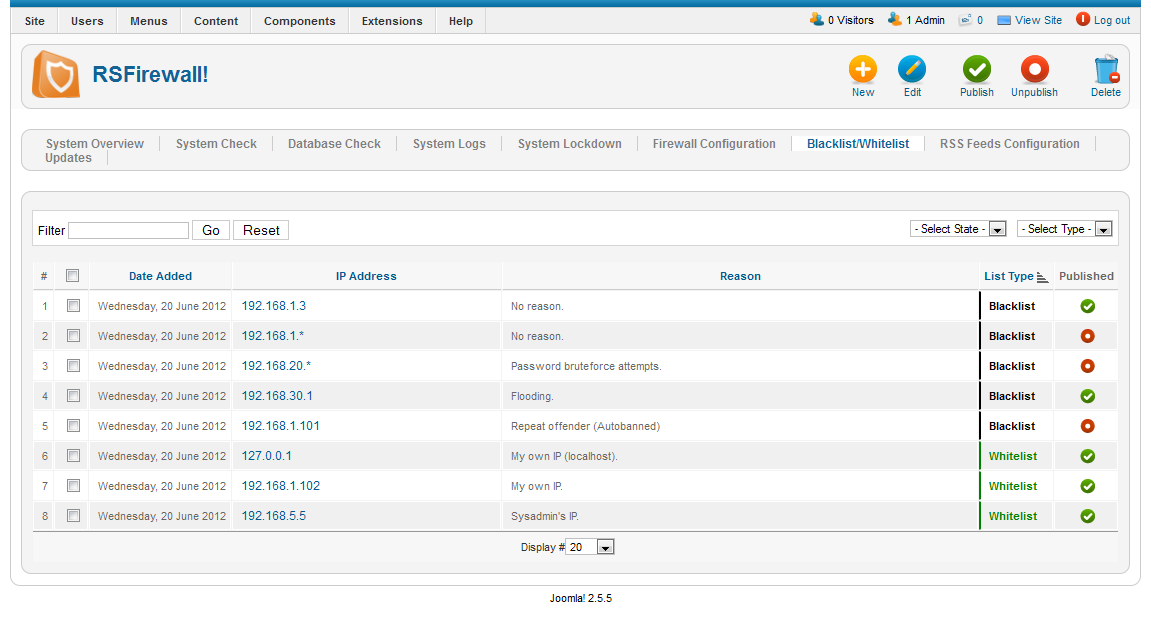
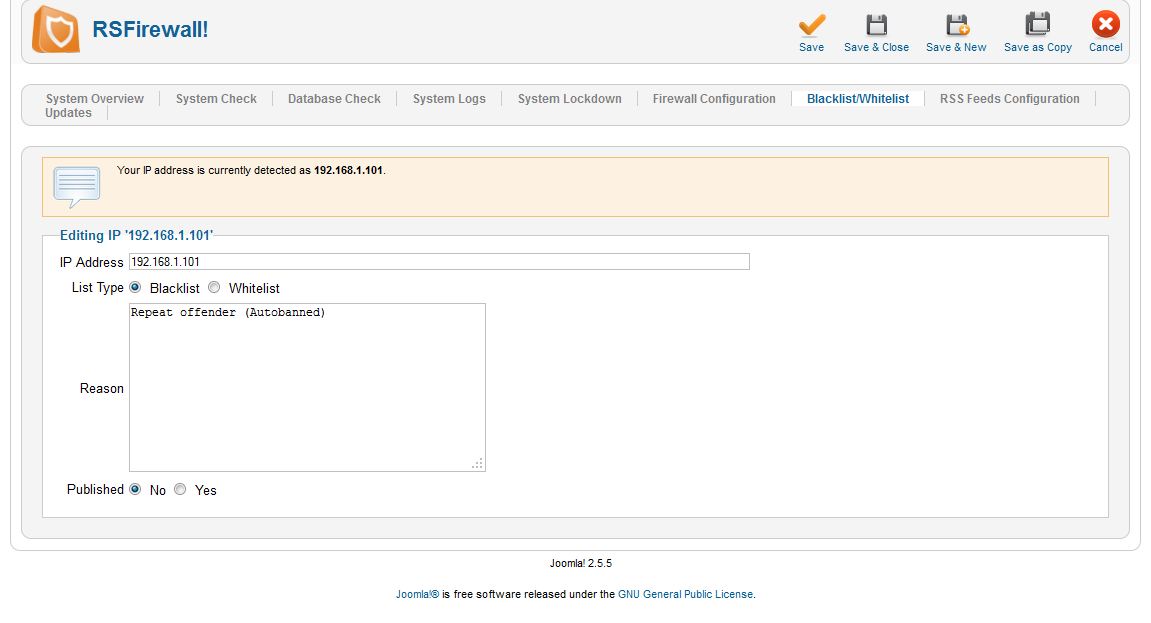
Until now, the Firewall Configuration had a Blacklist tab that allowed you to ban IPs or IP ranges from visiting your website. This has been expanded into the Blacklist/Whitelist area, where you can:
- Specify the type: Blacklist (banned from website) or Whitelist (no protections are triggered). The Whitelist overwrite the Blacklist parameter - this means that the Whitelist is checked before the Blacklist.
- Publish and unpublish IPs
- Append a reason. The reason will help you remember why that IP was banned and it will show up to the offender as a message.
Country blocking
Country blocking relies on an external database that you need to download. There are two reasons why it's not included in the package: it's updated monthly and it would make the installation package much bigger. Many hosting providers only allow a maximum uploaded file size of 2MB and we try to do our best not to reach that limit. Follow the steps described in this article to get you started.
Although we do not encourage to rely on this feature (it's not 100% accurate and attackers will most likely use proxies located in different countries), if you do, please use caution as you might be blocking yourself or legitimate requests.

Automatically blacklist repeat offenders
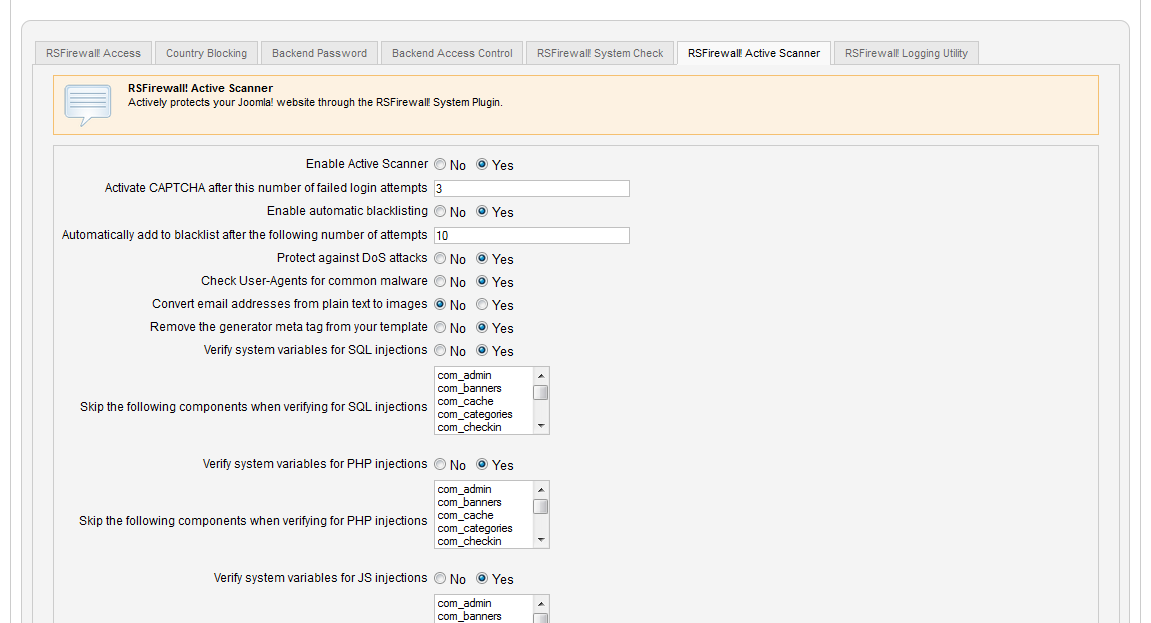
In the Active Scanner tab of the Firewall Configuration you can now use a new feature: "Enable automatic blacklisting". Repeat offenders will be added to the blacklist once they reach the minimum number of attempts that can be specified in the field just below "Enable automatic blacklisting". By attempts we are referring to hacking attempts detected by RSFirewall! which trigger the active protections on your website (which result in a 403 Forbidden message to the attacker).
Limit the number of log emails sent
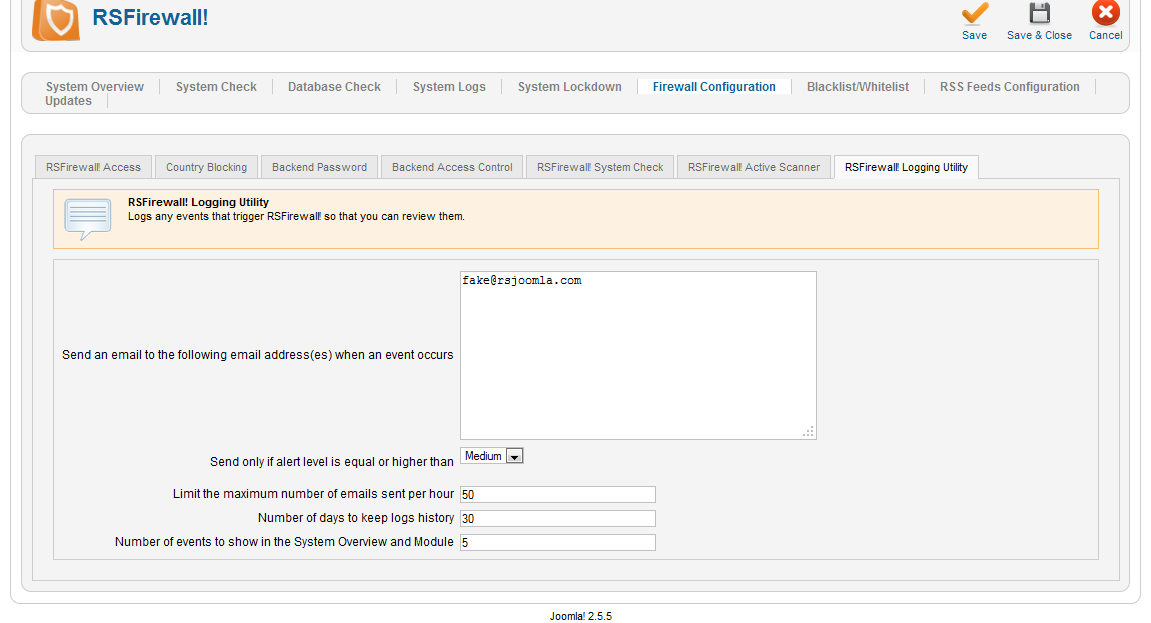
In the past, everytime your site was attacked your email addresses were flooded with alerts from RSFirewall!. In this version we've added a limit in the "Logging Utility" tab named "Limit the maximum number of emails sent per hour". This means that you are now able to specify how many emails can be sent within an hour. If that limit is reached at any point in the given hour, emails will no longer be sent until the next hour.

export/import
Is it possible and how to export blacklist IP and import to another joomla instalation?
Quote@D
The following article will help:
Quotehttp://www.rsjoomla.com/support/documentation/view-article/741-i-accidently-locked-myself-out.html
Great post on using the firewall features! Thanks
QuoteLocked out of Site
I tried to log in to my own site too many times, and got my own IP blocked. How do I reset this? From the database end?
Quote@ERCC
After you have liked our Facebook, you will be able to access the Discounts application (available on our Facebook page).
Quote50% discount for \"Like\"
I "Liked" you on facebook, how do i get the discount?
Quote