Ep. 39: Create newsletter subscription forms with RSForm!Pro and RSMail!
In this video, you'll learn how to create custom subscription forms with RSMail! and RSForm!Pro.
Suppose you have created a subscription form to collect data from your subscribers: First Name, Last Name, Company, Job title , etc. Upon the form submission, the user is added to a configured RSMail! list, along with the submitted data. The integration is done via the RSForm!Pro - RSMail! plugin.
Download and install the RSForm!Pro - RSMail! plugin
- 1. Access your www.rsjoomla.com account and download the RSForm!Pro - RSMail! Plugin from "View my downloalds" >> RSForm!Pro membership >> Downloads >>
- Plugins >> RSMail! plugin
. - 2. Install the RSForm!Pro - RSMail! plugin through the default Joomla! installer.
- 3. Publish the plugin from the "Extensions > Plugin Manager" area.
Integrate the subscribing form with RSMail!
- 1. Head to RSMail! >> Lists and create a new subscribers list.
- 2. Add some list fields.
- 3. Head to RSForm!Pro >> Forms >> click on your form >> Properties >> RSMail! Integration tab
- 4. Select the subscribers list and map the form components with the list fields.
- 5. Select the action that you want the form to perform when being submitted. You can choose betwenn "Subscribe", "Unsubscribe" or to "Let the user decide". Note that if you choose to let the user decide which action is to be taken you must map a form field that has the subscribe and unsubscribe values set.
In frontend:
- Users are subscribed to a newsletter list after submitting the custom form.
In backend:
- The new subscriber is saved in the RSMail! list.
Video Tutorials Categories
- All Videos 104
- RSBlog! 4
- RSComments! 2
- RSContact! 1
- RSDirectory! 4
- RSEvents!Pro 5
- RSFeedback! 2
- RSFiles! 6
- RSFinder! 1
- RSFirewall! 8
- RSFirewall! for WordPress 0
- RSForm! 1
- RSForm!Pro 26
- RSMail! 5
- RSMediaGallery! 1
- RSMembership! 14
- RSPageBuilder! 0
- RSSearch! 2
- RSSeo! 7
- RSShowcase! 0
- RSSocial! 0
- RSTickets!Pro 4
- Templates 11
Comments
Related Videos
Ep. 40: Create custom Joomla! registration forms for your...
There are situations when you need more than a simple Joomla! registration form for your events. In this case, you'll need to use RSForm!Pro to create the custom form, RSEvents! to manage the event registration and the integration plugin.
Let's see...
read more
Ep. 41: How to import RSMail! subscribers from a CSV file
This video tutorial explains, step by step, how to import RSMail! subscribers from a .csv file.
Step 1:
In the Joomla! backend panel, head to Components >> RSMail! >> "Import" tab. Select the list where you want to import the...
read more
Ep. 42: How to add K2 content to RSMail! newsletters
In this video tutorial, you'll learn how to automatically add K2 content into RSMail! newsletters using placeholders.
Step 1:
Head to Components >> RSMail! >> Messages and click on the "Placeholders" icon from the...
read more
Ep. 43: Introducing RSMail! - Joomla! newsletter extension
This episode presents the most important RSMail! features: subscribers, creating and sending the message,RSMail! settings, auto-responders, email reports.
With RSMail!, you can create and send customized newsletters...
read more
Ep. 59: How to create custom Joomla! registration forms ...
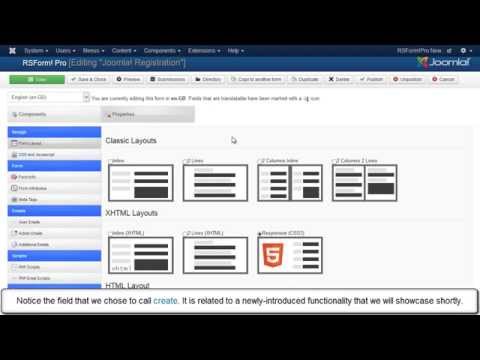
The integration between RSForm!Pro and the Joomla! user registration allows you to use custom forms during the registration process.
This video tutorial explains step by step, how to install and configure the RSForm!Pro - Joomla! user...
read more
Ep. 70: RSMail! integration with the default Joomla!...
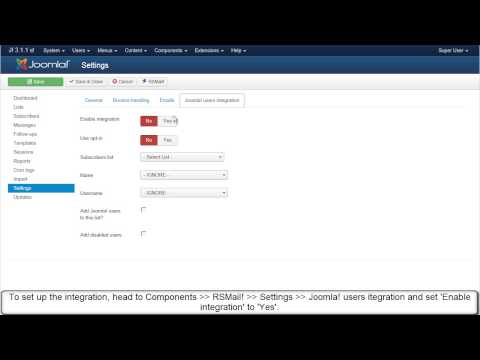
RSMail! allows you to automatically pass users data from the
Joomla! registration form to a subscribers list. The integration is done via the built-in RSMail! plugin.
Step 1: create an RSMail! mailing list
In the Joomla! backend...
read more
