Display PHP variables by default when form is shown
With RSForm!Pro you can display variables like user information (if the user is logged in) directly in the form components that you create.
How to get the currently logged-in user's email
Assuming that you want to create an e-mail form component, and by default, if the user is logged in, to enter it's registration e-mail in the Email field. Here's how to do it:
- Create a textbox component
- In the Default Value area, type this code:
  //<code>
  $user = Joomla\CMS\Factory::getUser();
  return $user->get('email');
  //</code>
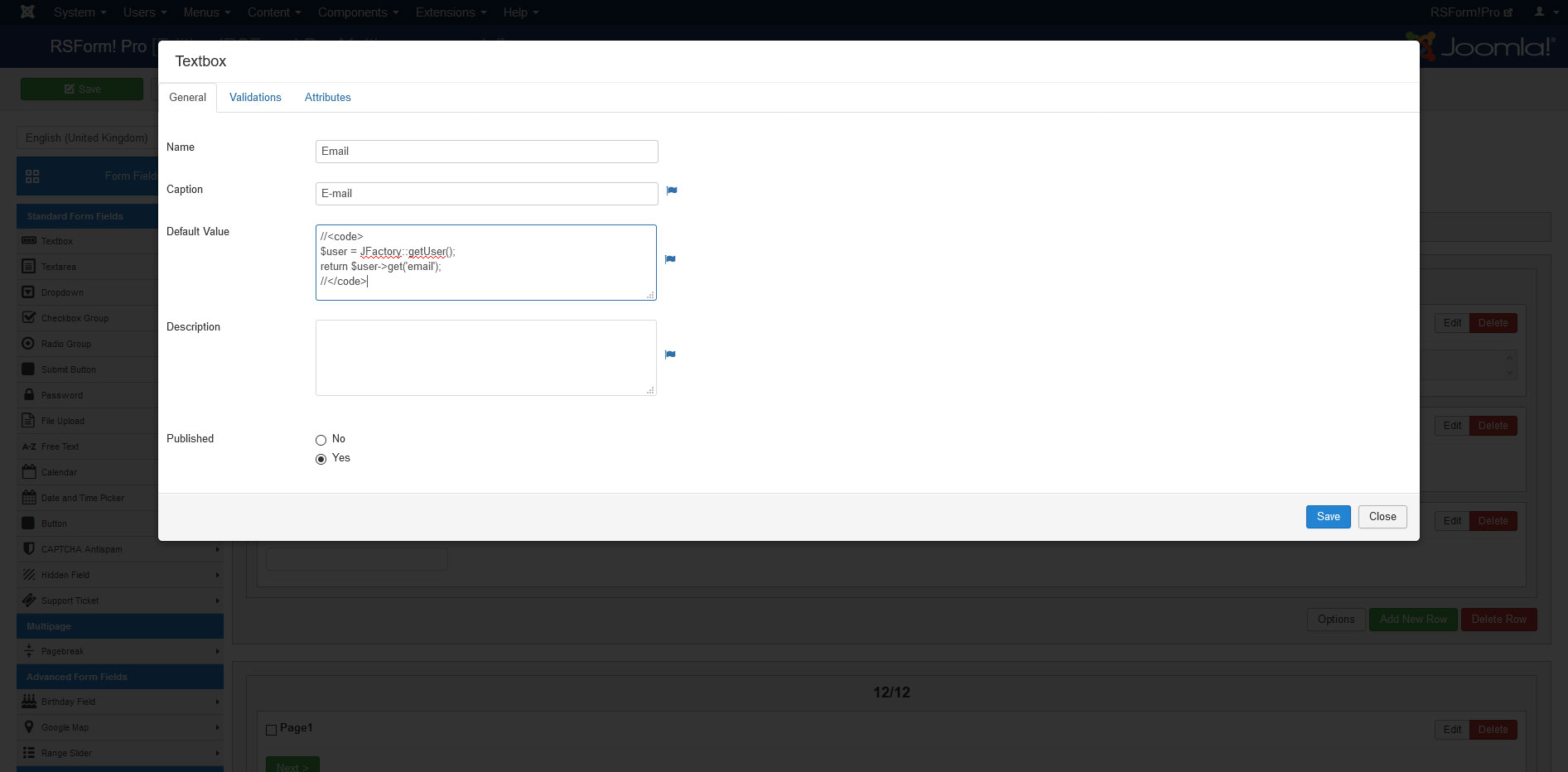
How to get logged-in user data
This piece of code (including the //<code> tags) loads the user information in the $user variable. Here's what you can use:
- $user->get('id') = user id
- $user->get('username') = the username
- $user->get('name') = registration full name
- $user->get('email') = registration email
How to get field values from User - Profile data
Displaying data from the user's profile information is possible as well. Example for the region:
  //<code>
  $user = Joomla\CMS\Factory::getUser();
  $profile = Joomla\CMS\User\UserHelper::getProfile($user->id);
  return $profile->profile['region'];
  //</code>
- The $profile variable loads the logged in user profile data
- Tip: other profile information can be found by performing a print_r on the $profile variable
- Important: the "User - Profile" plugin has to be enabled in order for this to work
You can also add a similar script in the Form Properties > PHP Scripts - Pre-Processing > 'Script called before form is generated' area to prefill Joomla! User custom fields (the "User - Profile" plugin has to be enabled for this as well):
  if (empty($val))
  {
    $db = Joomla\CMS\Factory::getDbo();
    if ($tempResults = $db->setQuery("SELECT profile_key, profile_value FROM #__user_profiles WHERE user_id = {$user->id} AND profile_key LIKE 'profile.%' ORDER BY ordering")->loadObjectList())
    {
      $profile = array();

      foreach ($tempResults as $tempResult)
      {
        $profile[str_replace('profile.', '', $tempResult->profile_key)] = json_decode($tempResult->profile_value);
      }

      // Add your field names here in the $val array
      $val['City-field-here'] = $profile['city'];
      $val['Country-field-here'] = $profile['country'];
    }
  }
You'll need to map your field names in the $val array as per the above example (for example, replace 'City-field-here' with the actual name of your field you want to prefill). The keys that are available in the $profile array are:
'address1', 'address2', 'city', 'region', 'country', 'postal_code', 'phone', 'website', 'favoritebook', 'aboutme', 'dob'
How to set a field's default value by pulling data from the database.
You can use a code similar to the one below to pull information from the database and add it as a default value of a field:
    //<code>
    $db = Joomla\CMS\Factory::getDbo();
    $db->setQuery("SELECT `column_name` FROM `#__table_name` WHERE `column_name`='value' LIMIT 1");
    return $db->loadResult();
    //</code>
Note: Please remember to replace column_name and table_name with the actual names of your column and table.
153 persons found this article helpful.
You Should Also Read
Custom PHP code HOT |
PHP Scripts HOT |
Custom validation rules HOT |
Controlling the calendar HOT |
How can I prevent the user from selecting a date in the calendar field HOT |
