Custom PHP code
RSform!Pro allows you to add your custom PHP code in various parts of you form. More information and examples on this topic can be found in the PHP Scripts article
Scripts called on form display
You can define code that will be executed upon form form display. To do this, select the form you wish to customize, go to the Scripts tab and add your custom code in the "Script called on form display " textarea. One important note is that in the Scripts called on form display area, the $formLayout variable is available. Basically this variable will hold all the actual HTML of the form in question. This can be rather usefull in some situations. For example you can display the number of times the form was submitted:
Just place the following script in the Scripts called on form display area:
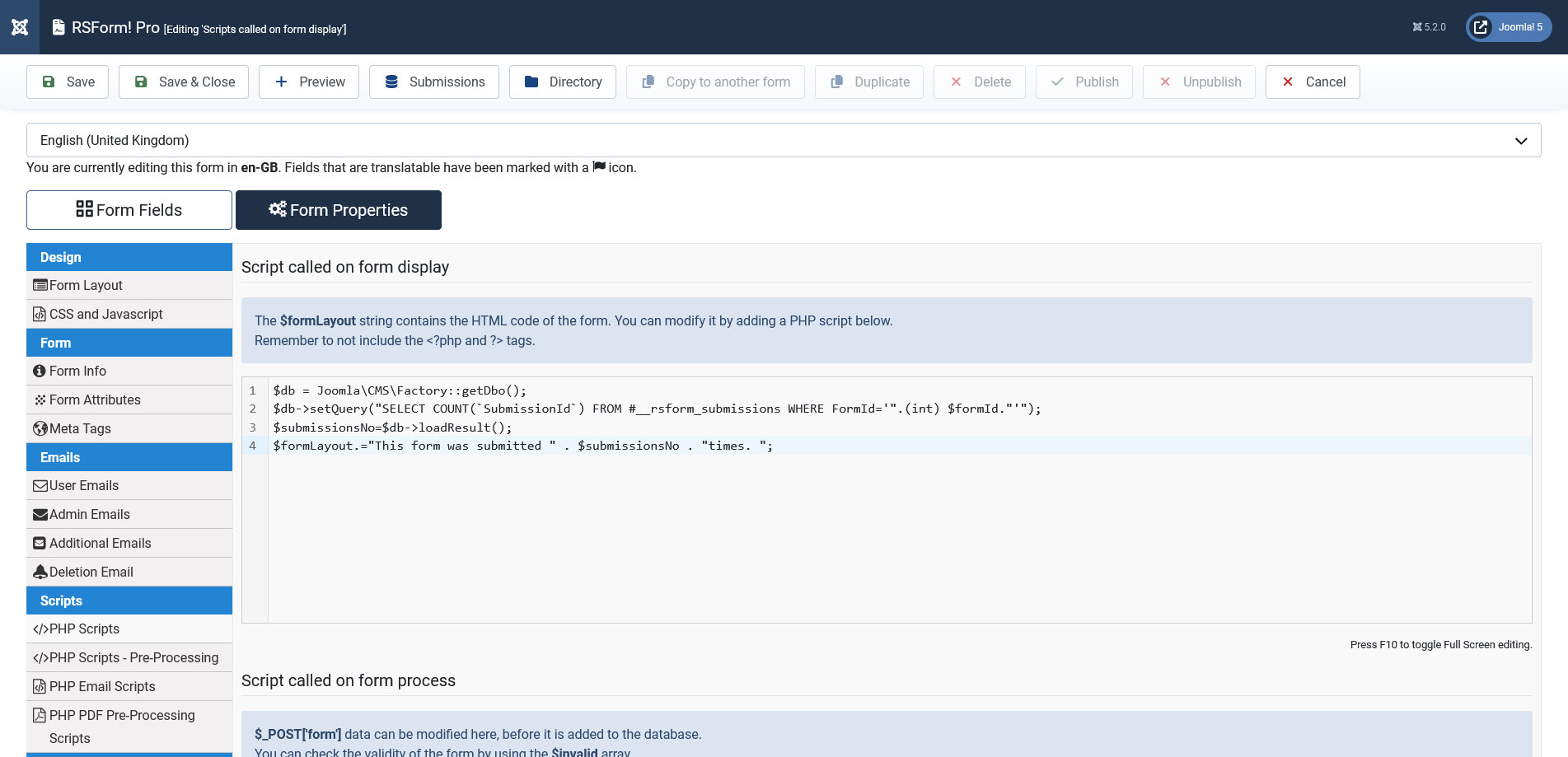
$db = Joomla\CMS\Factory::getDbo();
$db->setQuery("SELECT COUNT(`SubmissionId`) FROM #__rsform_submissions WHERE FormId='".(int) $formId."'");
$submissionsNo=$db->loadResult();
$formLayout.="This form was submitted " . $submissionsNo . "times. ";
Notice that we have used the concatenation operator in our script. This method will be commonly used when writing scripts for this area, as the $formLayout variable is actually a string that holds the HTML output of the form's layout.
Scripts called on form process
The Scripts called on form process area allows you to control the data that has been submitted, but hasn't been stored inside the database and hasn't been used in the emails (if any configured). The actul form values are stored inside the PHP $_POST variable, and can be accessed as described below:
- $_POST['form']['name_of_field'] - text field, hidden field, text area,radio, calendar, captcha, button, support ticket
- $_POST['form']['name_of_field'][index] - checkbox group
- $_POST['form']['name_of_field'][0] - dropdown field
Scripts called after form has been processed
The Scripts called after form process can and should be used to control the redirect process, after the form has been submitted. This is particuallary usefull for payment gateways control, where, after form submissions you are redirected to a separate payment page. To add a simple redirect you can use the following:
$app = Joomla\CMS\Factory::getApplication();
$app->redirect('http://your-link-here.com');
PHP Email Scripts
In the PHP Email Scripts tab you can access two new script areas from RSForm! Pro:
The Script called before the User Email is sent permits you to edit the User Email before it is sent to the user. You can modify the email by accessing the $userEmail array, which contains all the information that will be sent in the email.
And the Script called before the Admin Email is sent where you will be able to customize the Admin Email before it is sent. In order to modify it you can edit the $adminEmail array, which contains all the information that will be sent in the email.
You can read more about the PHP Email Scripts tab here
Note:
For debugging purposes you should use die(); statements after echo or print_r();. For example:
print_r($_POST);die();
43 persons found this article helpful.
