
Plugin - Mailchimp (Create custom newsletter subscription forms)
The RSForm!Pro - Mailchimp Plugin allows you to integrate your custom newsletter forms with the email-marketing manager.
With this integration you will be able to create subscription forms, pass users data to your Mailchimp account and assign them to the existing lists and groups.
Downloading and Installing the plugin
Download
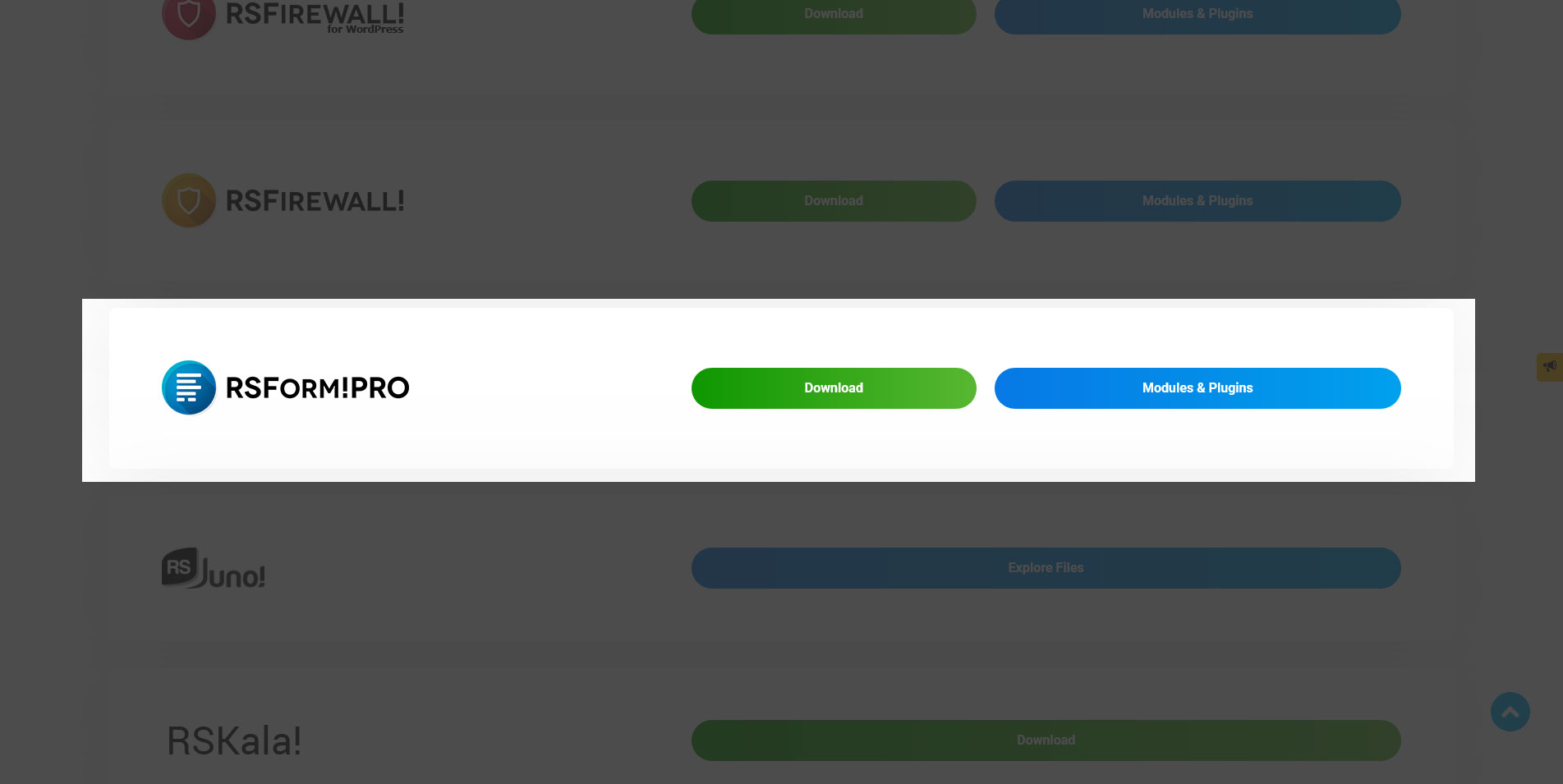
You can download the plugin by logging with your purchase user, then head to Downloads > Paid Downloads > RSForm!Pro > Modules & Plugins > "Mailchimp xx".
Install
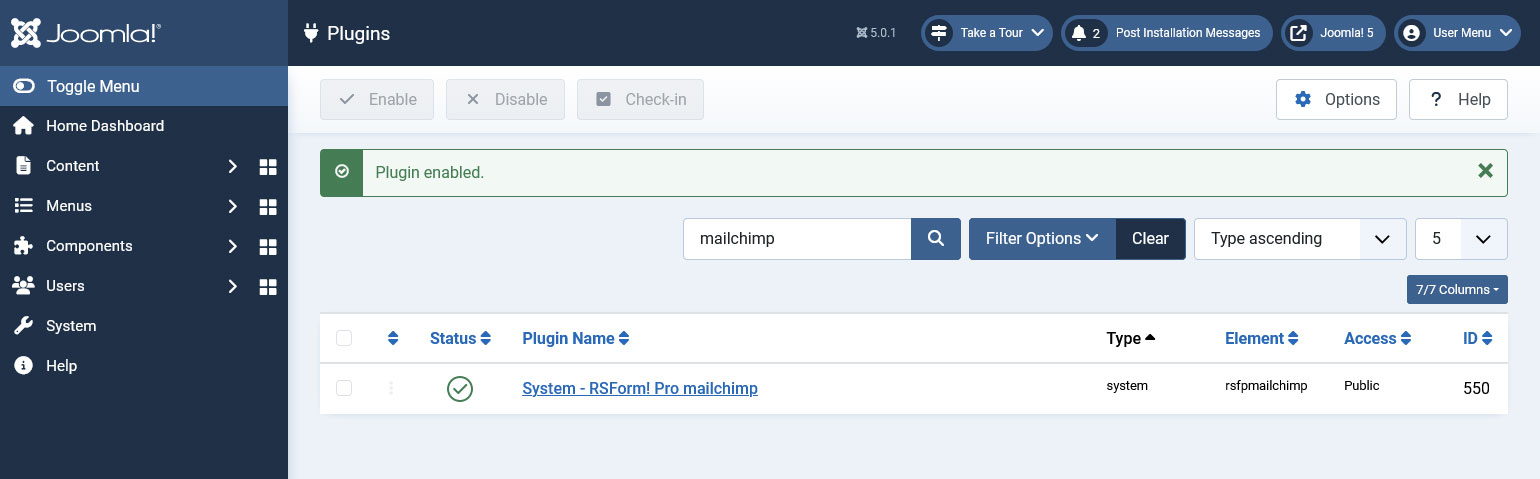
In the backend of your Joomla! installation go to Extensions > Manage > Install, and upload and install the plugin. Next thing would be to check if the plugin is published, and to do so, navigate to Extensions > Plugins, search for the "System - RSForm! Pro Mailchimp" plugin and ensure it is published.
Enabling the integration
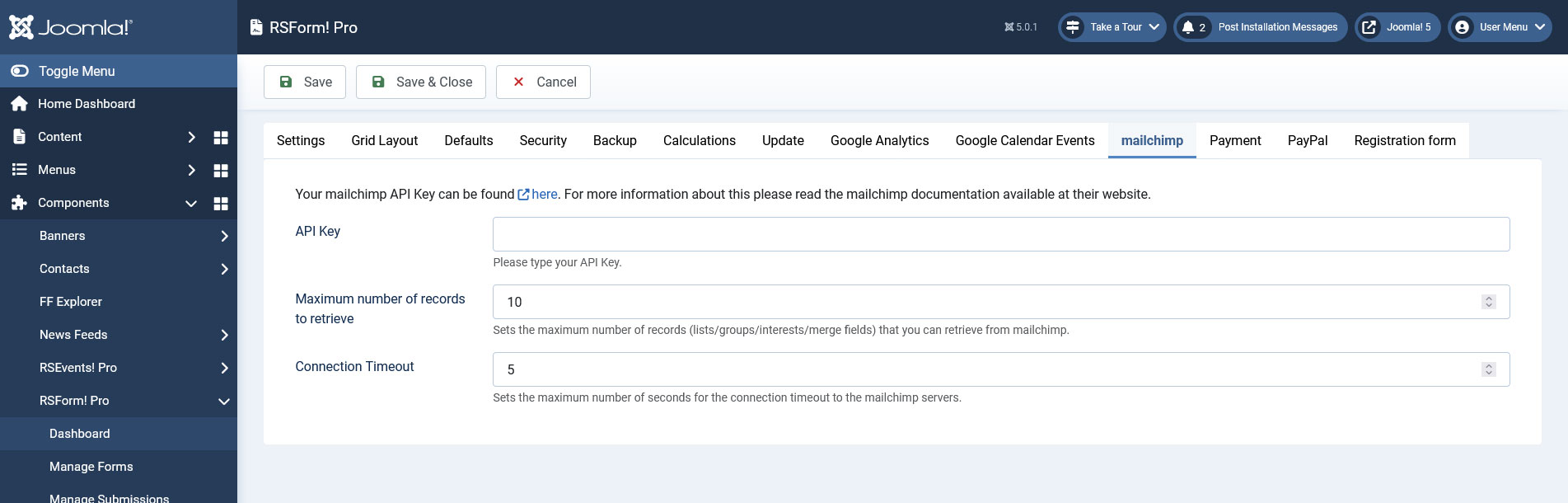
In order for the plugin to work you will have to enable it from Extensions > Plugin Manager, enter your Mailchimp API Key in Components > RSForm!Pro > Configuration > Mailchimp and then set the plugin parameters.
Your mailchimp API Key can be found here.
In case you have connection related issues the Maximum number of records to retrieve can be decreased and or the Connection Timeout can be increased (these will eventually depend on your Mailchimp data and hosting server capabilities).
The plugin is compatible with Joomla! 3.x, 4.x and 5.x. Make sure that you have the latest revision of RSForm!Pro and an active Mailchimp account
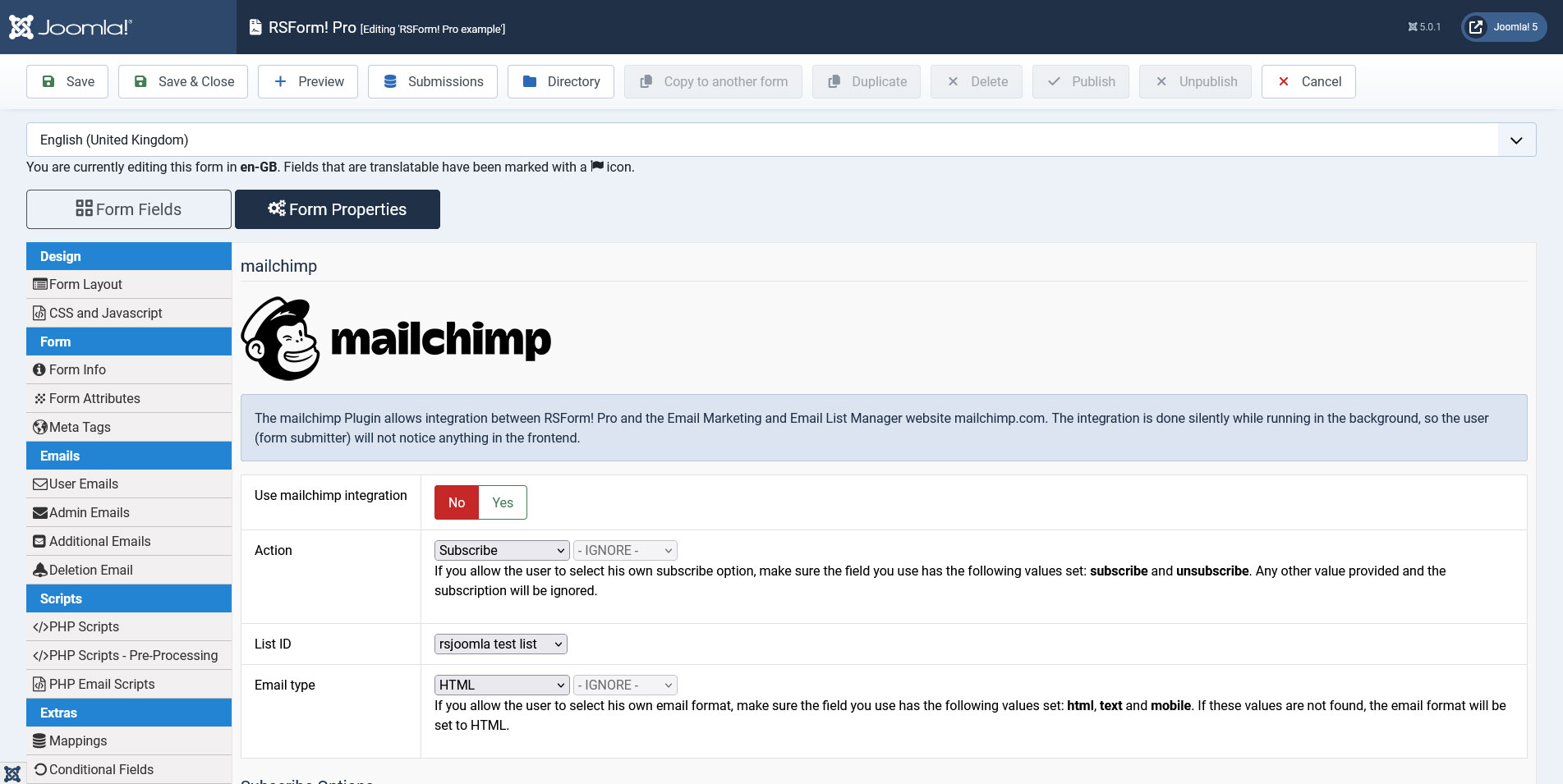
Once you have added the API Key, go to RSForm!Pro » Manage Forms and edit the form where you want to use the RSForm!Pro - Mailchimp Plugin. You will notice that one more tab has appeared.
This tab will allow you to setup the integration:
- first you will need to enable the integration
- select the action:
- subscribe - users will be subscribed automatically
- unsubscribe - users will be unsubscribed automatically
- let the user decide - If you allow the user to select his own subscribe option, make sure the field you use has the following values set: subscribe and unsubscribe. Any other value provided and the subscription will be ignored.
- choose the list you will be working with (defined in your Mailchimp account)
- select the email type: HTML, text or mobile
- map the form components to your desired list fields for the "Merge Vars","Interest groups" sections.
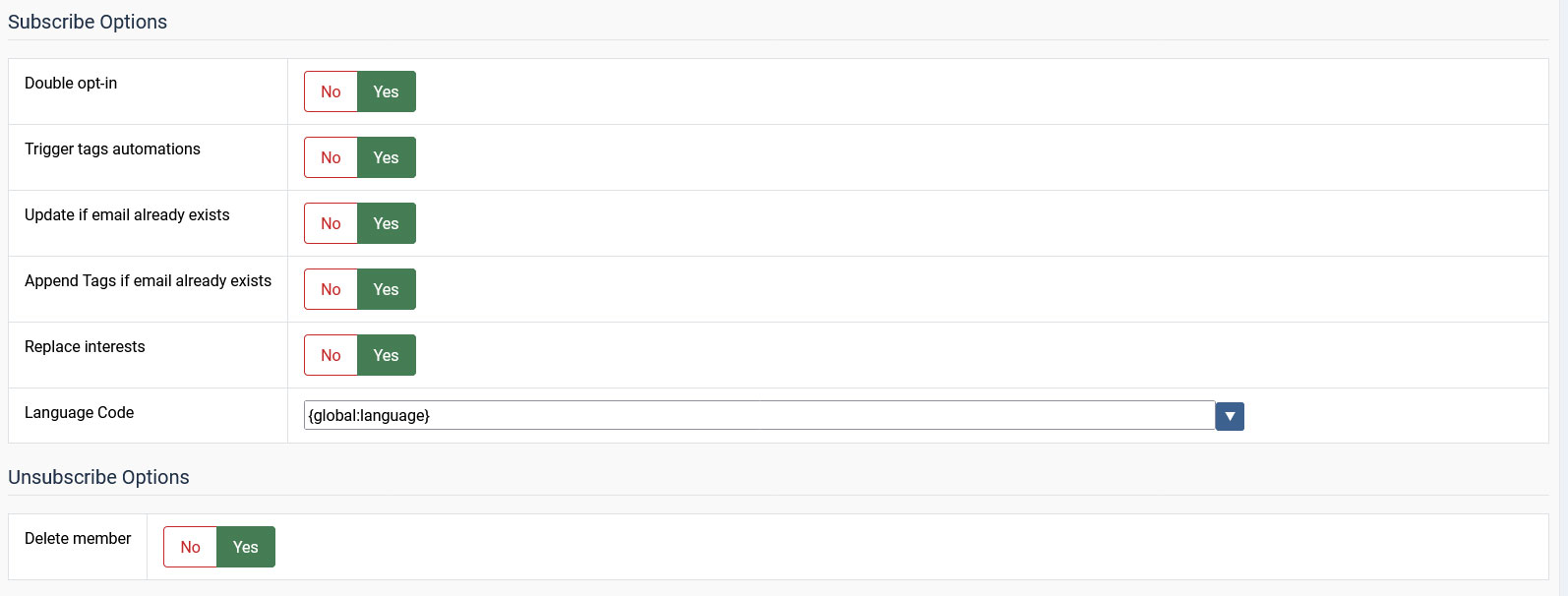
The integration also offers the possibility to set up some additional parameters regarding the Subscribe and Unsubscribe processes:
Subscribe
- Double Opt-In: No/Yes - Set to Yes in order to send a confirmation message when the user subscribes
- Trigger tags automations: No/Yes - This option will let the tags automations to be trigger when the tag is added/updated. If any available.
- Update if email already exists?: No/Yes - Set to Yes in order to have subscribers updated (if they already exist). Otherwise, an error will be thrown
- Append Tags if email already exists: No/Yes - Activating this option will not update current tags for the existing email address, it will append the new ones to the old ones if they are different.
- Replace Interests ?: No/Yes - Set to Yes in order to replace the existing interests with the provided ones. Otherwise, both the old and new interests will be kept
- Language Code: Supply a valid language code (eg. en for English, de for German etc) or use a placeholder that returns a language code (eg. {global:language})
Unsubscribe
- Delete Member ?: Set to Yes to have the member deleted when he unsubscribes
Merge Vars
On the left side you will find the fields of your Mailchimp list. You can map them to RSForm! Pro fields, so that they will automatically be populated with user-supplied data. Please map all required fields.

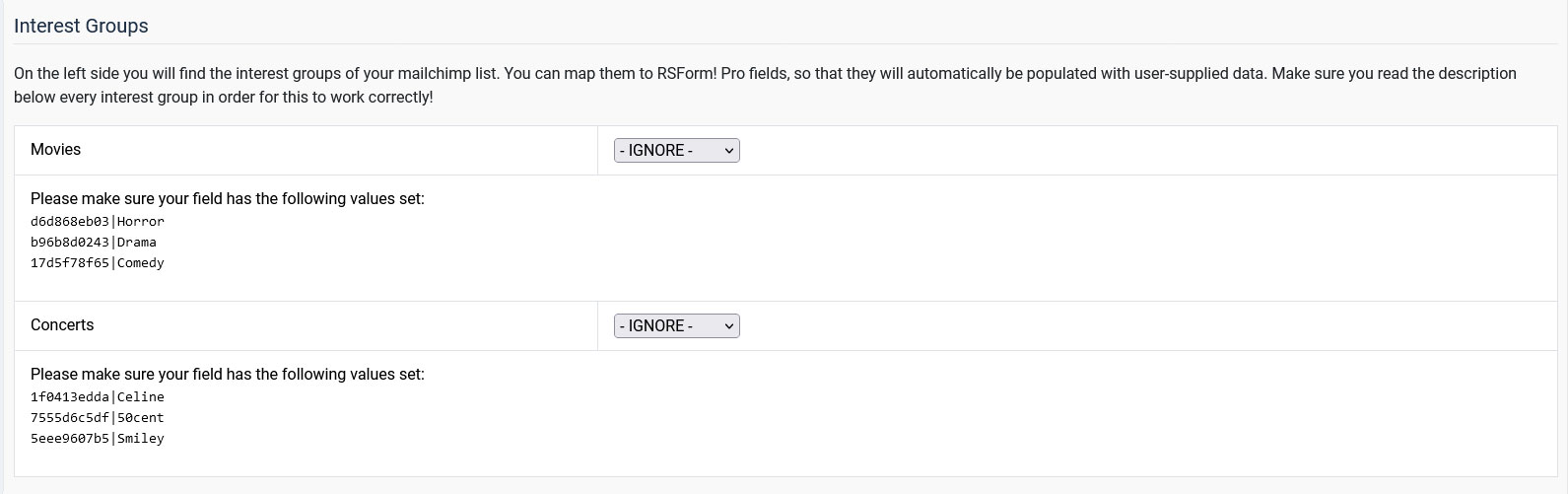
Interest Groups
Using the option from this section, you will be able to assign Interest groups to your subscribers.
The existing interest groups will be automatically retrieved from your Mailchimp account and listed below. In case you are creating a selection field, in order the user to select his interest group, you will have to use the exact values listed in this section.
Tags
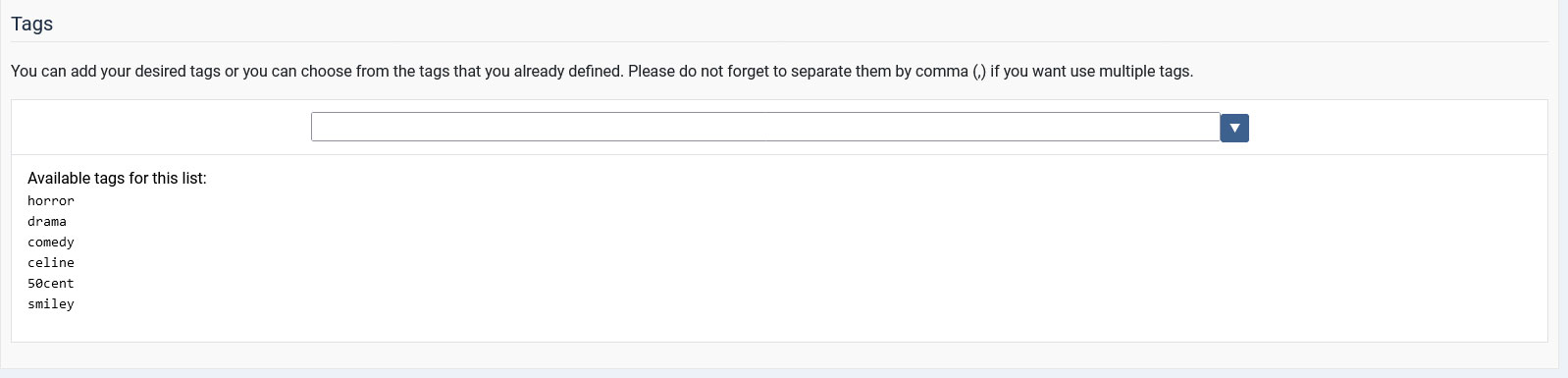
You can add your desired tags or you can choose from the tags that you already defined. Please do not forget to separate them by a comma if you want to use multiple tags.
The existing tags will be automatically retrieved from your Mailchimp account and listed below.
Video tutorial:
Ep. 33 - Using RSForm!Pro with Mailchimp
Version 3.0.3
- Added - Joomla! 5 native compatibility - no longer needs the 'Behaviour - Backward Compatibility' plugin.
- Added - Can map the 'Language Code' when adding subscribers.
- Updated - Bumped minimum requirements to use Joomla! 3.10.0+
Version 3.0.2
- Updated - IP address now takes into account the 'Behind Load Balancer' setting from Global Configuration.
- Updated - Bumped minimum requirements to use Joomla! 3.9.0+
Version 3.0.1
- Added - 'Connection Timeout' in Configuration area.
- Updated - A friendlier translatable warning message shows up when attempting to subscribe a user with 'Update if email already exists' set to 'No'.
Version 3.0.0
- Updated - Joomla! 4.0 and RSForm! Pro 3.0 compatibility.
Version 1.52.0
- Added - Tags support.
Version 1.51.9
- Fixed - Double Opt-in no longer required every time a subscriber is updated.
Version 1.51.8
- Updated - Code improvements.
- Updated - Now showing possible values for multiple choice fields.
- Fixed - Changing the list would not display the correct fields.
- Fixed - Some fields were not mapped correctly.
Version 1.51.7
- Added - GDPR fields support.
- Updated - Now mapping signup timestamp by default.
Version 1.51.6
- Fixed - Required fields were not marked.
Version 1.51.5
- Fixed - Replacing interests was not working correctly in some cases.
Version 1.51.4
- Updated - Dropped 'Use SSL' option since it's now mandatory for all connections.
- Fixed - Empty values were not mapped.
Version 1.51.3
- Added - 'Maximum number of records to retrieve' option.
Version 1.51.2
- Added - 'Maximum number of lists to retrieve' option.
Version 1.51.1
- Added - API v3 support.
Version 1.51.0
- Added - Joomla! automatic updates support.
- Updated - Bumped minimum requirements to use RSForm! Pro 1.51.0 and Joomla! 2.5.28
- Updated - Some deprecated code has been removed.
Version 1.50.1
- Updated - Interests has been replaced with Groupings.
Version 1.50.0
- Updated - Deleting a form now correctly removes form's Mailchimp settings from the database.
- Updated - Payment settings can be backed up and restored.
Version 1.1.0
- Fixed - Upload fields were not being mapped.
Initial Release
33 persons found this article helpful.
