RSMembership! Authorize.NET plugin
The RSMembership! Authorize.NET plugin allows you to subscribe to a membership using the Authorize.NET payment gateway.
To install the plugin, you simply to download it from the your rsjoomla.com > View my downloads area, head to your Joomla! administrator panel, Extensions > Install / Uninstall > browse the file and click the Upload and Install button. To use it, open the Plugin Manager and enable the System - RSMembership! - Authorize.Net item.
The plugin parameters can be configured through the Extensions >> Plugin Manager >> System - RSMembership! - Authorize.Net area, and are split into 2 tabs.:
Basic Options
- API Login ID: the merchant API login ID is available in your account Authorize.NET account
- Transaction Key: the transaction key is provided in your merchant Authorize.NET account
- Mode - Test / Live: Select Test if you wish to test the membership purchase, without actually paying. Setting this option to Live to be able to perform real payments
- (optional) Tax Type - Percent / Fixed rate: the administrator can apply a tax to the total membership cost
- (optional) Tax Value: the value of the tax
- Message - Standard "Membership purchase on date" / Membership's name: the name of the item that is being purchased. This will be displayed in the Authorize.NET shopping page.

Advanced Options
- Payment Name: Set the label of the payment method that will be displayed in the front-end during the checkout process
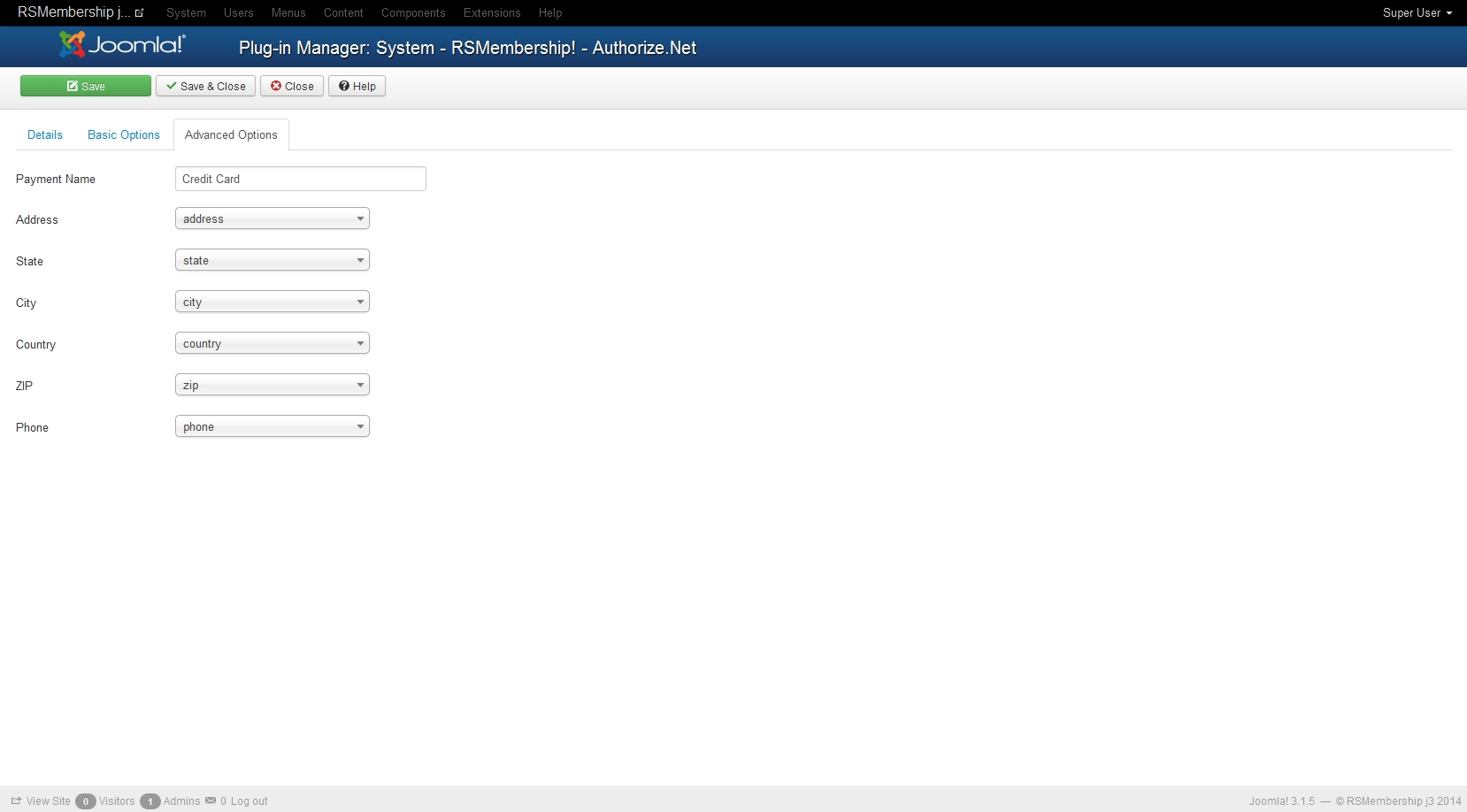
Starting with rev. 19, the following information can be transmitted to Authorize.Net, in addition to the regular data found in the Basic Options tab:
- Address
- State
- City
- Country
- ZIP
- Phone
This data can be collected using RSMembership! custom fields. After creating the custom fields, just select them in their corresponding drop-downs, as illustrated to the right:
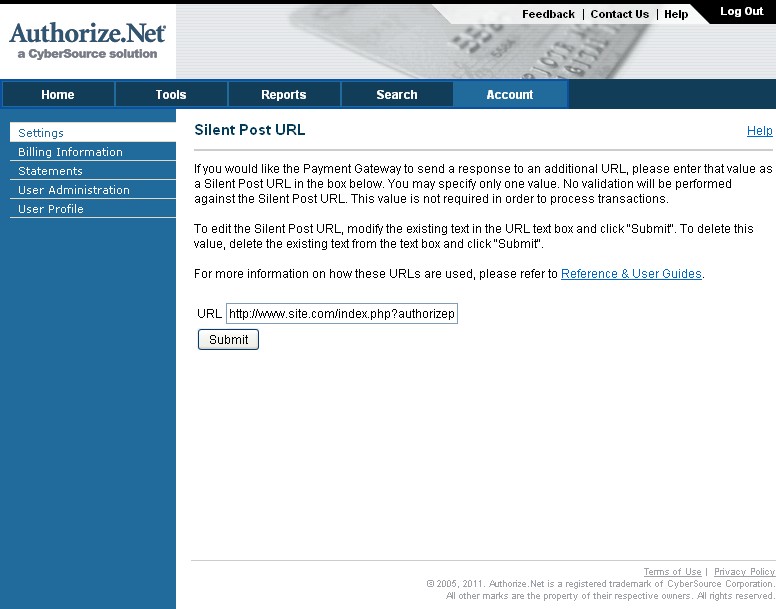
If you are using recurring payments for memberships, an additional Authorize.NET setting is required and namely a Silent Post URL. This is available for configuration on your merchant account, settings area, and it should be set with the following value:
Make sure you specify https if using SSL.
If your website is redirecting from www to non-www or from non-www to www, make sure you include the full intended domain URL (either site.com or www.site.com).
After the configuration has been performed, a new payment option will be available in the frontend, when subscribing to a membership, named Credit Card. Choosing this option will enable the subscriber to pay via Authorize.NET.
5 persons found this article helpful.
You Should Also Read
RSMembership! PayPal Payment Plugin HOT |
RSMembership iDEAL Plugin HOT |
Payment Integrations |
RSMembership! Wire Transfer plugin |