The Cron creates ongoing tickets
When I enable the Cron Email Parser tickets are created continuously."
This issue is caused because the email address that is set in the Cron Email Parser is also set in RSTickets! Pro for a staff member. This way, when enabling notifications in the departments, the staff members will receive a notification email, thus the given staff member will receive the notification. The email will be parsed by the Cron and will be set as a new ticket or as a ticket reply. A new ticket/reply being posted, the staff member will again be notified and so the notification will again be parsed by the Cron and an infinite loop will be created.
The problem can also be encountered due to a an autoresponder (for example an Out of Office message). The staff member adds a reply to the given ticket and the reply is emailed to the customer (the setting can be configured from the Departments). The customers autoresponder is triggered and the message is emailed to your configured Cron Email. Then it is added as a new ticket and an email is again sent to the customer with the details of the new ticket. The autoresponder is sent again and so an infinite loop is created.
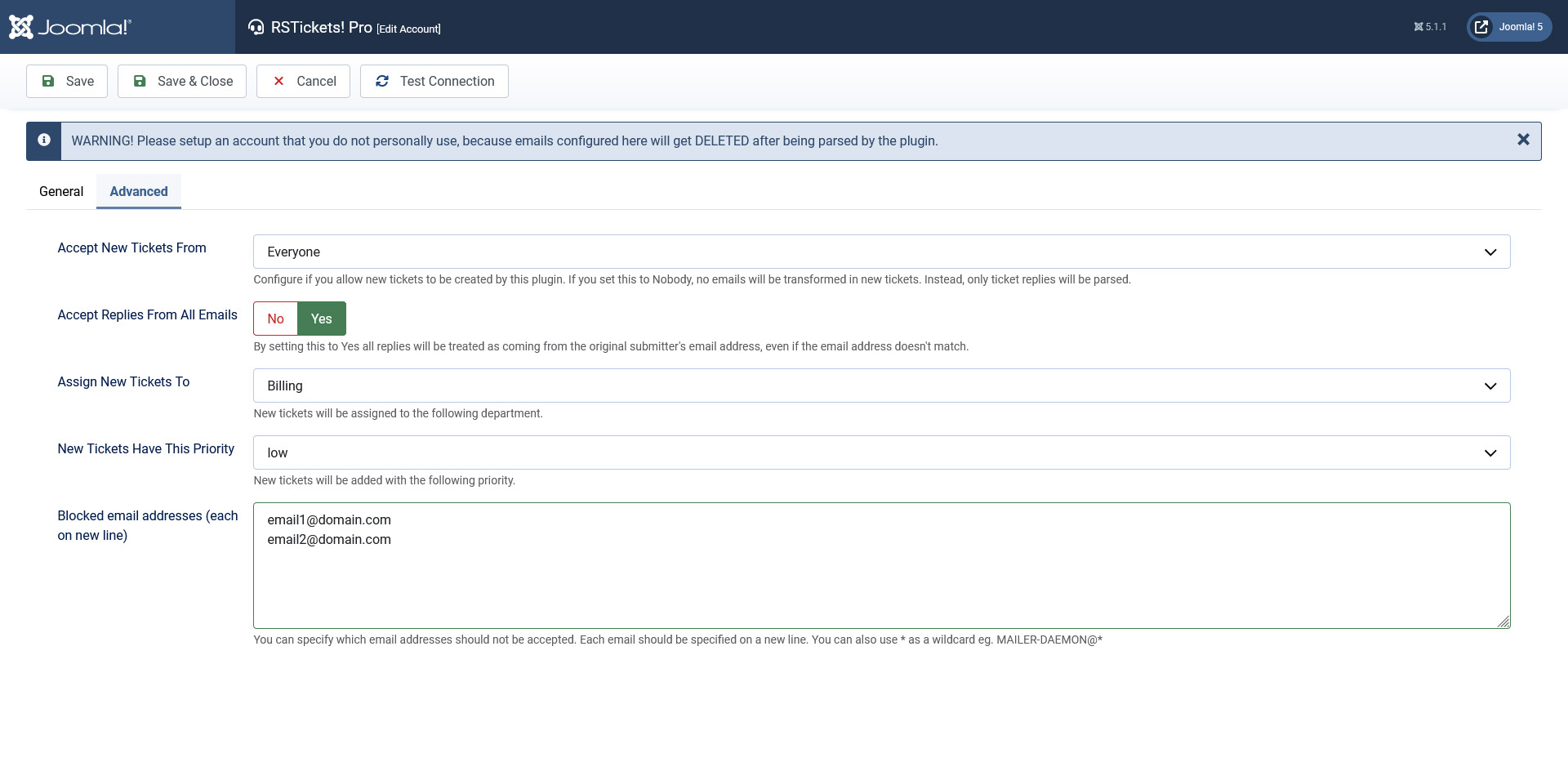
How do i stop this ?
This behaviour can be stopped by using the Block email addresses option. Head over to Components > RSTickets!Pro > Cron Email parser configuration > Advanced and specify each email address on a new line. No cron tickets will be created from these addresses anymore.
- When configuring the Cron Email Parser in RSTickets! Pro it is best to use an unique email address and not use it for staff members or in another place on your site.
- To trigger the Cron Email Parser functionality, you need to either:
- create a serve-side cron task
- or access an RSTickets!Pro related URL
You Should Also Read
How do I set up a Cron task? |
How can I configure the Email Cron Plugin to work with gmail ? |
