RSEvents!Pro Community Builder Plugin
The RSEvents!Pro - Community Builder plugin offers a simple integration between the two components. It simply displays the events that a user has subscribed to in his/her profile and it also displays the events that are owned by that particular user. In this article we will guide you through the installation and configuration process.
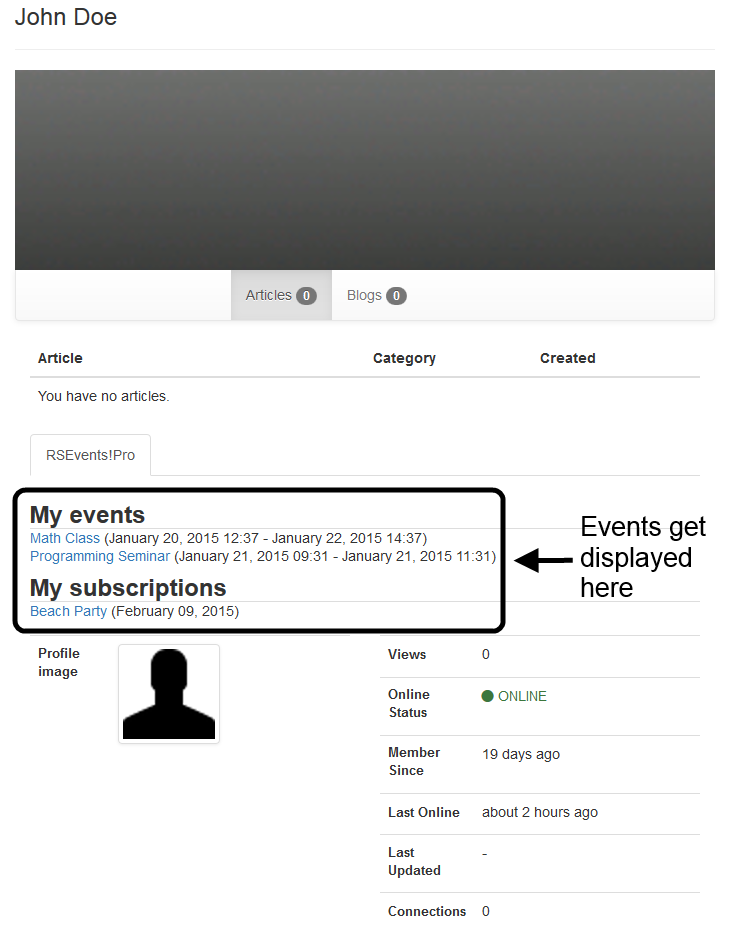
Installation
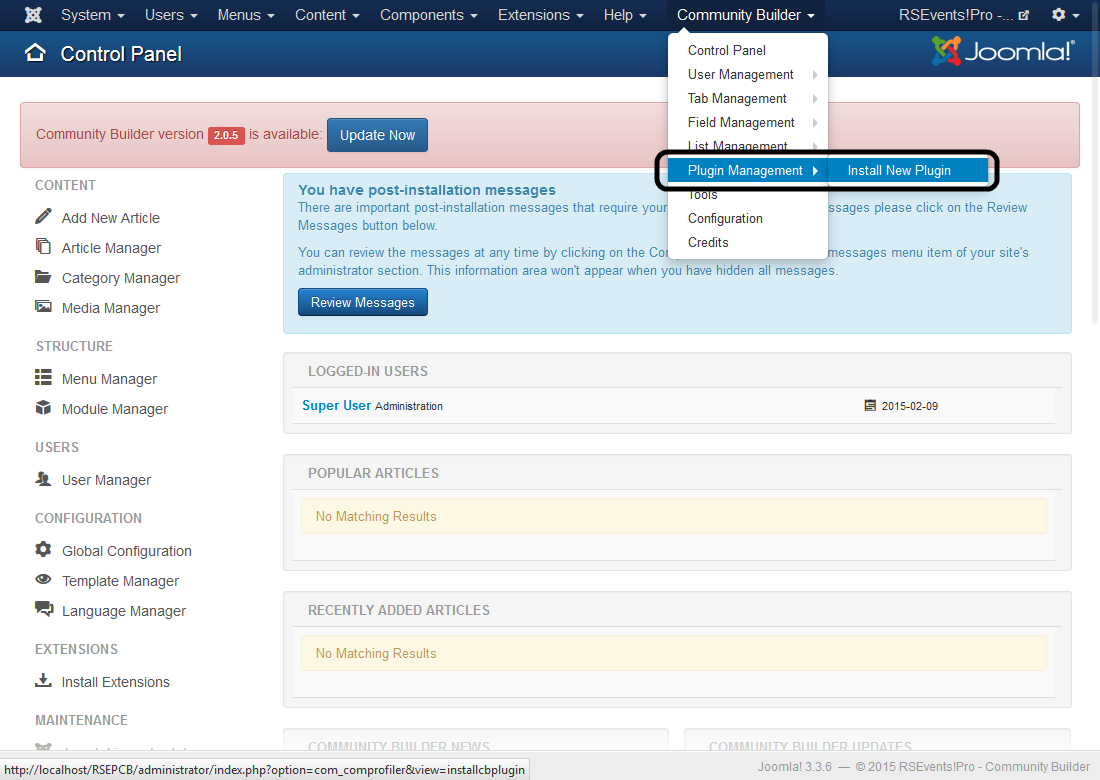
The plugin is installed trough the Community Builder installer, in the Plugin Management area. Follow these steps:
- Head to Community Builder >> Plugin Management and click on Install New Plugin.
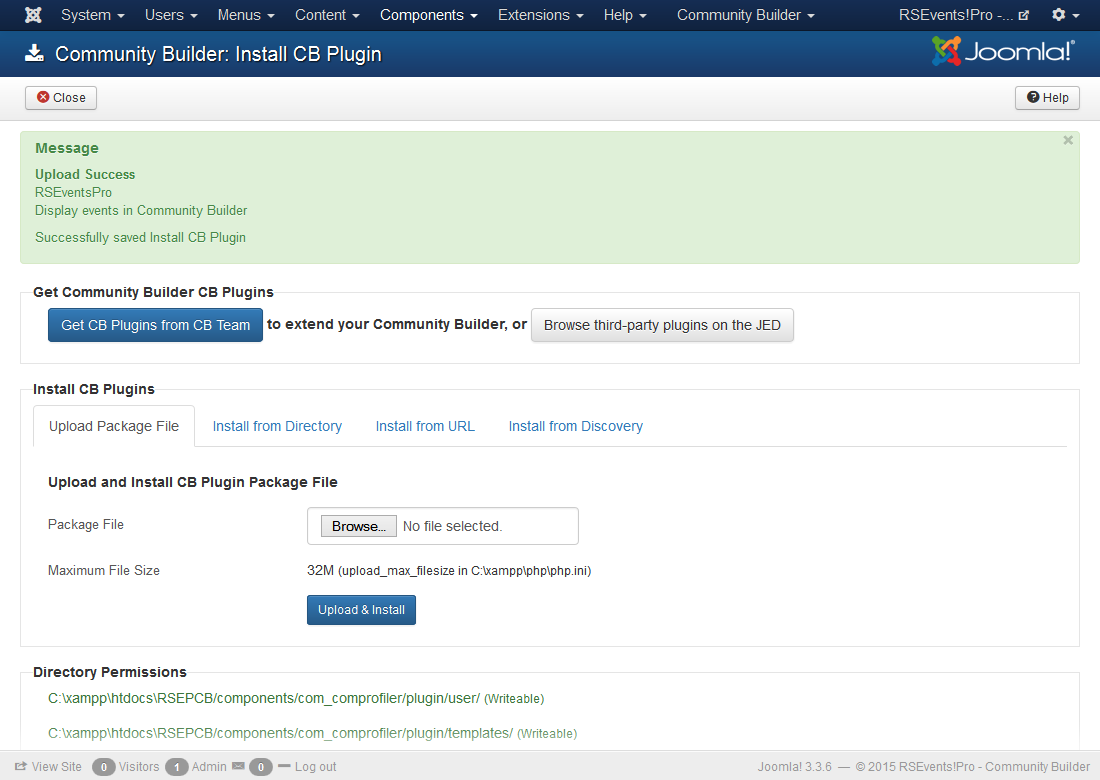
- Browse for the file and click on Upload & Install

- If the plugin was installed correctly, you should see the following message:
Configuration
First off, the plugin needs to be published in order for the integration to work. To edit the plugin, follow these steps:
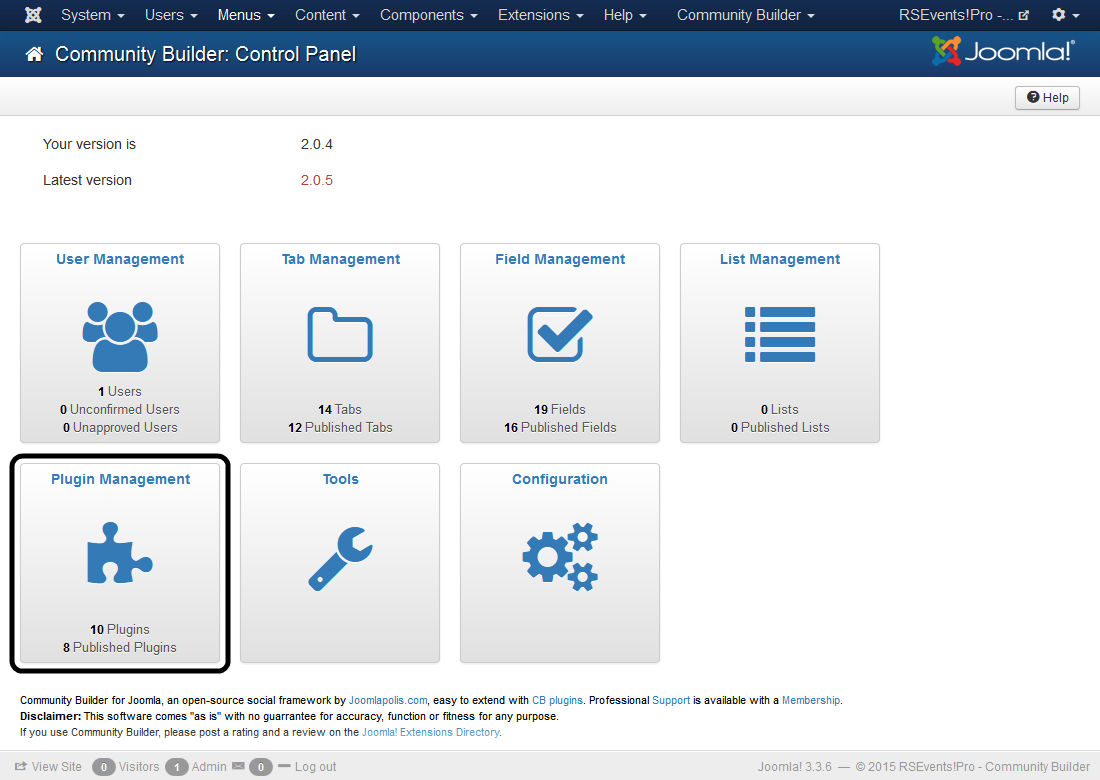
- In the Community Builder Dashboard, click on Plugin Management, as show below:
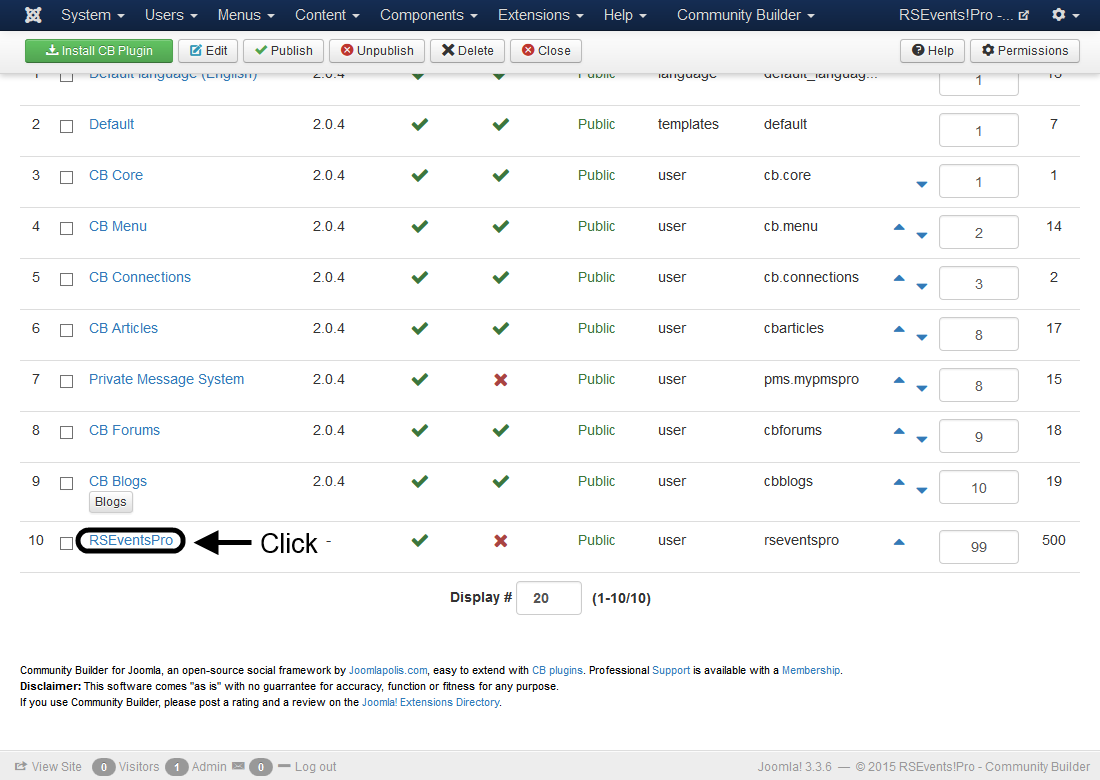
- Then, in the plugins listing, click on RSEventsPro:
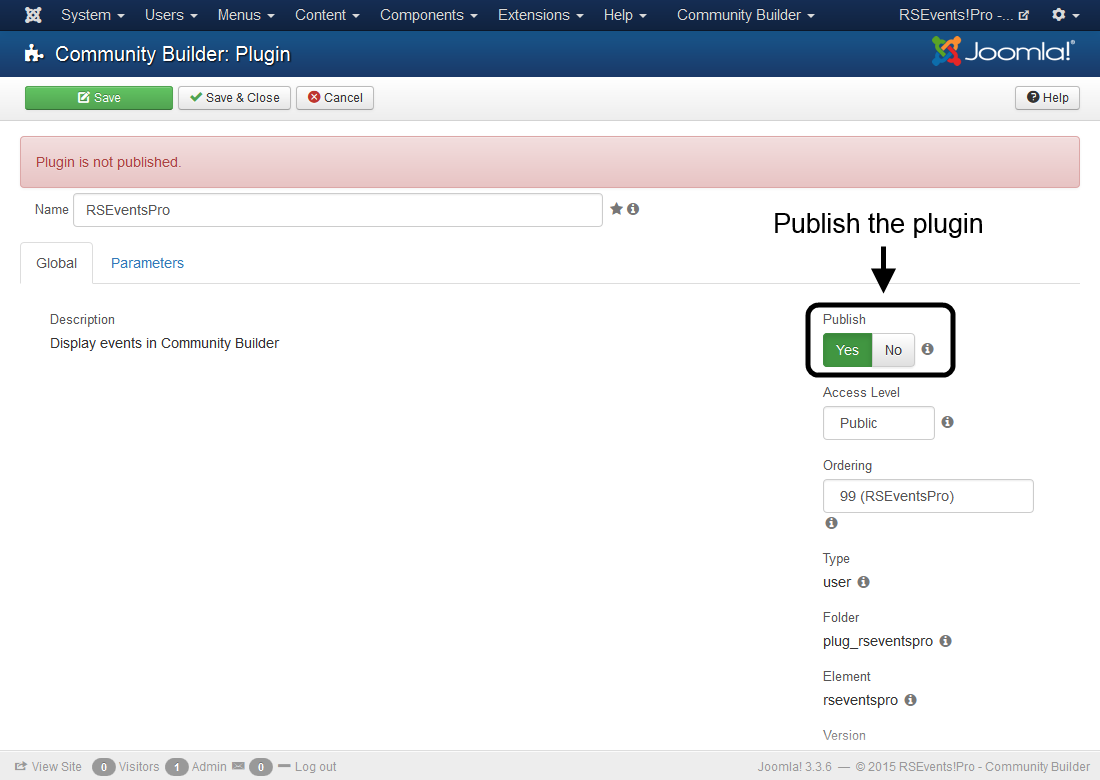
In the Global tab, set Publish to Yes in order to publish the plugin:
- Head to the Parameters tab, you will be able to configure the following options:
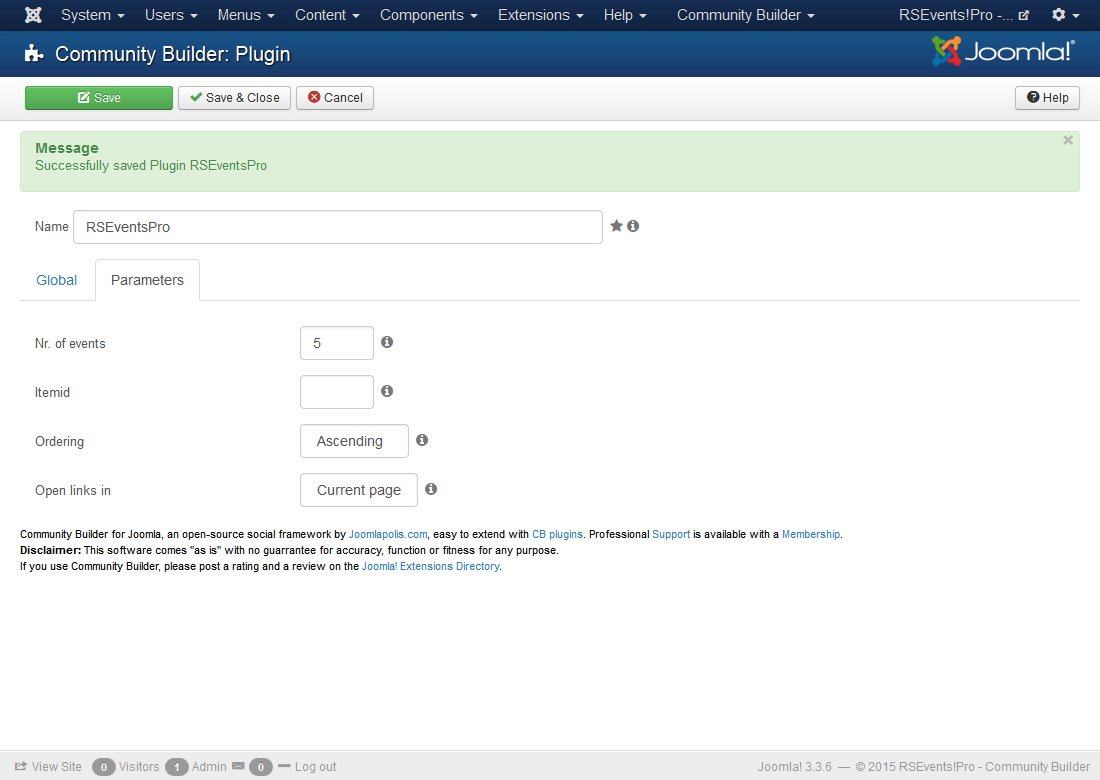
- Number of Events: The number of events that you wish to display.
- ItemId: The ItemId that you wish to use for the events shown in the profile. Leave blank for the current ItemId.
- Ordering: Ascending / Descending - The order of the events in the profile.
- Open links in: New page / Current page - The way the events are opened.
Next, you need to set up the RSEvents!Pro tab that will be displayed on your users' Community Builder profiles. Here's what you need to do:
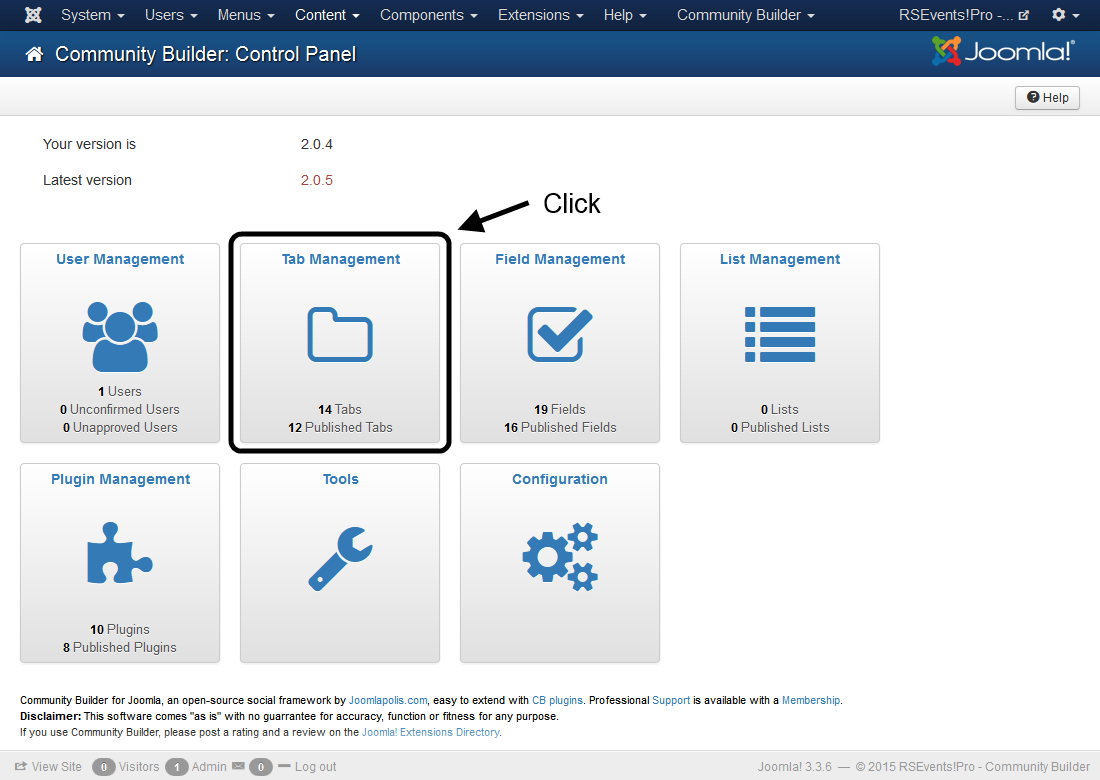
- In the Community Builder Dashboard, click on Tab Management, as show below:
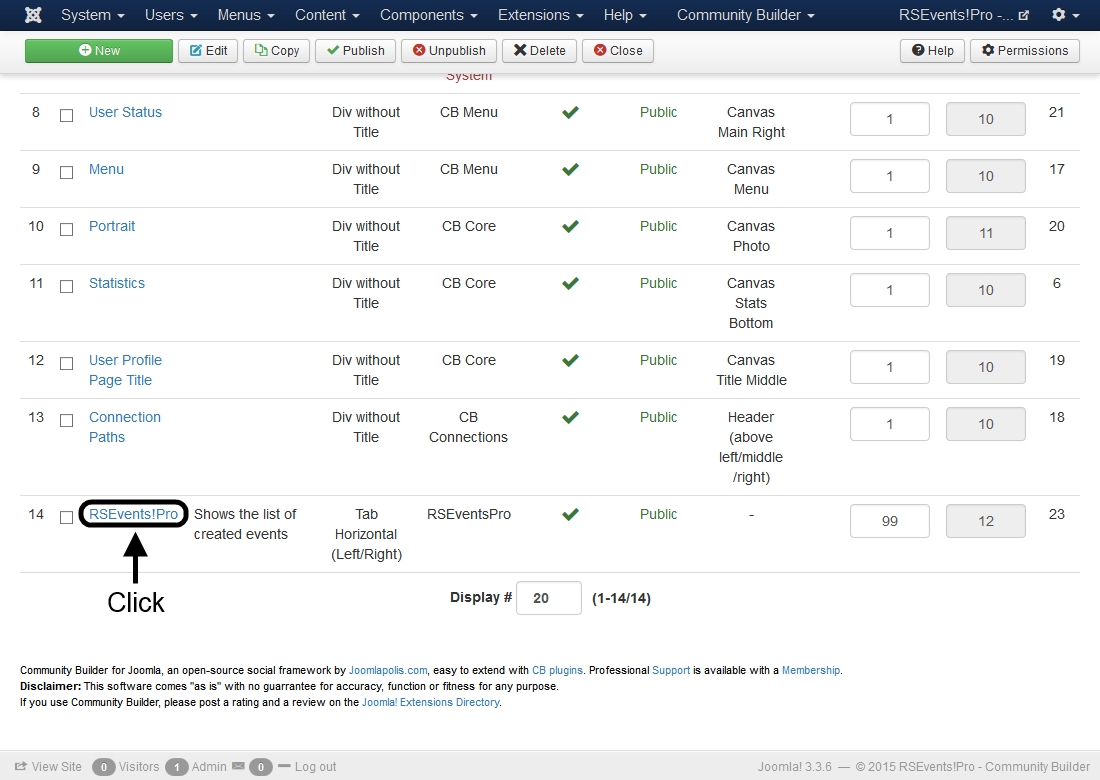
- Then, in the tabs listing, click on RSEvents!Pro:
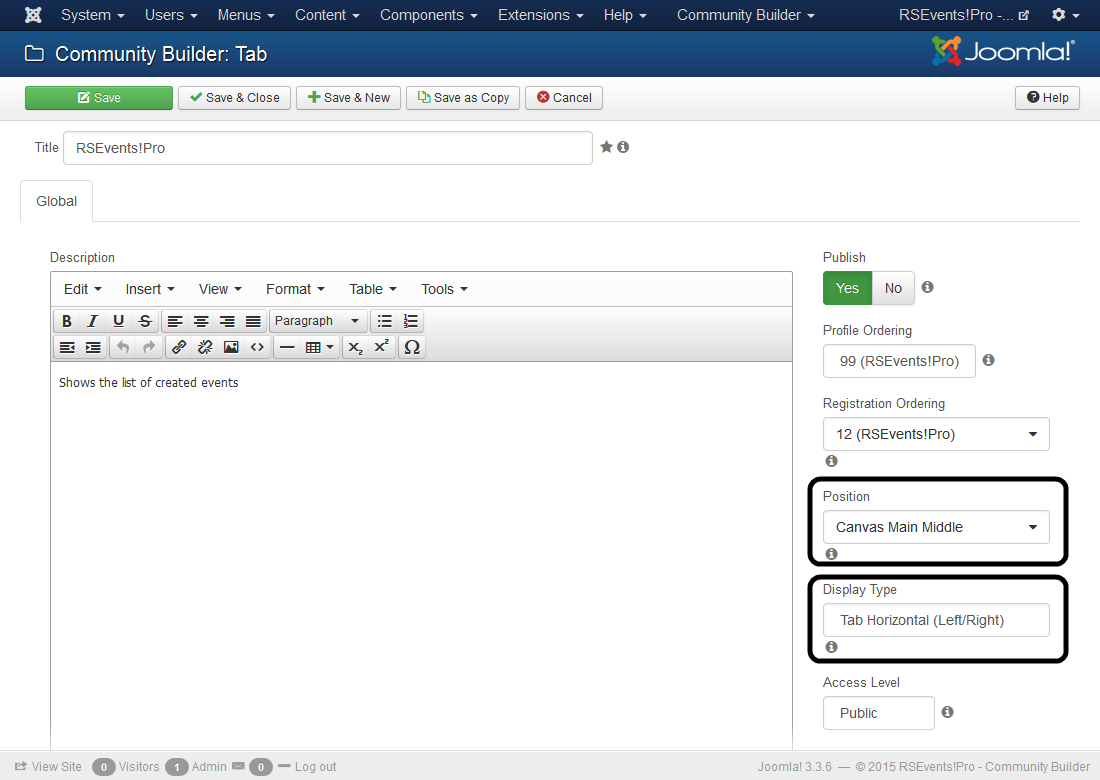
- Lastly, set how you wish to have the tab displayed in the Community Builder Profile, by choosing the appropriate values in the Position and Display Type fields:
4 persons found this article helpful.
You Should Also Read
RSEvents!Pro Jomsocial Plugin |
