How can I ignore links from being crawled?
"I ran the Crawler, however I want certain links to not be crawled when running it."
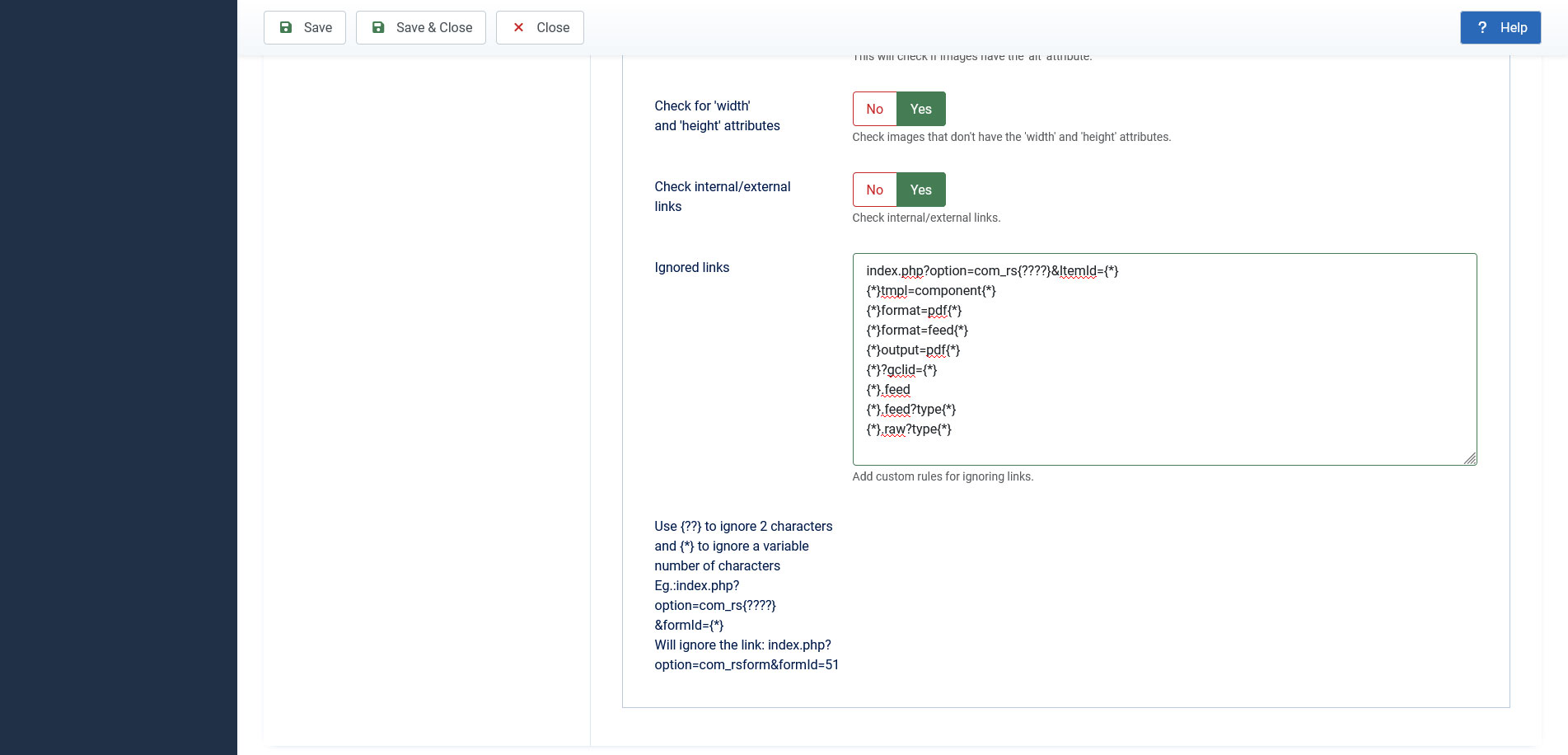
In order to ignore links when crawling in RSSEO! you will have to go to RSSEO! > Settings > Crawler.
Here in the "Ignore links when crawling" section you can type the links that you wish to be skipped when crawling and also use wildcards in order to cover a wider range of URLs that should be ignored by the Crawler.
You can use {??} to ignore 2 characters and {*} to ignore a variable number of characters.
For example in order to ignore the link:
index.php?option=com_rsform&ItemId=9999
you can use the following wildcard:
index.php?option=com_rs{????}&ItemId={*}
3 persons found this article helpful.
You Should Also Read
Number of internal and external links on a page |
