Joomla! Search module integration plugin
Works only on Joomla! 3 environments!
Joomla!'s default Search module can come in handy if you wish to add a simple search-box functionality that occupies very little space in your website's frontend. As this module gets used quite a lot, we've included a plugin for RSEvents!Pro that allows an integration between the two extensions.

Step 1: Installing the plugin
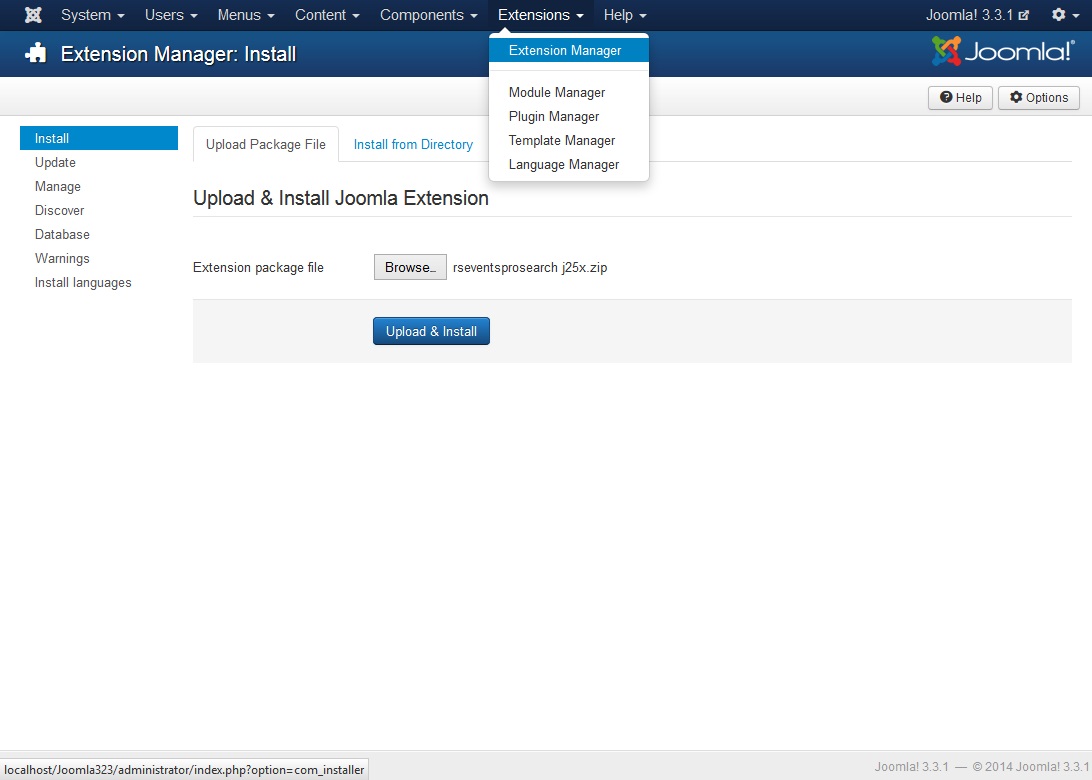
This is done through the default Joomla! Extension Manager, as follows:
- Head to Extensions >> Extension Manager >> Install
- Browse for the installation package
- Click on Upload & Install
Step 2: Configuration
No special configuration actions need to be taken. Simply go to Extensions >> Plugin Manager, look for the Search - RSEvents!Pro plugin, edit it and set its Status to Published. Note that this is important, if set to Unpublished the integration won't work.
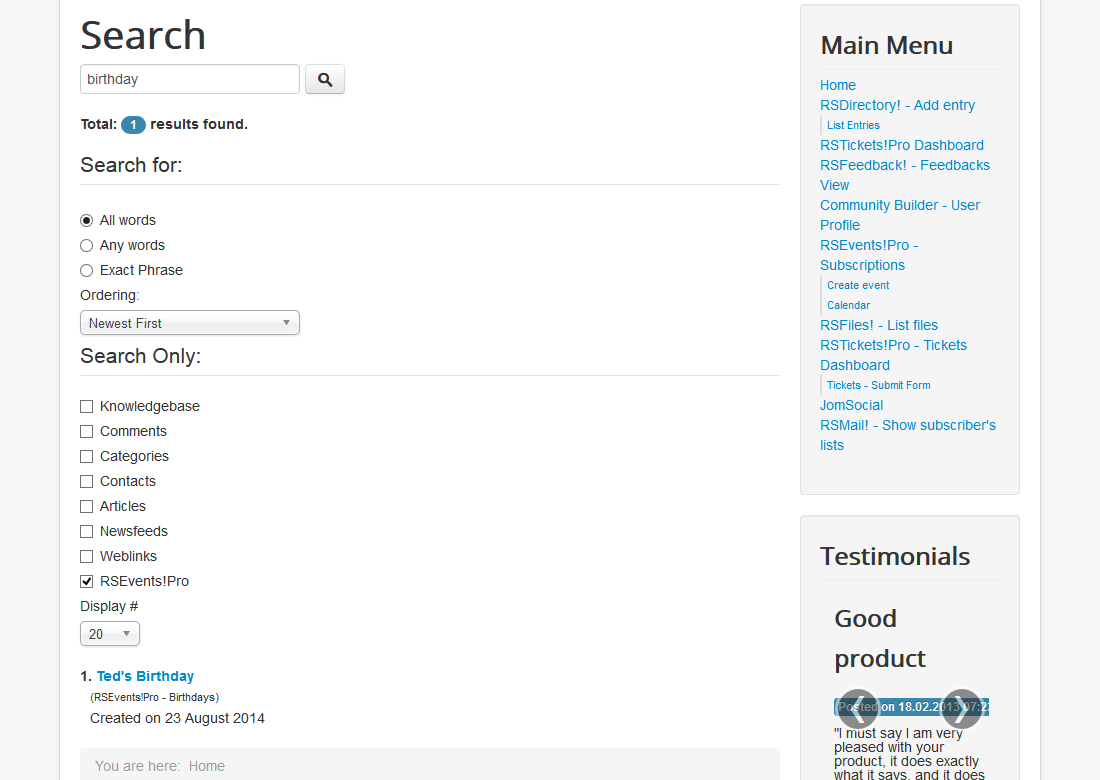
The search results in the frontend will look something like:
One person found this article helpful.
You Should Also Read
RSEvents!Pro Smart Search Plugin |
