Groups
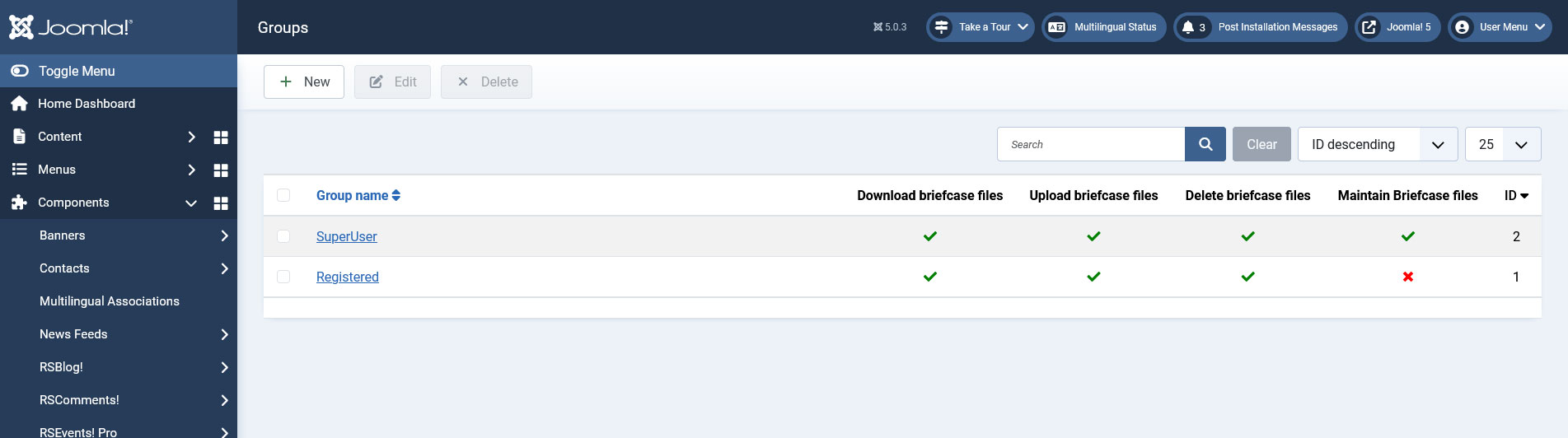
RSFiles! offers by default the possibility to differentiate file download based on group permissions, via the Groups tab.
Groups in RSFiles! adds the possibility to allow each group user to have his own Briefcase Folder and to perform actions to the folders and files from them. Customizable options for user groups are:
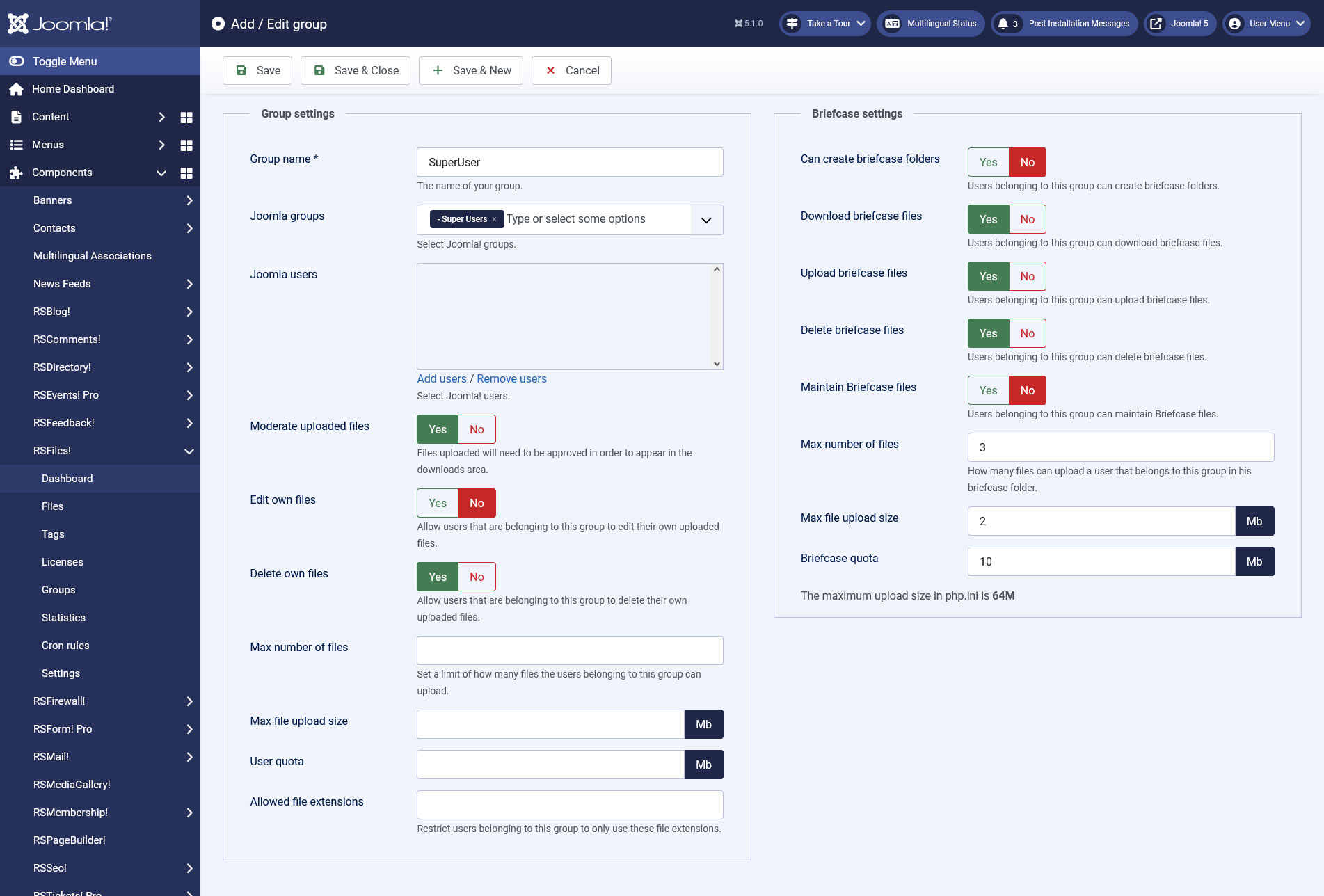
Group settings
- Moderate uploaded files - When this is enabled, uploaded files will need to be approved in order to appear in the downloads area
- Edit own files - Allows the users in this group to edit their own uploaded files
- Delete own files - Allows the users in this group to delete their own uploaded files
- Max Number of Files - Set a limit of how many files the users belonging to this group can upload.
- Max file upload size - Restrict the file size for users belonging to this group.
- User Quota - Set a upload quota for users belonging to this group.
- Allowed file extensions - Restrict users belonging to this group to only use these file extensions.
Briefcase settings
- Can create briefcase folders Users belonging to this group can create briefcase folders;
- Download Briefcase Files - Allows the users in this group to perform Download actions in their briefcases;
- Upload Briefcase Files - Allows the users in this group to perform Upload and New Folder actions in their briefcases;
- Delete Briefcase Files - Allows the users in this group to perform Delete actions in their briefcases;
- Maintain Briefcase Files - Allows the users in this group to Manage all the briefcases;
- Max Number of Files - Enter the Maximum Number of Files that a user can upload to his briefcase folder;
- Max file upload size - Enter the Maximum File Upload Size that a user from this group can upload;
- Briefcase Quota - Specify the Quota (size in Mb) of the user`s briefcase;
If the Maintain Briefcase Files permissions is enabled, you have all of the above priviledges on by default
7 persons found this article helpful.
You Should Also Read
Files HOT |
RSFiles! System plugin HOT |
What does RSFiles! do ? HOT |
Statistics |
Licenses |
