
Transactions
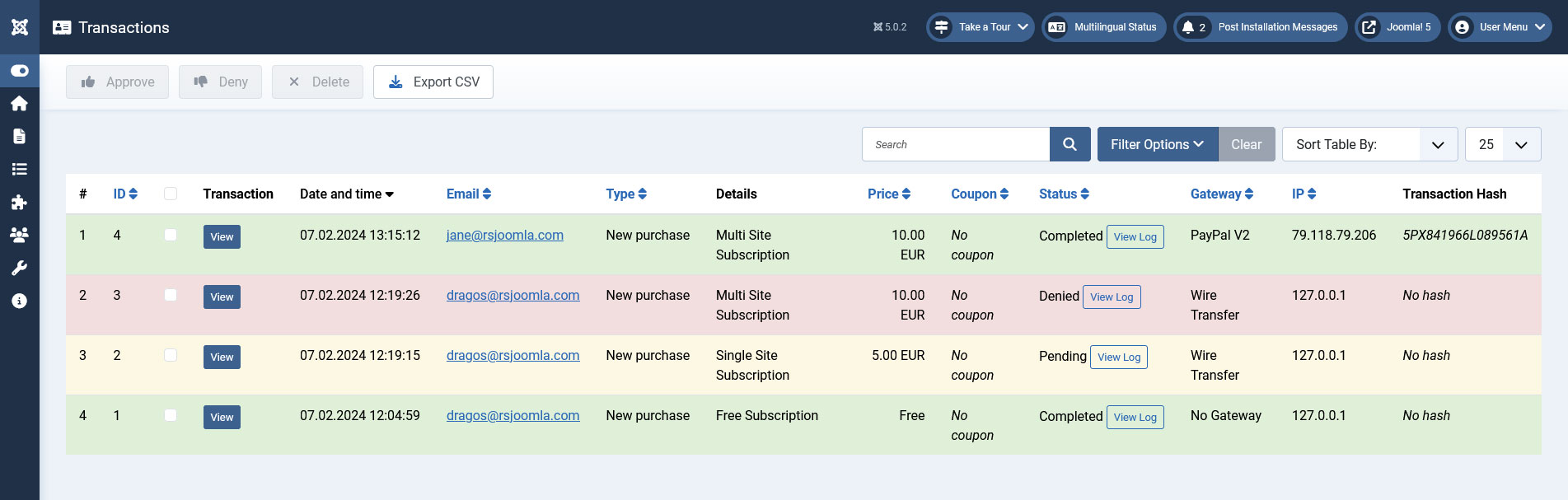
The RSMembership! Transactions tab offers a general view for present transactions.
By default the Transactions view displays:
- Transaction view - click on this button to see the transaction details
- Transaction Invoice - quick invoice generation option
- Date and time
- Email - user email used for completing the transaction
- Type - the transaction type: new, renew, upgrade, add extra
- Details - the name of the purchased membership along with its extra-options
- Price - registered purchase price
- Coupons - the coupon code, if used
- Status - completed/pending
- Log - click on this button to view the payment gateway log
- Gateway - payment gateway that was used to complete the purchase
- IP - IP address used to purchase the membership
- Transaction Hash - unique order id (specific for payment gateways)
The transactions can be filtered by a keyword, transaction type (new purchase, renew, upgrade or extra), payment gateway and date interval.
If the membership Activation option (configurable on the Memberships tab > Stock and Activation > Activation) is configured to Manual, the purchase transactions have to be manually approved: select transaction and click on the Approve button.
The transactions can also be Exported to a CSV file.
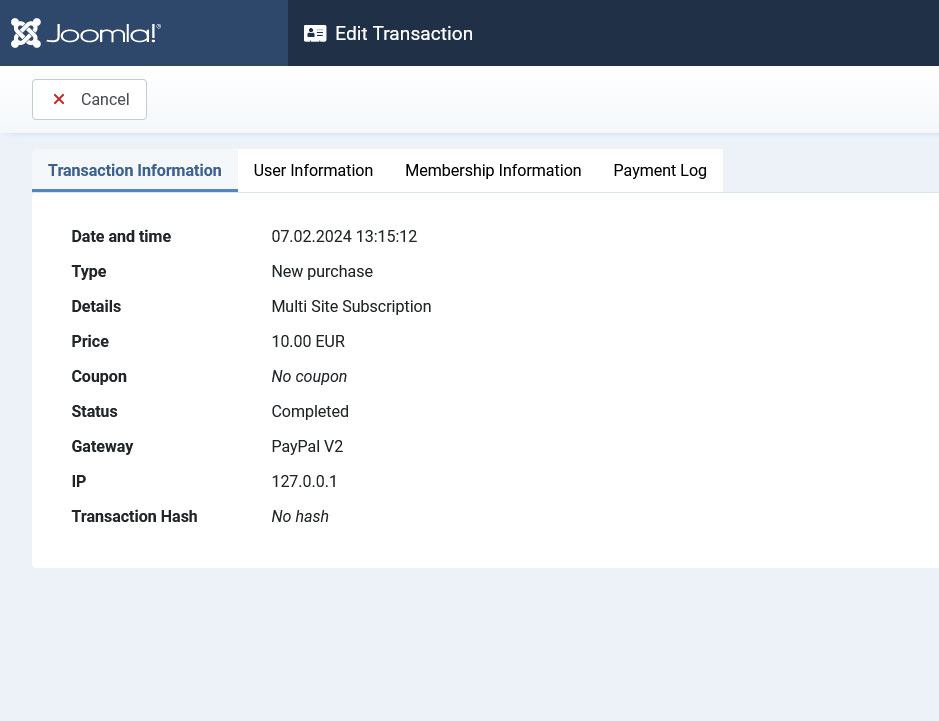
View a particular transaction's details
By clicking on the View button associated with each transaction, you will be able to view the information presented above, along with some additional user-related and membership-related data, as well as a payment log, each type having its own tab. This feature was introduced along with ver. 1.20.0.
Transaction Information
The same information that is being displayed in the transactions listing is also present here: Date and time, Type, Details, Price, Coupon, Status, Gateway, IP and Transaction Hash.
User Information
This tab groups data that regards the user who made the purchase, collected through the general custom fields. By default, RSMembership! has the following custom fields defined:
- Username: The account's username
- Name: The subscriber's full name
- Email: The subscriber's email address
- Address: The subscriber's physical address
- City: The city the subscriber resides in
- State: The state the subscriber resides in
- ZIP: The subscriber's address's ZIP code
- Country: The country the subscriber resides in
Note that these fields can be deleted from the Custom Fields tab at any time. If they are removed there, they will no longer be available in this tab either.
Membership Information
The information submitted in the membership's custom fields will be displayed here.
Payment Log
Information sent by the payment processor, if any, will be displayed here.
11 persons found this article helpful.
