RSMail! Reports
The Reports tab is where you can find some general statistic for each of your launched sessions or email campaigns - essential for determining the impact of any newsletter.
This report is divided into two sections:
Message Properties:
- Message name
- Subject - email message subject
- Sent to - The lists emails was sent to
- Sent - exact date of emailing session
- Total e-mails - total emails to be sent
- Total errors - a numeric value of the encountered errors will be displayed. Clicking on it will provide additional detailes on these.
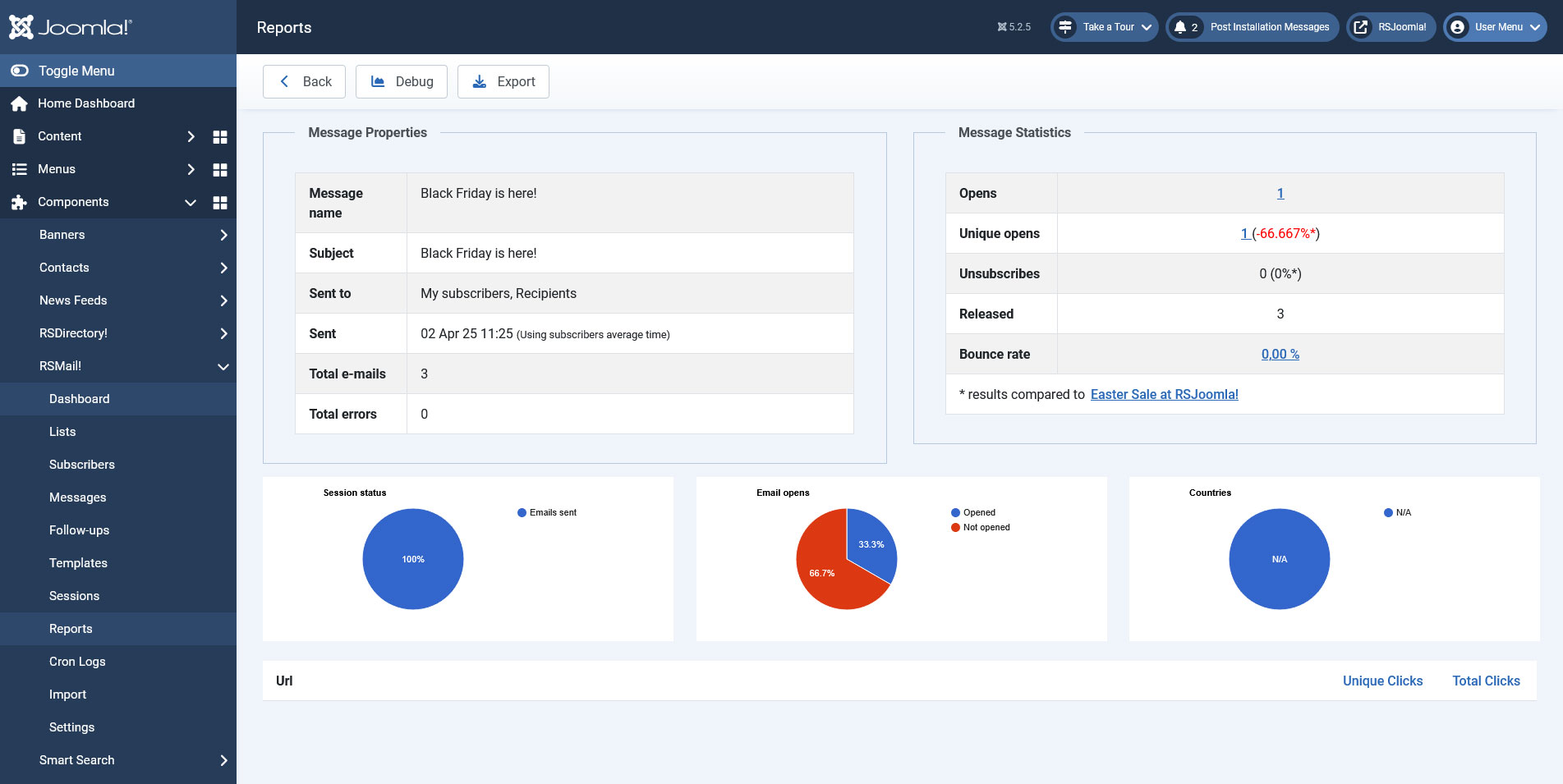
Message Statistics:
- Opens - how many subscribers have opened the email. Clicking on the number of opens will display a list of all the email opens that contains the email address, date and IP.
- Unique Opens - how many unique subscribers have opened the email. Clicking on the number of unique opens will display a list that contains the email address, date and IP.
- Unsubscribes - how many have unsubscribed from your emailing list
- Released - this is simply counter for confirmed emails. Having a lower number then the total, does not necessarily implies that the emails were not delivered.
- Bounce rate - the percentage of bounced emails(by clicking on the value you will be able to see which users did not receive the newsletter message)
Below these two, we can see the Session Charts. Here you will be presented with two reports, one for the sending process details(number of emails sent, errors encountered, remaining emails) and one for the number of times the newsletter has been opened. This will allow you to better identify the subscriber's points of interests and help you in future campaigns.
Note
If you have used links in your email a report on how many clicks have been performed will also be displayed.
One person found this article helpful.
You Should Also Read
RSMail! Subscribers HOT |
RSMail! Messages HOT |
RSMail! Templates HOT |
Subscriber lists HOT |
