Search events module
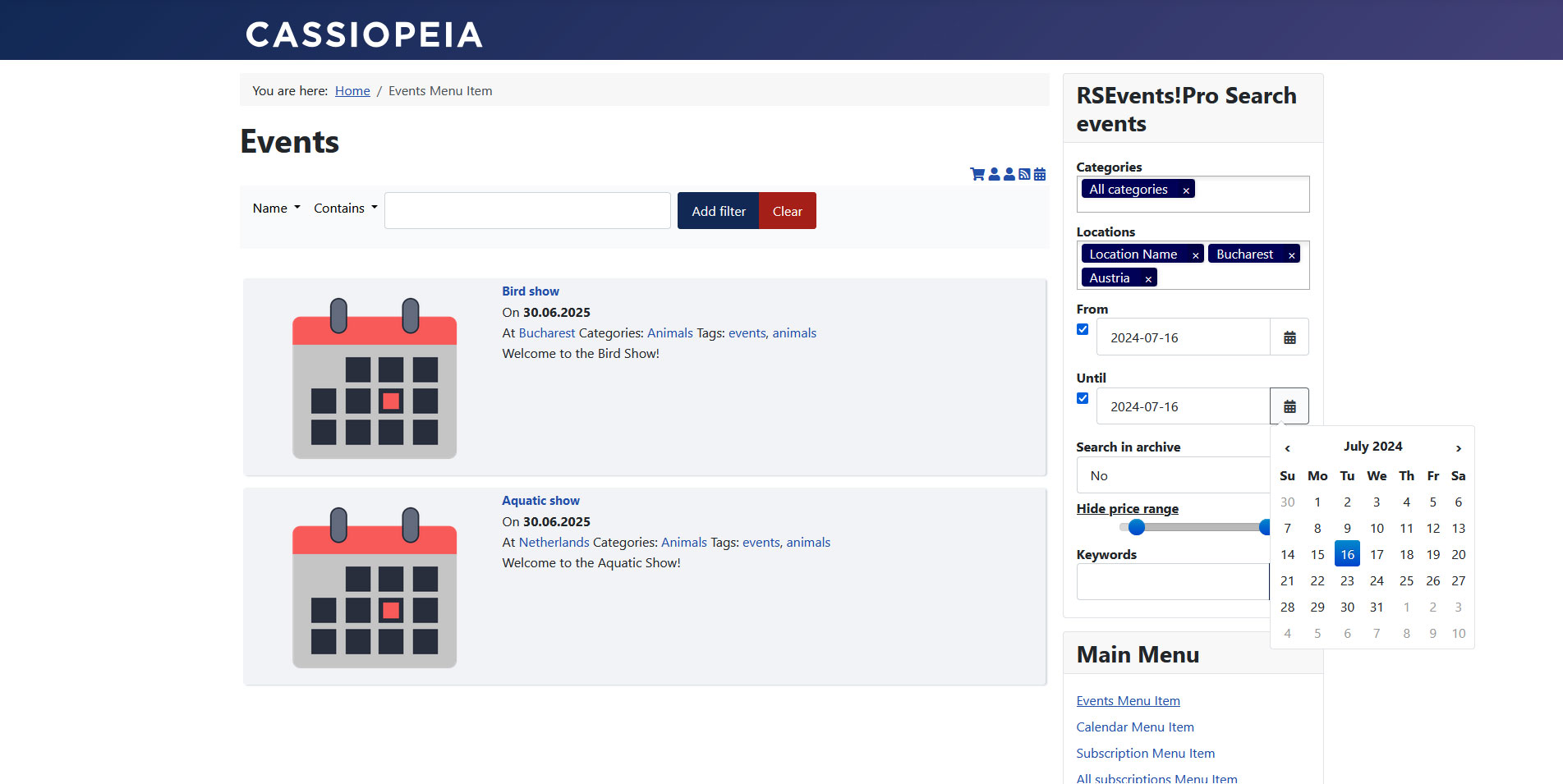
The RSEvents!Pro Search events module allows you to search for events directly from within a module position.
The module can be downloaded from within the rsjoomla.com > My downloads section. Note that you need to have an active RSEvents!Pro license to be able to do this. To learn how to install the module, please refer to the installation tutorial.
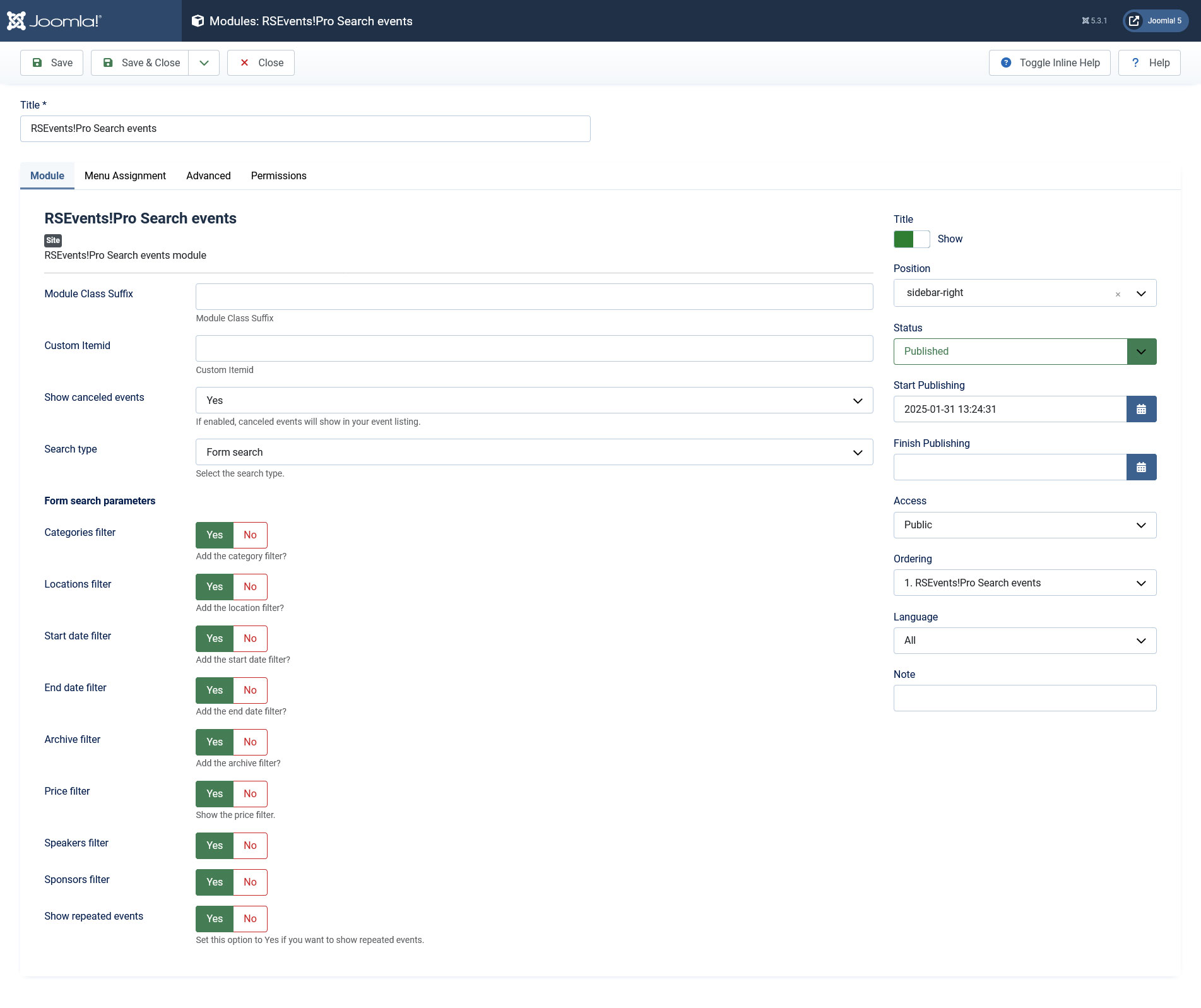
Module specific configuration parameters:
- Module Class Suffix: the CSS class specified here will be applied to the module container. This allows control to individual module styling.
- Custom Itemid: links that will be posted via this module will incorporate the item id parameter as specified here.
- Search type: this basically specifies how events will be searched. If Ajax search is being used, a simple text box will be displayed. While you type in within the keyword area, results are dynamically displayed. If Form search is enabled, the user would have to set the search filters, such as locations, categories or dates.
- Show canceled events: Yes/No - if set to yes, the canceled events will be included as well
- Open links in: this allows you to control how the search elements will be opened: in the same window or in a new one.
- Categories filter: if enabled, categories will be displayed within the search form.
- Locations filter: if enabled, locations will be displayed within the search form.
- Start date filter: if enabled, a start date filter will be added to the search form.
- End date filter: if enabled, an end date filter will be added to the search form.
- Archive filter: if enabled, the user will be able to choose if he wishes to expand the search within the event archive.
- Price filter: if enabled, the user will be able to set a price interval through a slider.
- Speakers filter: if enabled, the user will be able to select event speakers.
- Sponsors filter: if enabled, the user will be able to select event sponsors.
- Show repeated events: Set to Yes in order to show event repetitions along with the original events.
Events will be searched for by the following criteria (in the same order as specified here): event name, event description, location name, location description, location address, category title and category description.
3 persons found this article helpful.
You Should Also Read
Upcoming events module HOT |
Calendar module HOT |
RSEvents!Pro Map module HOT |
Slider module HOT |
Location module |
