PayPal Payment Plugin
Description: This plugin offers the possibility for subscribers to pay for the selected tickets via PayPal. The PayPal plugin is purchased separately and requires installation. The integration uses the PayPal Payments Standard method - the customer will be redirected to the Paypal page when the registration form is submitted where he will need to log in to his PayPal account and manually approve the transaction. You can read more on how to install RSEvents!Pro plugins here.
Configuration parameters
- Paypal Email: the primary email address of your PayPal account
- Return URL: after the payment has been completed, you can redirect to the configured URL
- Cancel URL: A URL to which PayPal redirects the buyers' browsers if they cancel checkout before completing their payments. For example, specify a URL on your website that displays a 'Payment Canceled' page. Default – PayPal redirects the browser to a PayPal webpage.
- Paypal mode: Test / Live - a tax can be applied on total ticket purchase amount
- (optional) Tax Type: Percent (%) / Fixed Rate
- (optional) Tax Value: numeric value of tax
- Paypal language: the PayPal page can be displayed in the selected language
The transaction details can also be viewed from the RSEvents!Pro back-end area, by accessing the Components > RSEvents!Pro > Subscribers tab.
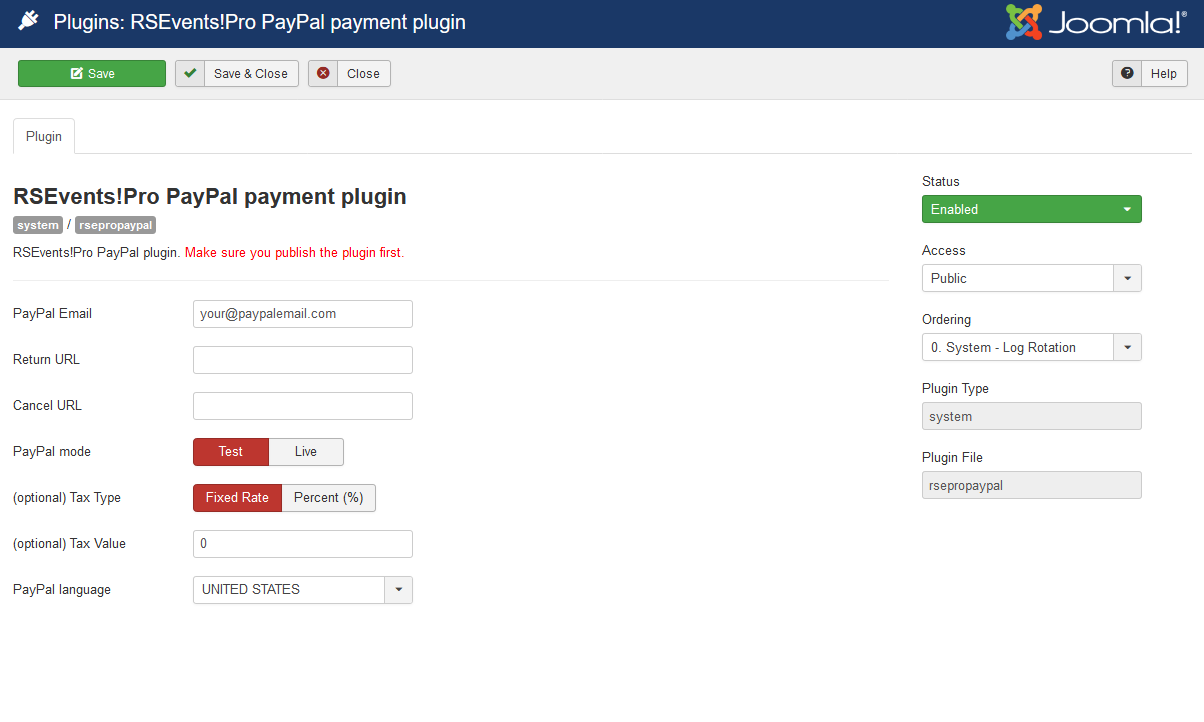
In "Test" mode you will require a PayPal Sandbox account.
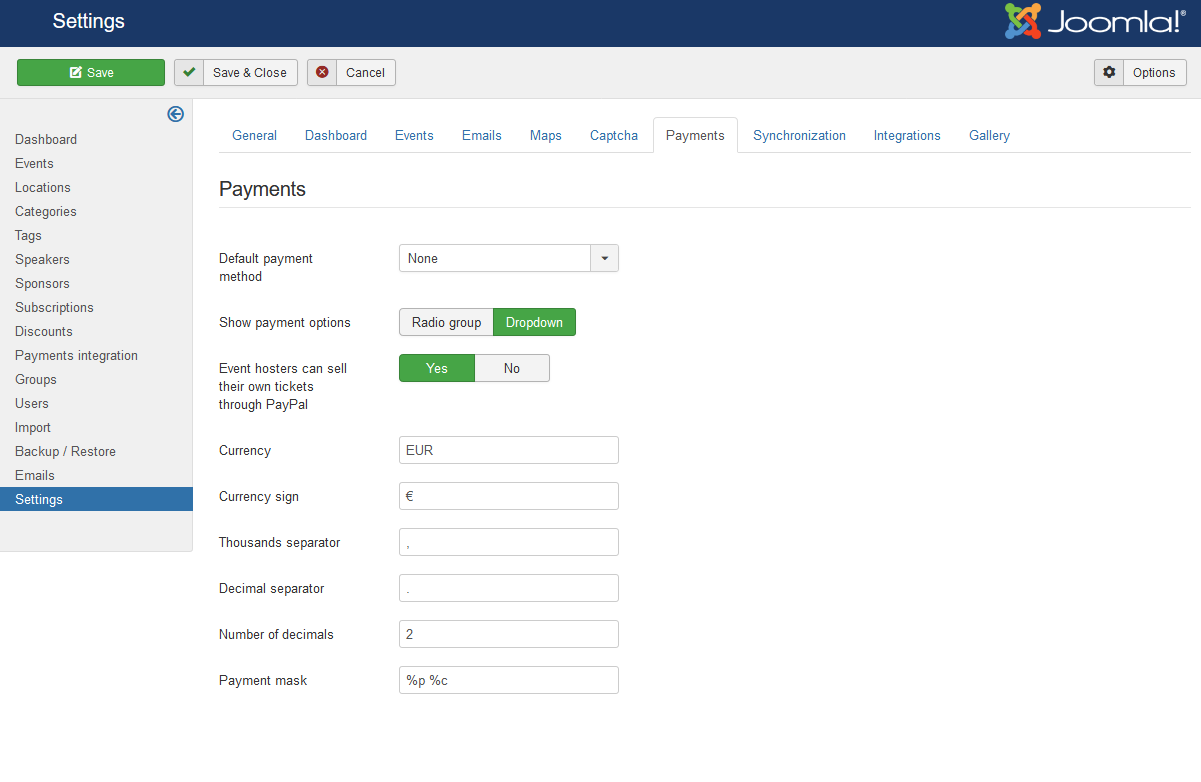
When using the RSEvents!Pro PayPal Payment plugin you can enable the "Event hosters can sell their own tickets through PayPal" option (Components > RSEvents!Pro > Settings > Payments). This will allow event owners to specify their own PayPal address when creating an event.
7 persons found this article helpful.
You Should Also Read
Authorize.Net Payment Plugin HOT |
iDeal Payment Plugin HOT |
Virtual Merchant Payment Plugin |
Offline Payment Plugin |
Anz eGate Payment Plugin |
