Updating to a newer version
Frequently asked questions about the update process
Q: Is it necessary to uninstall before performing an update?
A: No, you should never uninstall your component before performing the update. Uninstalling will delete all information in the database as well as the RSForm! Pro files. You will lose everything if you choose to uninstall.
Q: Will the update remove my existing data?
A: No, if you perform the update by installing the component over your current installation, all your forms and submissions as well as other settings will be kept intact. The update will simply bring up to date the database and other files that are part of the new version.
Q: Will the update override the source code adjustments I've made to RSForm! Pro?
A: Yes, if you've edited any RSForm! Pro files (this includes .php, .css and .js files) they will be overridden by the update. If you did perform source code adjustments to RSForm! Pro, please make a note of the changes you've made and re-do them after the update is performed.
Q: What if I'm receiving errors when installing the update?
A: You can take a look at our troubleshooting installation errors article.
Updating through Joomla! automatic updates
Preliminary steps to make sure the update succeeds:
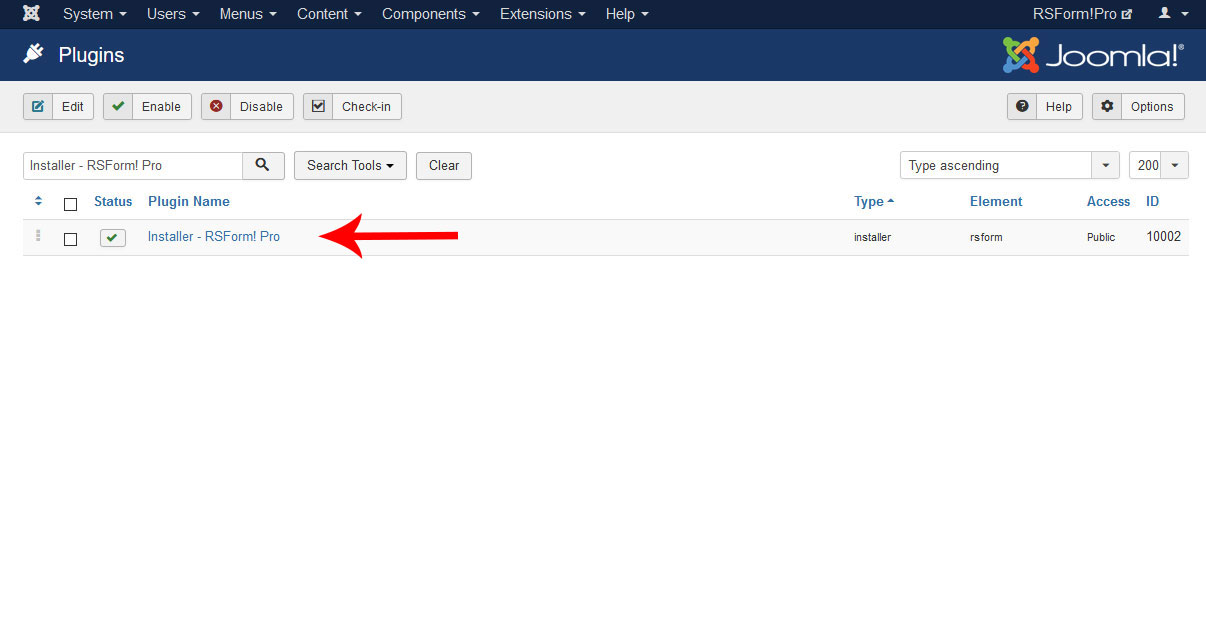
1. Go to Extensions > Plugin Manager and search for "Installer - RSForm! Pro". Make sure it is installed and published.
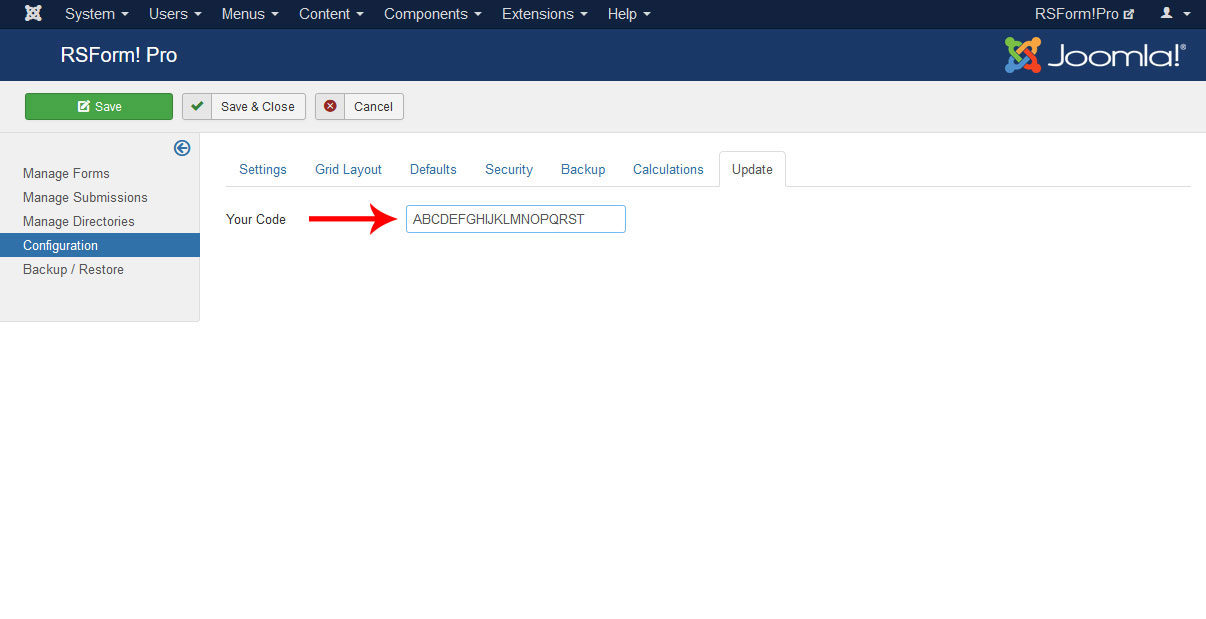
2. Go to Components > RSForm! Pro > Configuration and click on the "Update" tab. Make sure you paste your code in the "Your Code" textbox. If you don't know where to get this code, click here. The Update Code is not delivered by email and is 20 characters long.
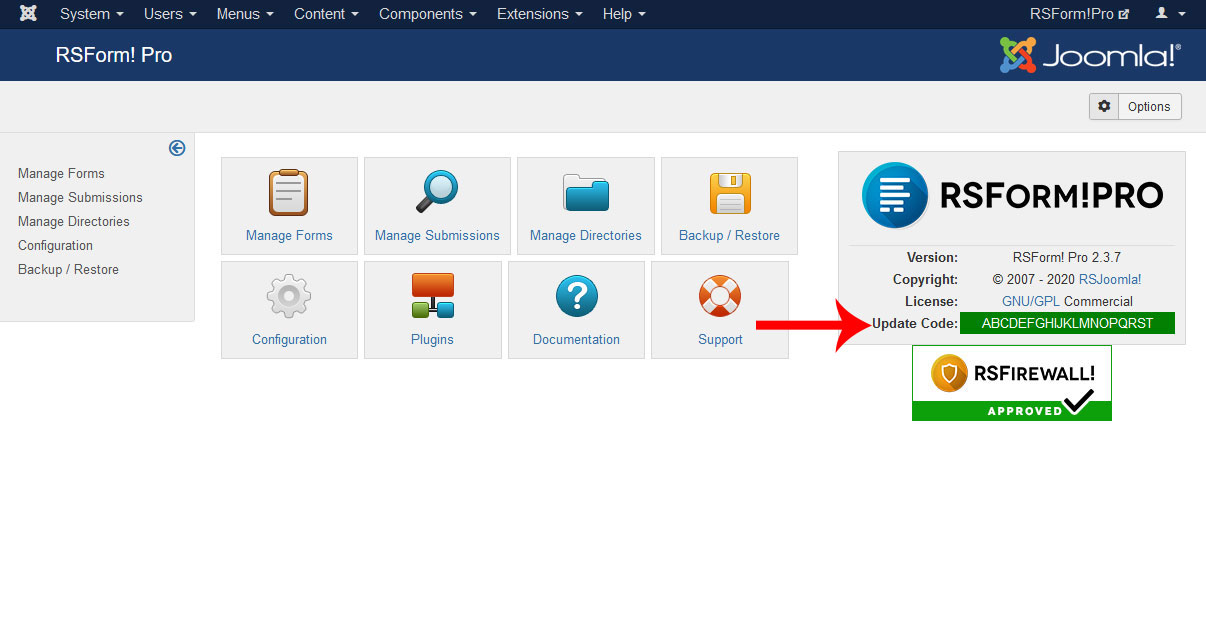
3. Make sure the code you've pasted is accepted. Go to Components > RSForm! Pro and look at the right side of the screen - your Update Code should be written on a green background.
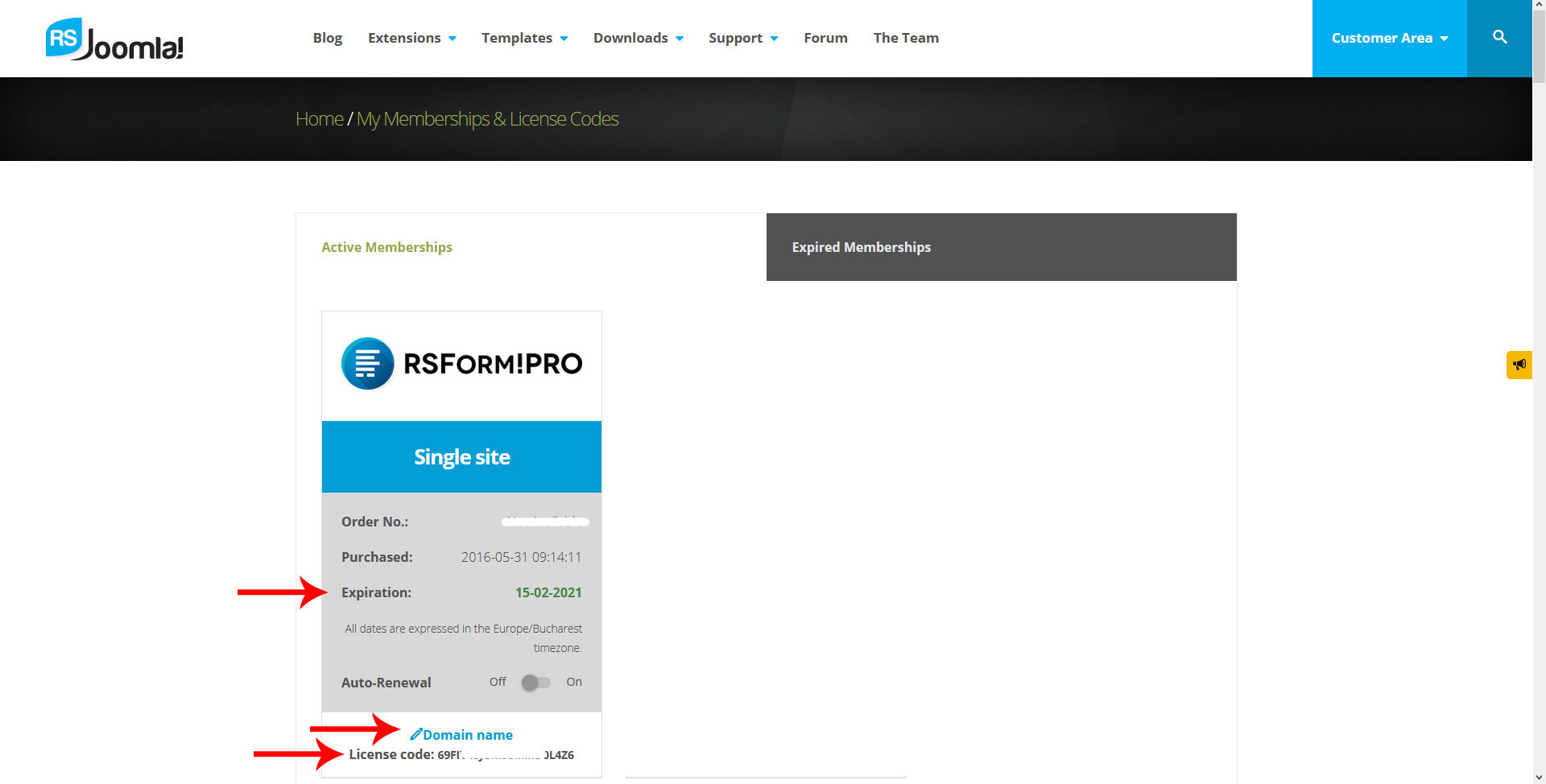
4. Make sure the RSForm!Pro subscription you've purchased from us is active and the Update Code has been generated for that subscription.
Performing the update through Joomla!:
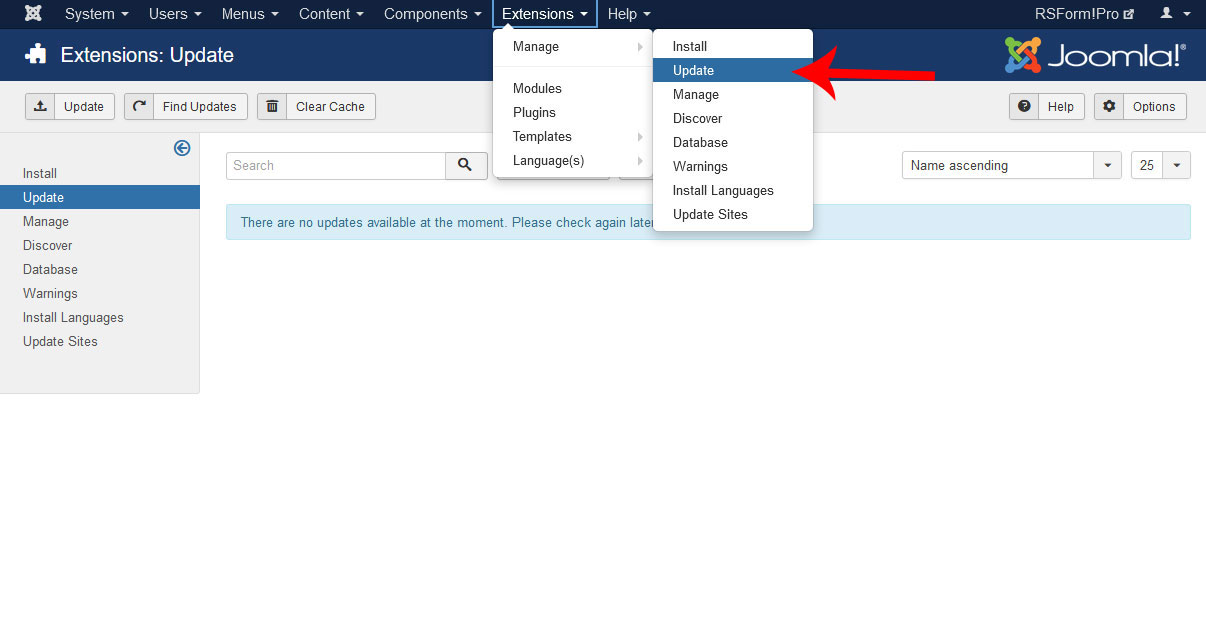
1. Go to Extensions > Extension Manager and click on the "Update" section on the left side of the screen.
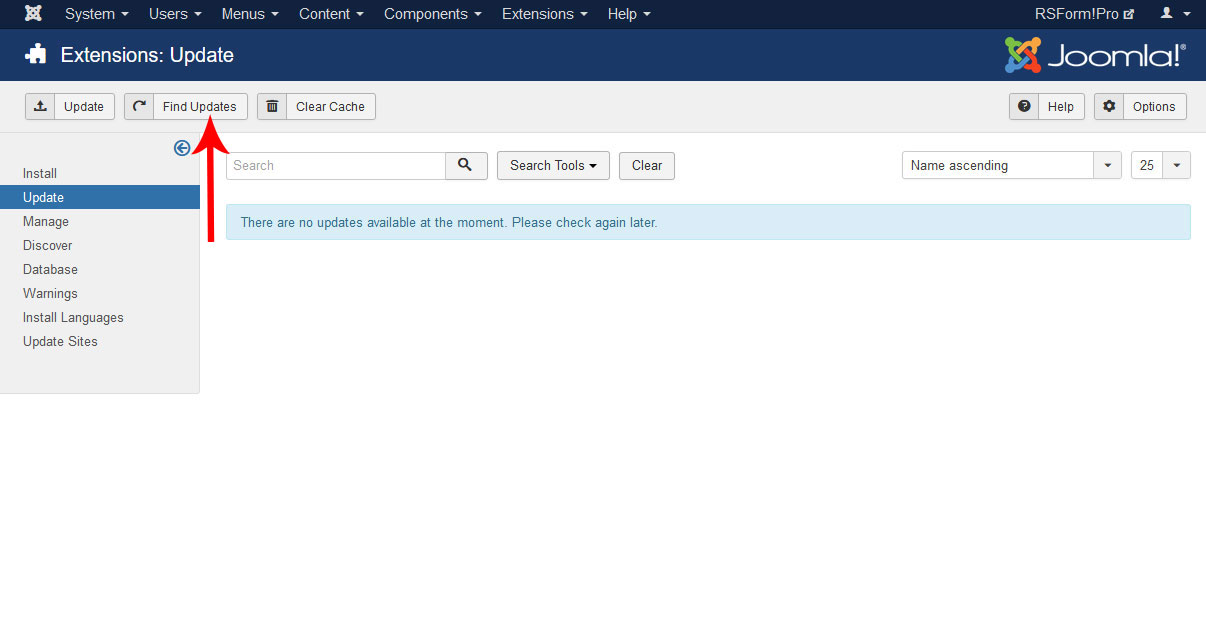
2. Click on the "Find Updates" button in the toolbar.
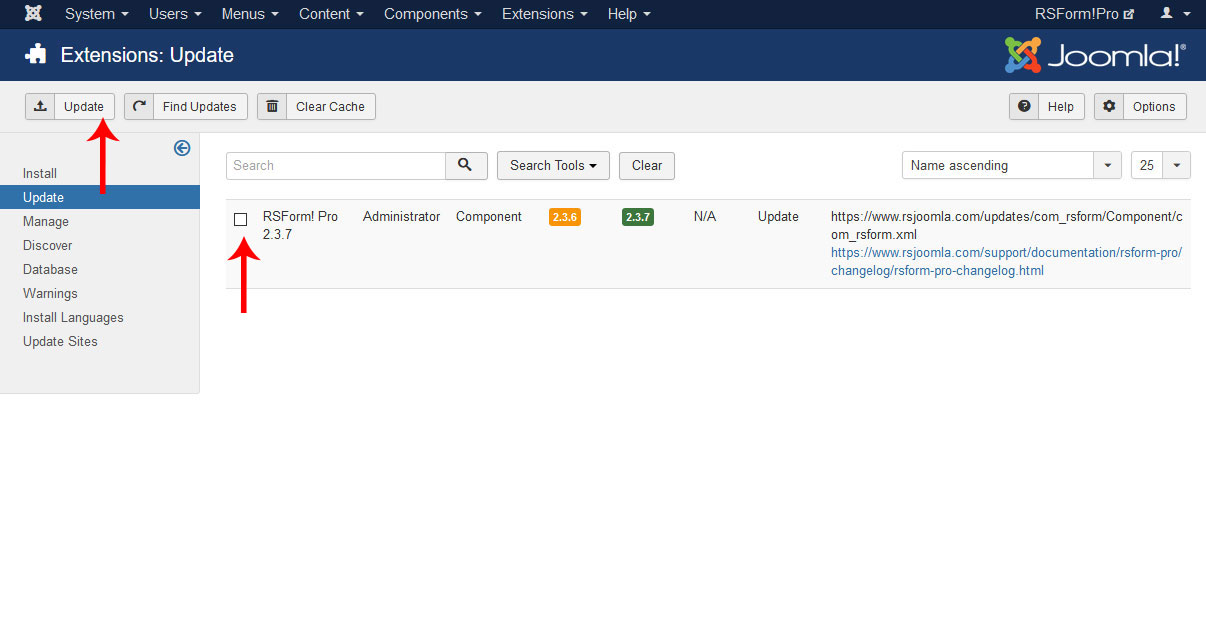
3. The update will show up in the main screen. Tick the checkbox next to the update row and click on the "Update" button on the toolbar.
Updating manually
Performing the update manually by downloading the component through our website:
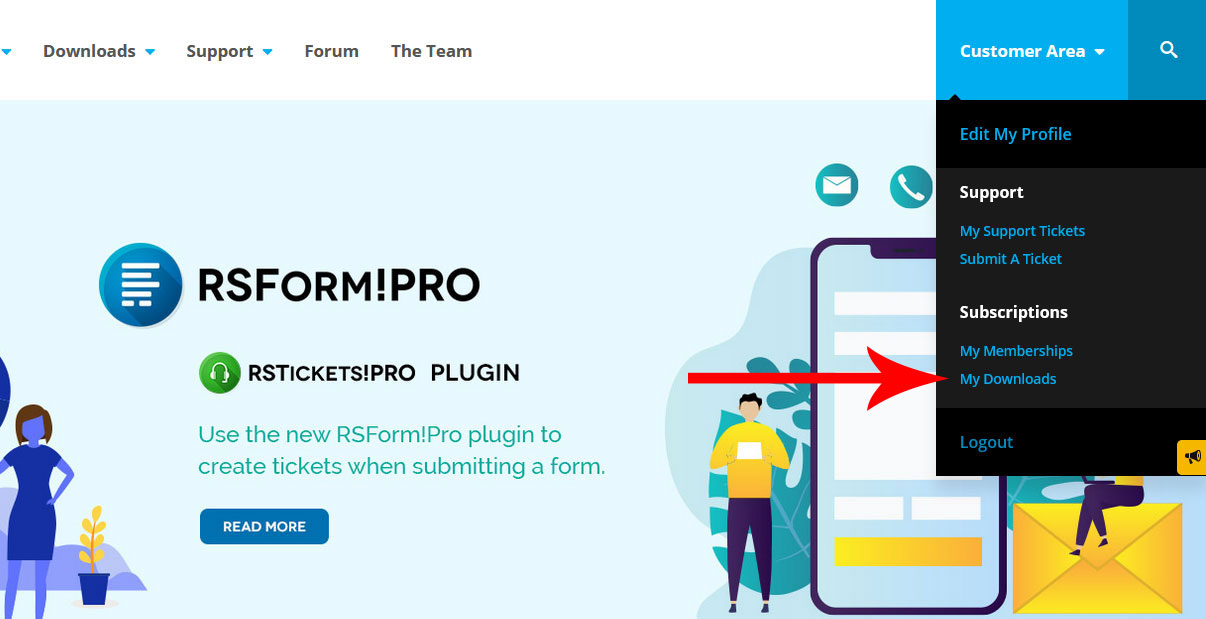
1. Login to RSJoomla.com using the username and password and go to "My Downloads".
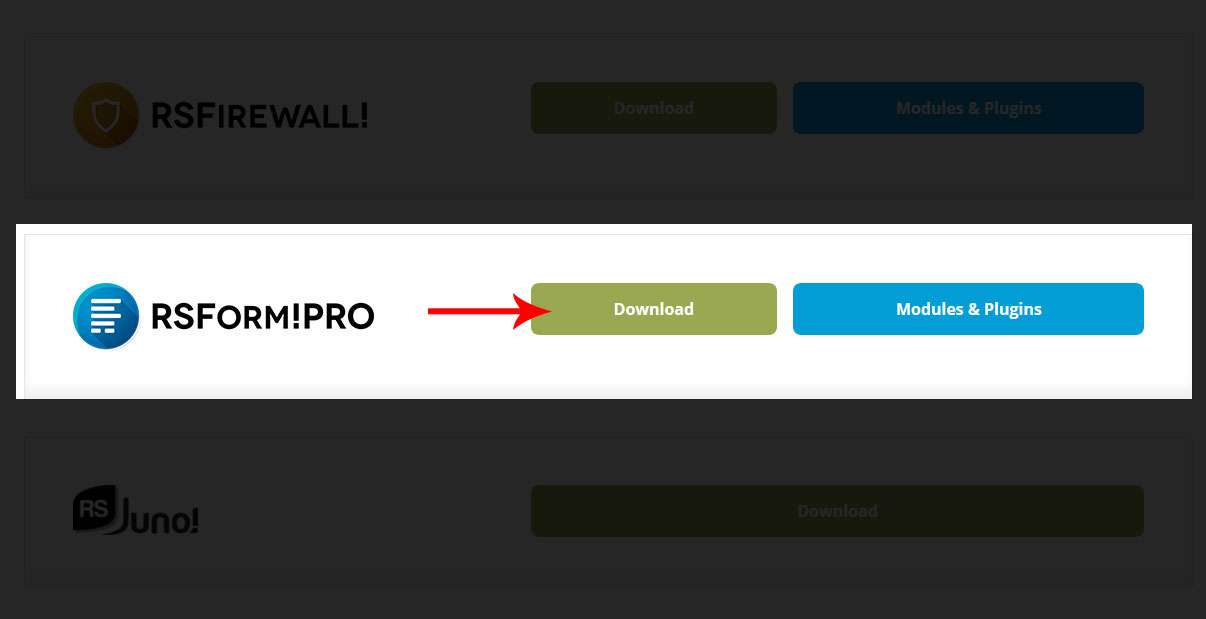
2. Click on "Download" next to the RSForm!Pro logo and you'll be prompted to download the new version. The RSForm!Pro package is a ZIP archive, make sure you receive that. Some browser might automatically unzip archives (such as Safari). If this happens, either ZIP up the contents back into an archive or disable this feature in your browser.
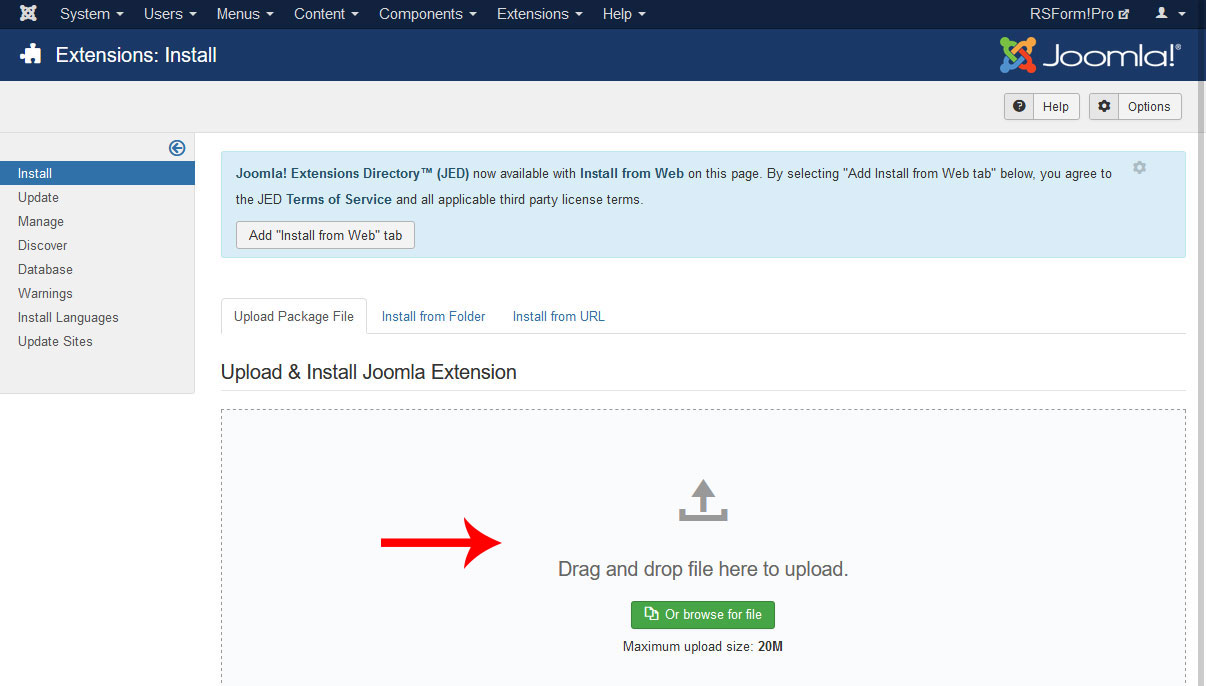
3. Go to Extensions > Manager > Install and Click "Browse" or "Choose file" to select the newly downloaded package, or Drag / Drop the file directly.
75 persons found this article helpful.
