Google Tracking / Adwords
In this article we will describe how to implement the tracking code from Google. Conversion tracking involves placing a cookie on a user's computer when he/she clicks on an ad. Then, if the user clicks on your ad and reaches one of your conversion pages, the user's browser sends the cookie to a Google server, and a small conversion tracking image is displayed on your site. When such a match is made, Google records a successful conversion for you. This information is presented within the Campaign Summary section of the "Campaign Management" tab in your AdWords account.
You will need to:
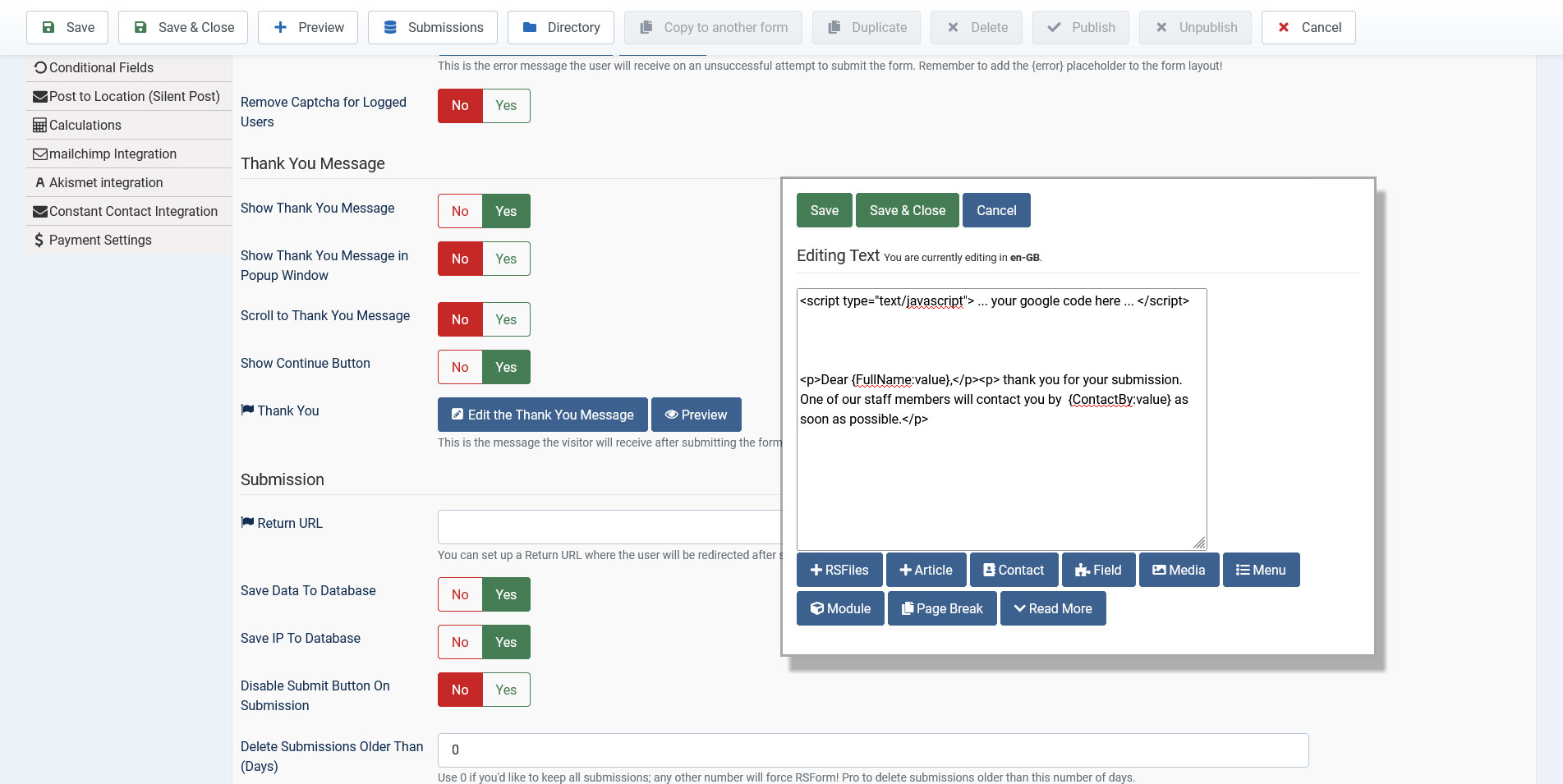
- Go to RSForm! Pro > Manage Forms and edit your form.
- Click on the Properties tab of your form.
- Access the Form Info area and enable the Thank You message by setting the Show Thank You Message option to Yes.
-
Now you can edit the message by clicking on the "Edit the Thank You Message" option. Here, after you write your message, you can place the code from Google between script tags, like this:
<script type="text/javascript"> ... your google code here ... </script>
Note:
If you are using an editor in order to edit the Thank You message, then you will need to set your editor to not filter Javascript code. For example, for TinyMCE, this can be done by going to the Plugin Manager and edit the TinyMCE editor plugin. Here, in the Prohibited Elements area you can delete the script element and Save the plugin. Now you will be able to add your script to the Thank You message. You can add the script element back to the Prohibited Elements area after adding the script to the message.
9 persons found this article helpful.
You Should Also Read
Plugin - Google Tracker (Track form events, abandonment and referers) HOT |
Google Map HOT |
