Payment integrations
The Payment integrations area offers a listing of the current, available payment methods. Users can use use the listed payment methods to subscribe to the desired events.
Clicking on the Configure button, located on the right, you will be redirected to the plugin configuration parameters. The same area can be accessed directly via the Extensions >> Plugin Manager interface. More details on the configuration parameters for each plugin can be found here.
Unlimited Offline Payments
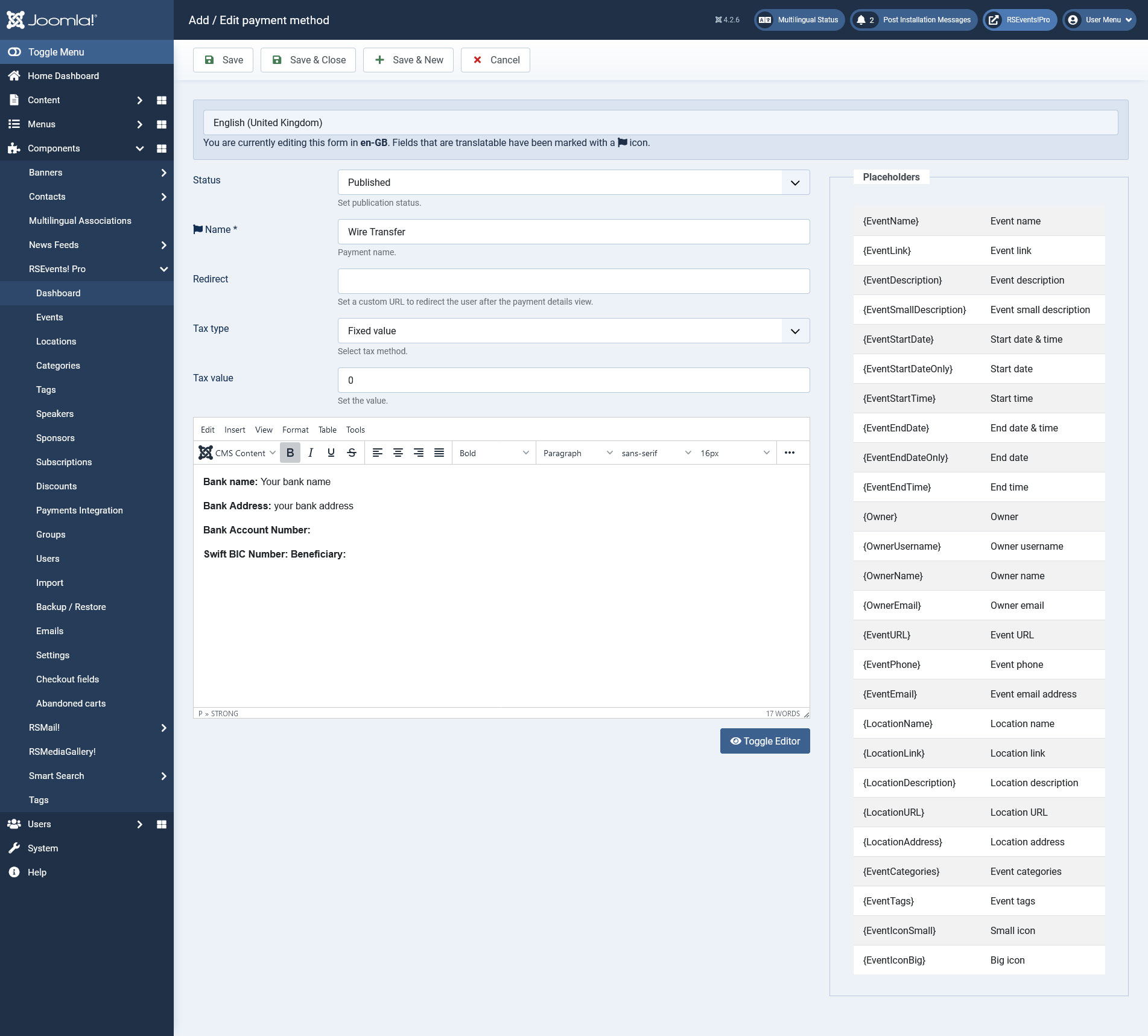
Another functionality, is the creation of a unlimited number of offline payment methods. Clicking on the New button, located on the top-right corner will open the following configuration area:
- Published: No / Yes
- Payment name: the name of the configured offline payment method. This will be displayed in the event registration form.
- Redirect URL: if configured, the user will be redirected to the URL when clicking on the Continue button, available on the payment details page.
- Payment details: WYSIWYG editor area that allows you to add messages. These can be used to provide payment directions.
- Tax type: Percent (%) / Fixed Value
- Tax value: the value of the applied tax (either as a percentage or fixed value)
You can also add placeholders in the 'Offline Payments' descriptions. The placeholders are listed to the right, as shown in the image above.
Payment Rules
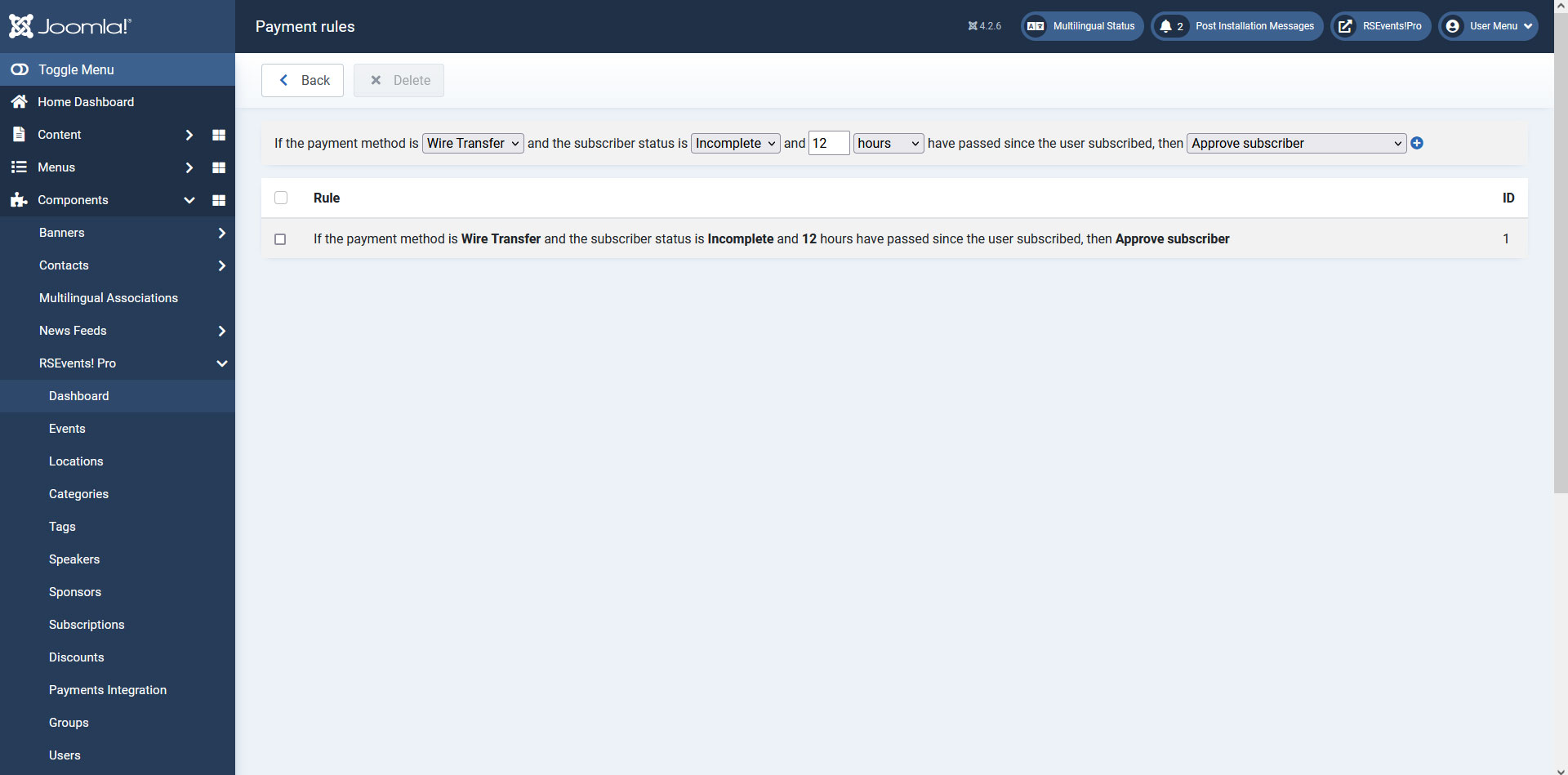
You can also add Payment Rules for all the payment integrations available. Payment rules permit you Approve/Deny/Delete a Subscription or Send a Reminder Email for the Subscriber depending on the payment plugin that is used, the status of the payment or on the number of hours passed since the user subscribed.
Payment Rules can be useful when you wish to have subscriptions automatically deleted after a given period of time if they have a certain status. Or, for example, if you have a subscription set as incomplete for a period of time you can notify the user so that he will know why his subscription was not approved. The Reminder Email that you set for a payment rule, can be configured in multiple languages.
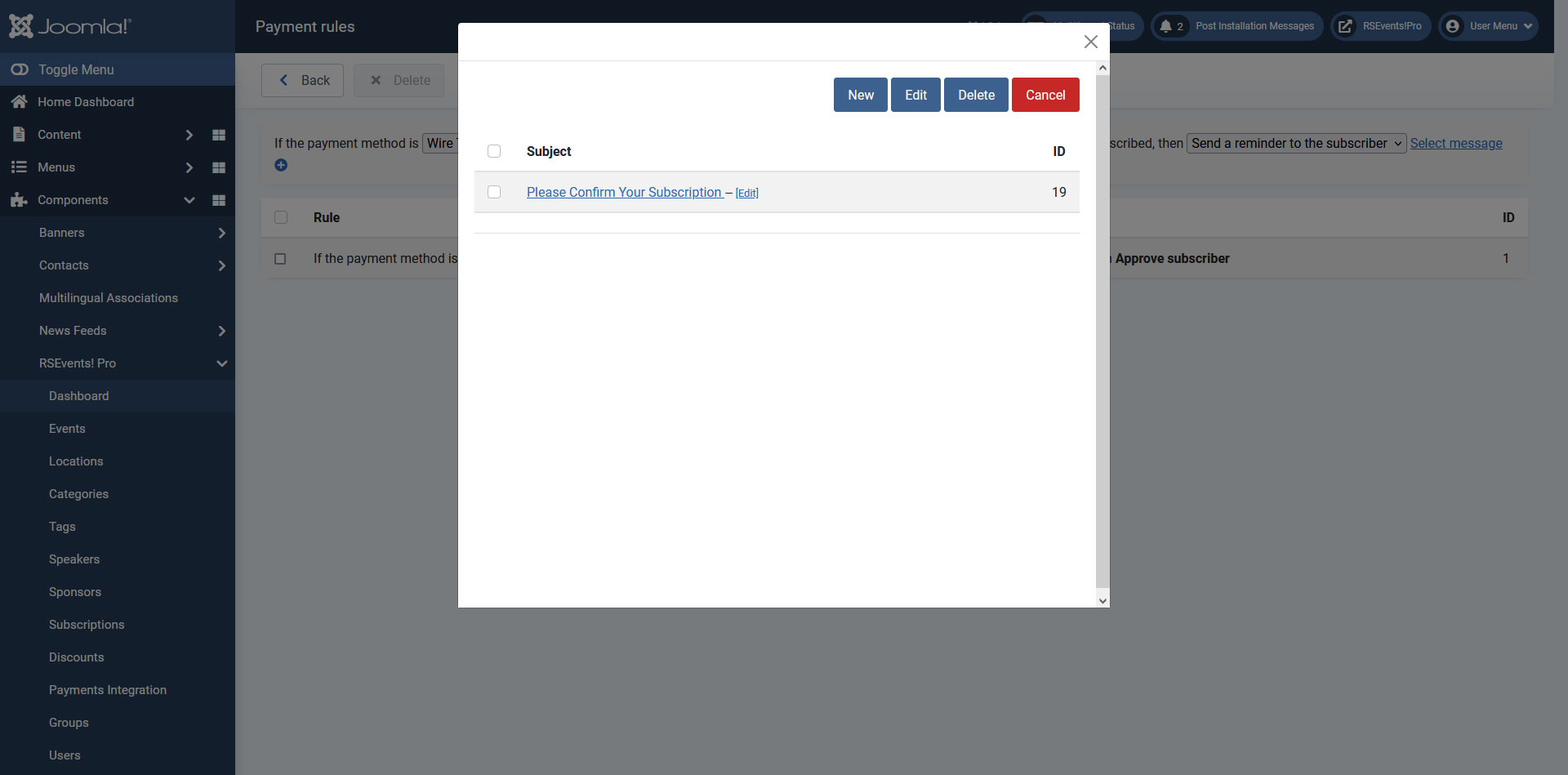
You can also send a reminder to a particular email address which you can configur after selecting the 'Send a reminder to' option.
You can use the {PaymentURL} placeholder in the Reminder email in order to send a link directly to your website where users can complete their transaction/subscription.
This way the user will be able to receive the email in the language that he used when subscribing to your event. When configuring the email, you can include placeholders that will return subscription and event information. For a full listing of these placeholders, click on the Placeholders button when editing the message.
Available since RSEvents!Pro version 1.10.0 (changelog).
Trigger Payment Rules though a cron task: normally Payment Rules are triggered when RSEvents!Pro is being accessed, but you can have this functionality triggered on a scheduled interval using one of the following cron commands (if these do not work for you, contact the hosting provider for more details):
wget -O /dev/null "http://www.mywebsite.com/index.php?option=com_rseventspro&task=rules"ORcurl -s "http://www.mywebsite.com/index.php?option=com_rseventspro&task=rules"
One person found this article helpful.
