Coupons
The newly introduced Coupons offers the possibility to create multiple coupon codes for memberships.
The new coupon configuration area can be accessed from the Components >> RSMembership! >> Coupons area.
Accessing the Coupons tab, this will display a list of the current configured coupons, with the following details:
- Date added: the date that the coupon code was created
- Coupon code: the coupon code char sequence
- From: the date from which this is active
- To: the date on which the coupon expires
- Discount: the discount amount
- Published: published / unpublished
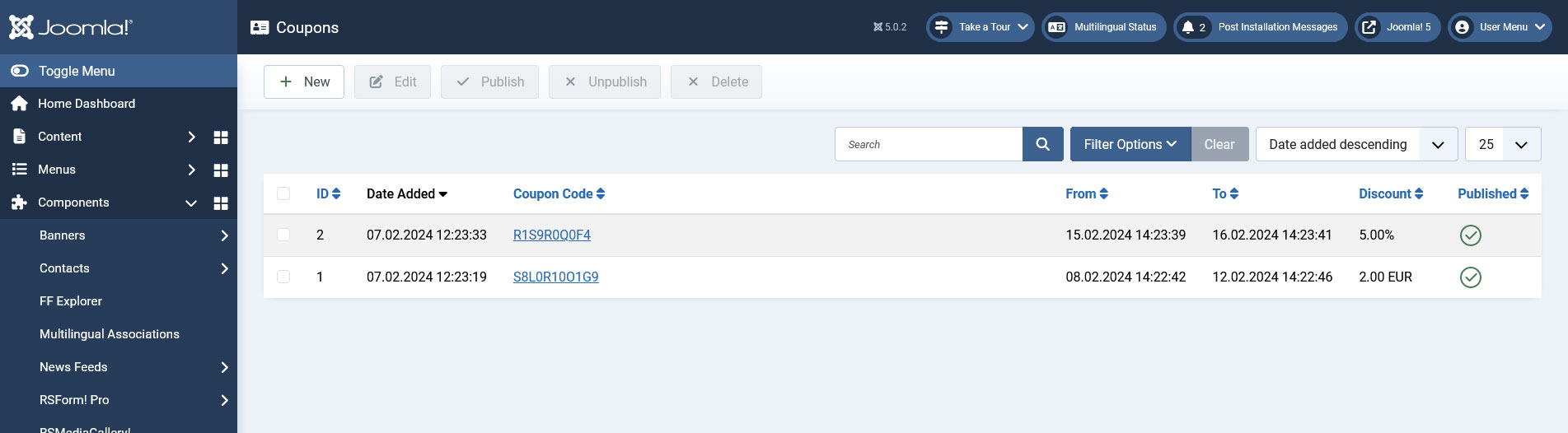
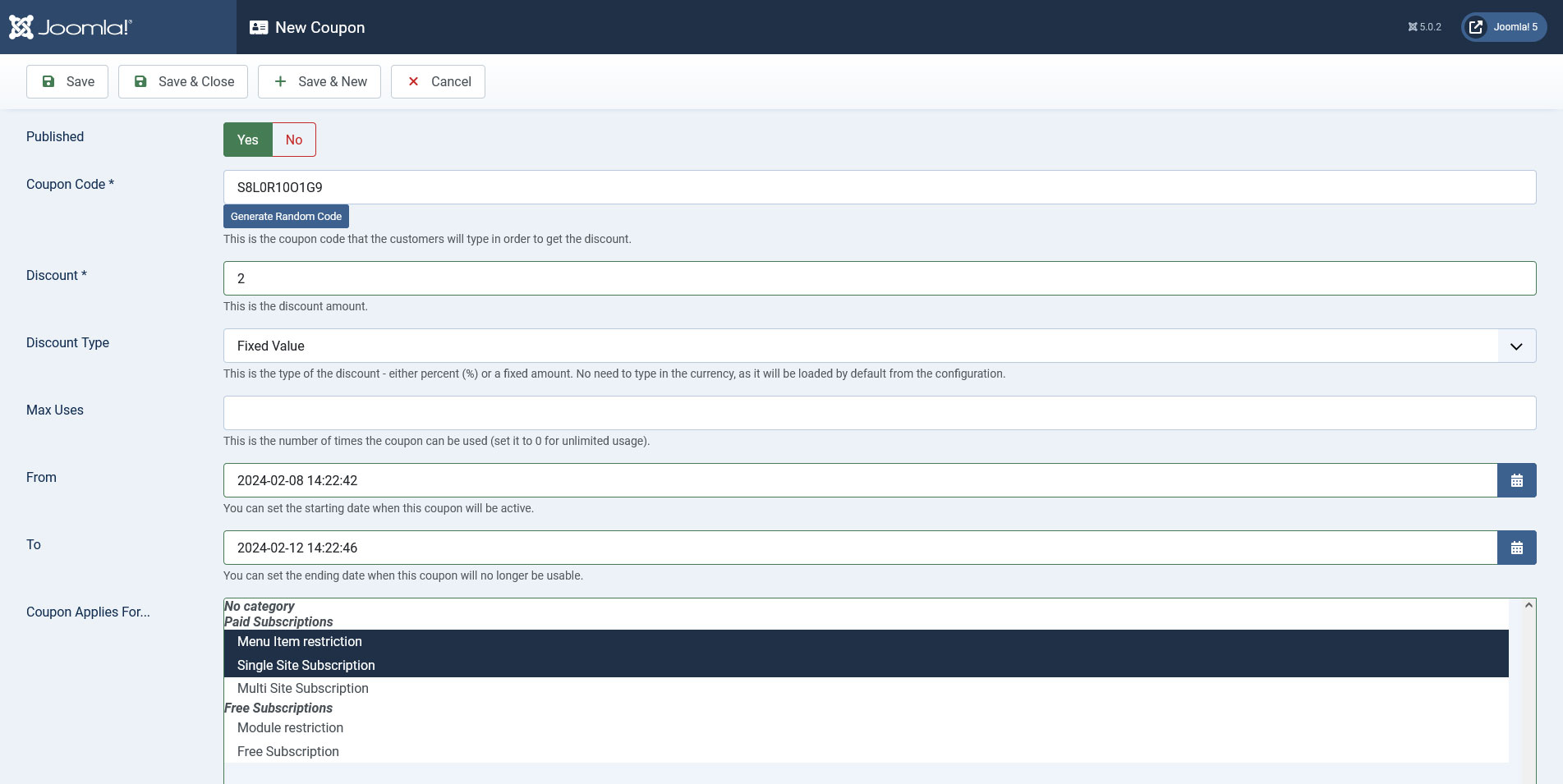
To create a new discount coupon, simply click on the New button, located on the top-right corner. The following configuration options are available:
- Published: Publish / unpublish the coupon.
- Coupon Code: the actual char sequence that will be used. An automated random one can be generated, by clicking on the Generate random code link
- Discount: discount amount - a decimal number with the following format: 00.00
- Discount Type - Percent / Fixed Value: If percent is used, the discount will be applied as percentage from the membership price.
- Max Uses: how many times a coupon code can be used. If left blank or 0, the code can be used for a unlimited number of times.
- From: the date on which the code will be available for usage
- To: coupon expiration date
- Coupon Applies For: multiple membership selectable list. The coupon code can be applied to multiple memberships
Note:
The coupon codes are applied only to the membership's price, not extra options, upgrades or renewals.
3 persons found this article helpful.
