Dashboard
The Dashboard tab is shown as the Main Screen of RSBlog!. The screen also allows you to see the Blog Stats, Recent Drafts and also to quickly add a post to your blog.
The following Stats are visible in the Dashboard:
- Posts: The number of posts in your blog;
- Categories: The number of categories in your blog;
- Tags: The number of tags from the Tag Cloud;
In the Recent Drafts tab you can see the posts that are still saved as drafts along with date of the last modification of the post. You can edit the posts from there or publish them directly in the blog.
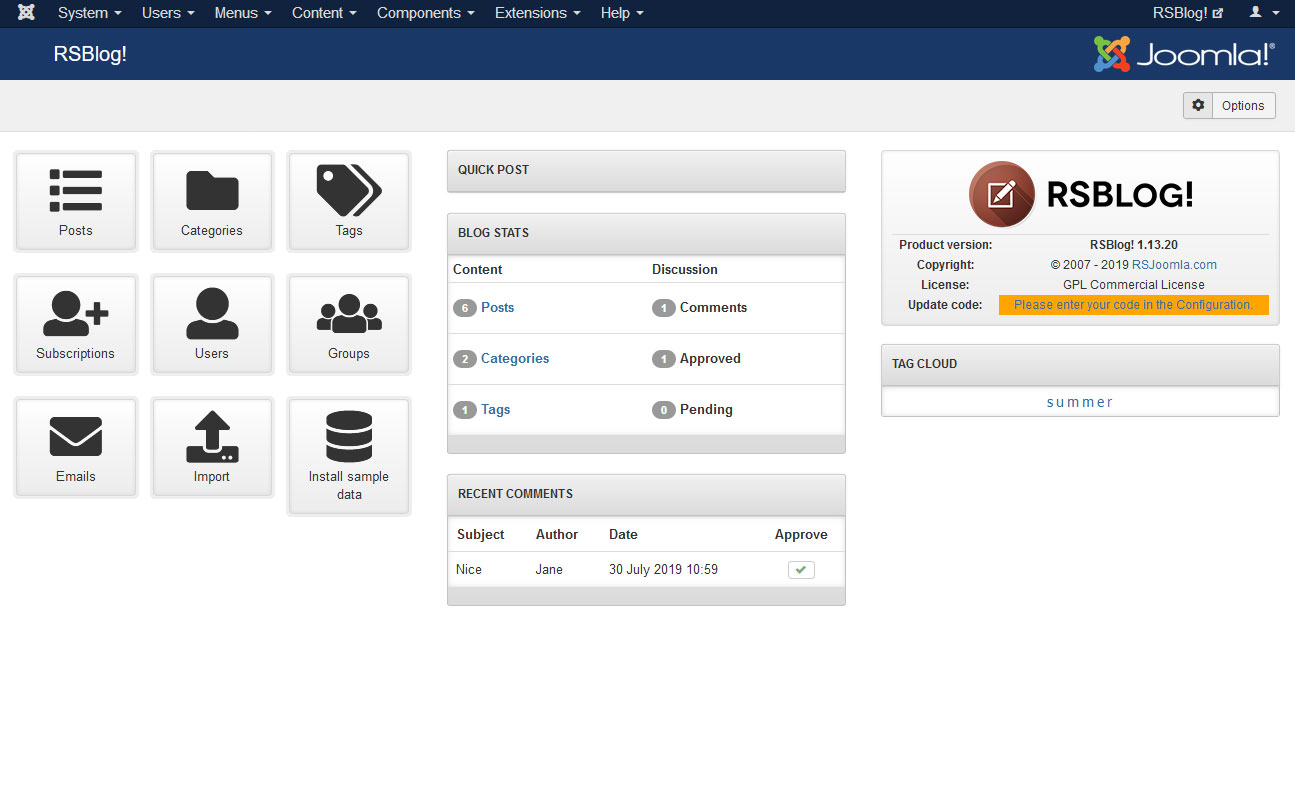
The Recent Comments tab will display the most recent comments of your blog posts.
A separate Tag Cloud tab is also displayed in the dashboard section.
You can also make a Quick Post in an existing category from your blog. The post can be saved as a draft and opened later from the Recent Drafts tab for edit.
2 persons found this article helpful.
You Should Also Read
Configuration HOT |
What does RSBlog! do? HOT |
