Comments
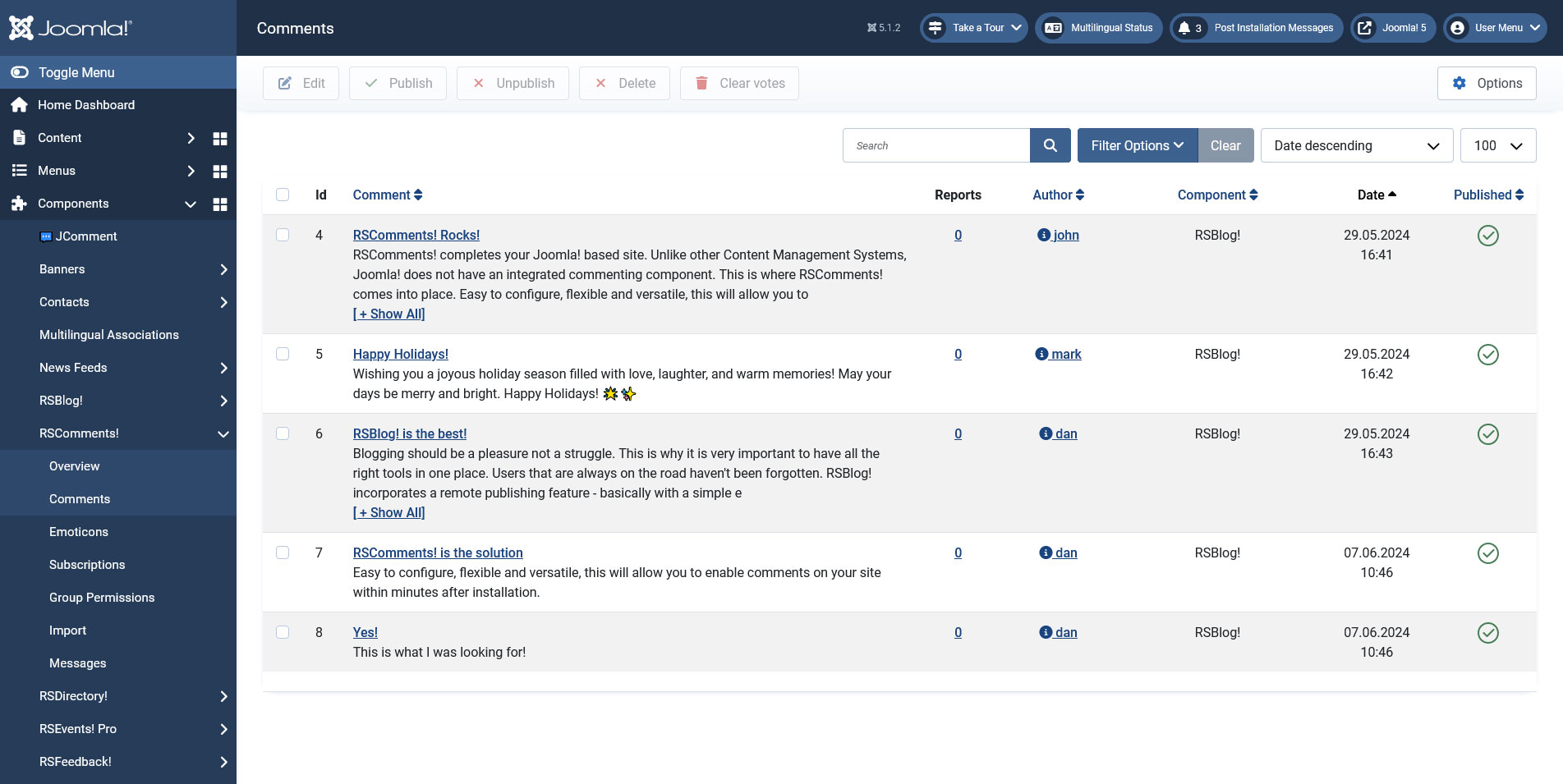
The Comments view offers a listing of all available comments and allows you to Edit, Publish/Unpublish, Delete and Clear votes (a comment with enough negative votes will be hidden). This simple view only offers the following details: Id, Comment, Reports, Author, Component, Date and Published.
Besides the comment details a component filter is also present. Basically, this will allow filtering the comments based on the page that they were posted on (the component that generated the page). A special option has been added to the com_content, com_k2 and com_flexicontent components. Upon selecting it from the filter drop-down, a Select article link will appear. This will allow to further extend the filter to a specific article.
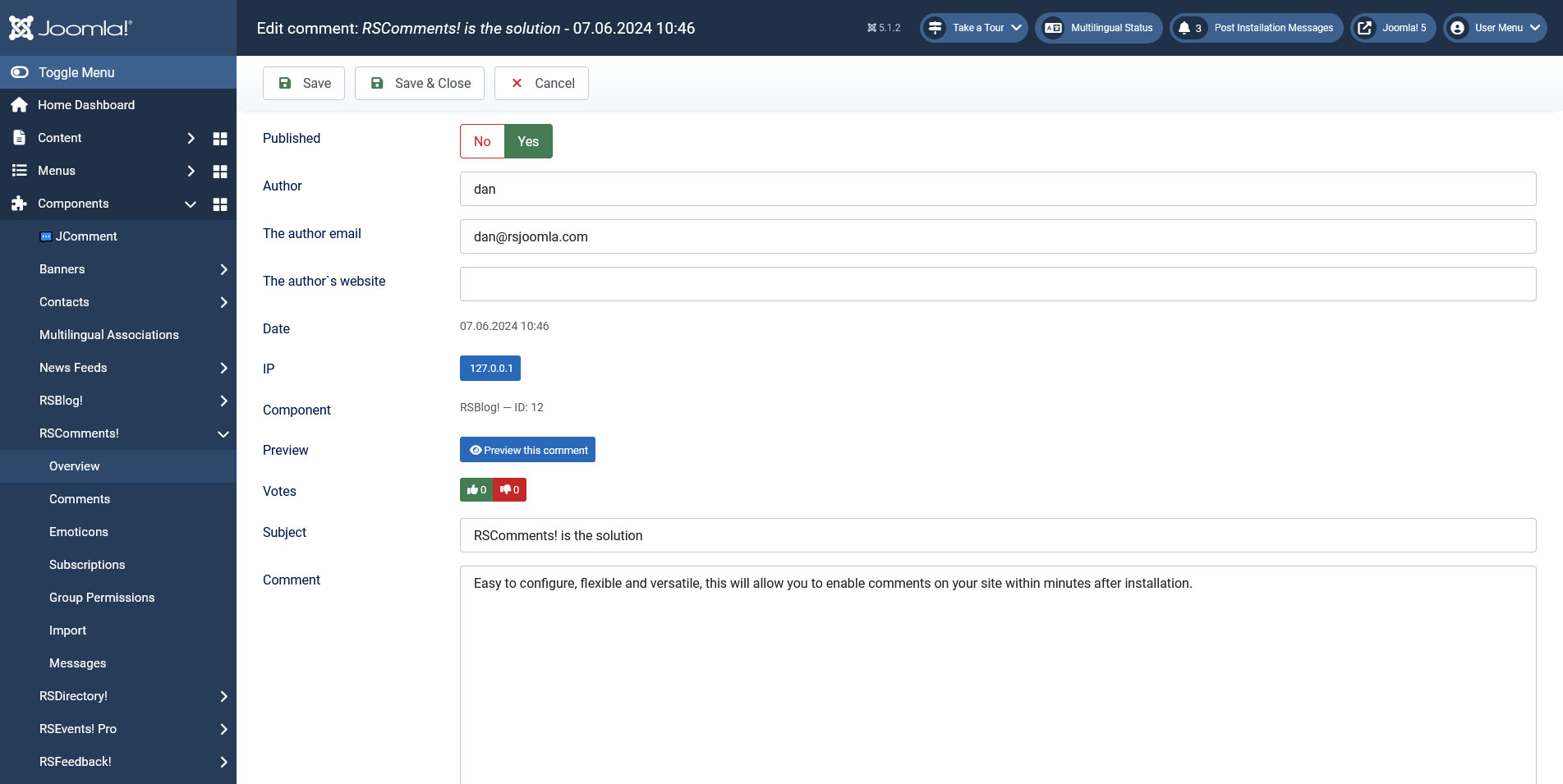
Clicking on the comment name will open up the actual comment information. Here you will be able to edit all its details: published, email, subject, website and comment message. Furthermore, the date, IP, votes and preview link is also displayed.
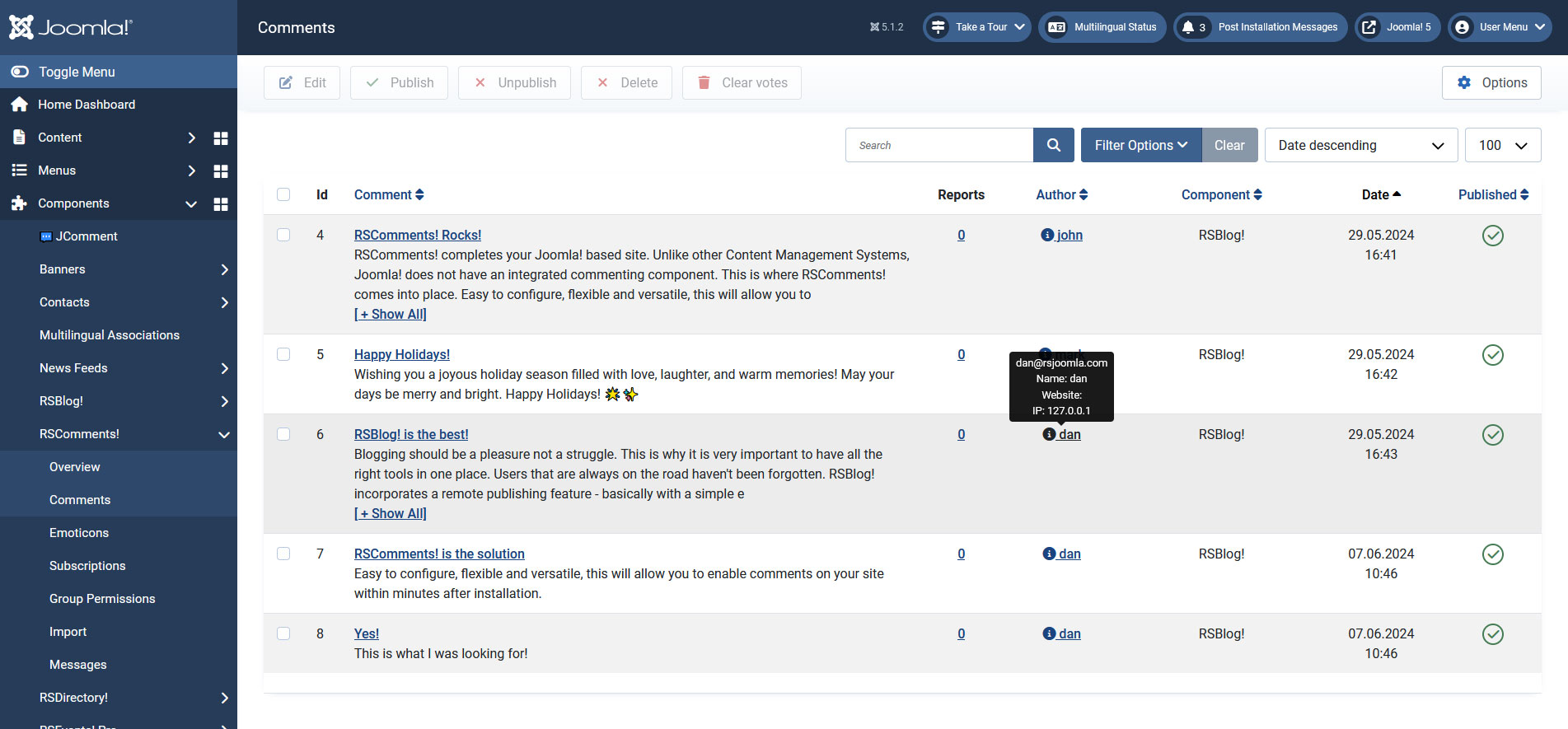
To further enhance the user experience, keeping the mouse over the author will display a quick info inside a tooltip: email, name, website and IP address.
3 persons found this article helpful.
You Should Also Read
Subscriptions |
Group Permissions |
Messages |
Emoticons |
