Uninstall RSMail!
Uninstalling RSMail! can be done through some simple steps:
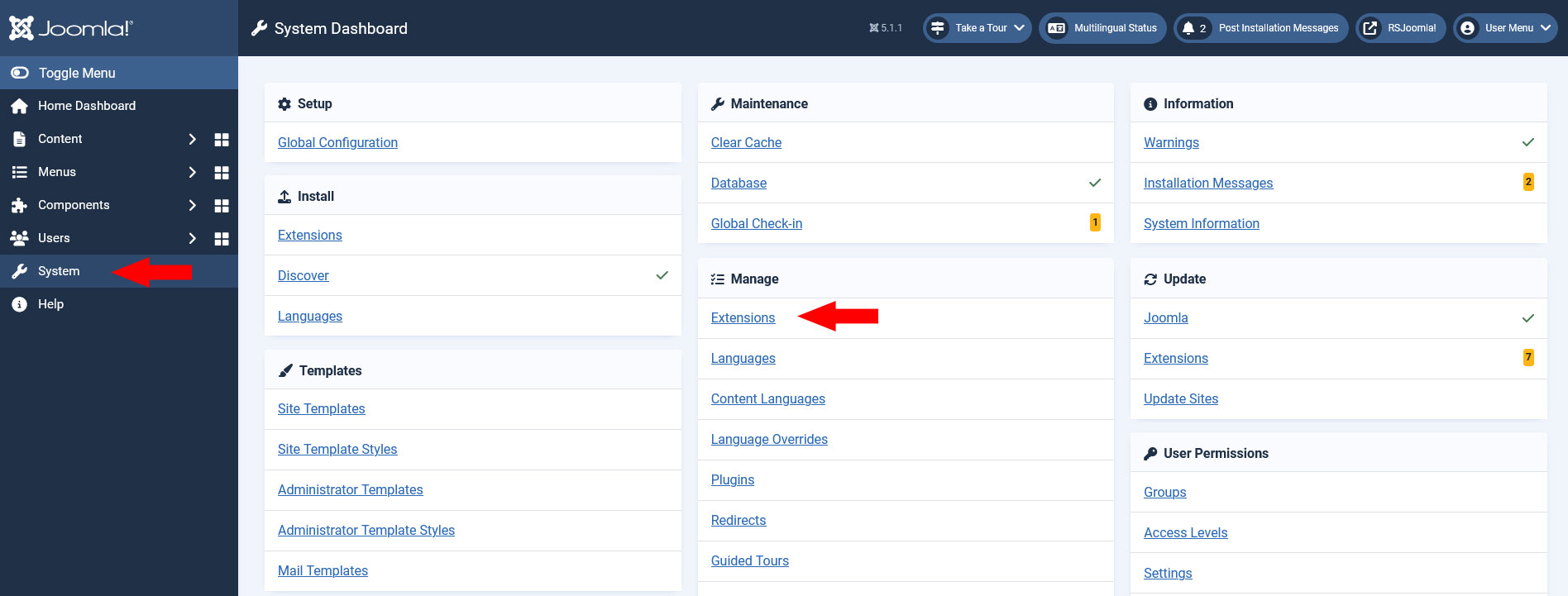
On the Left menu, select System > Manage > Extensions
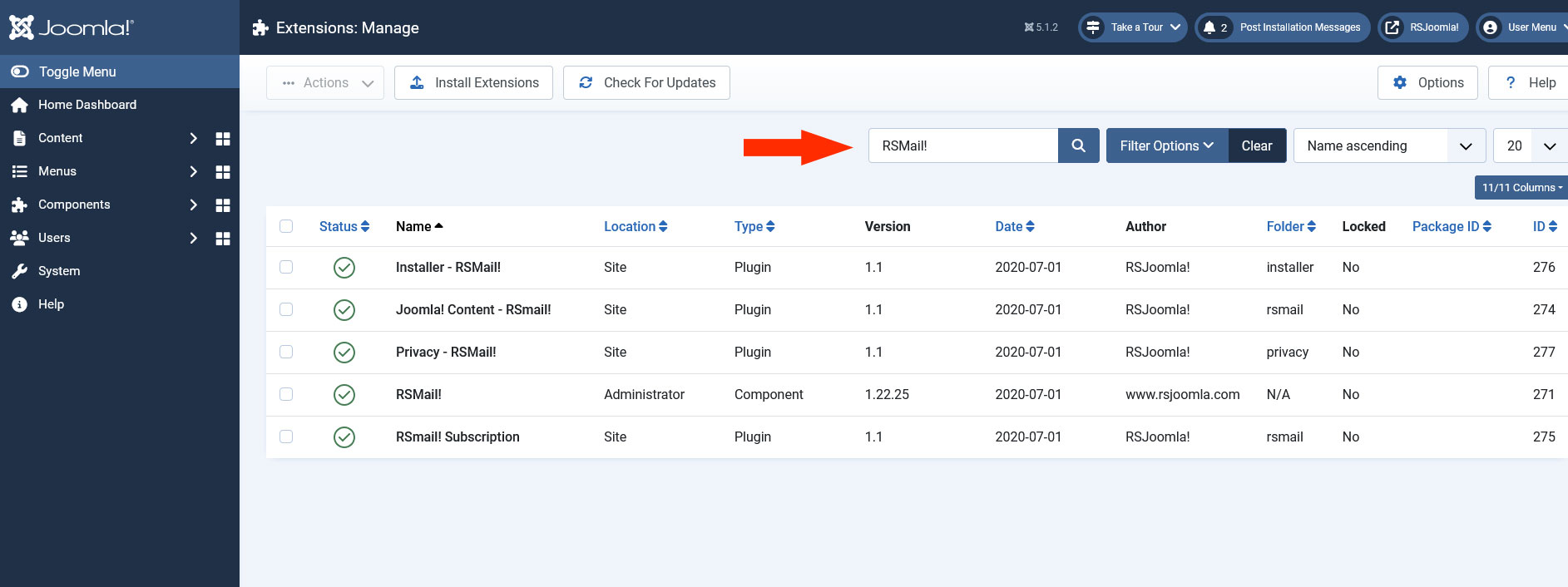
Click on the Extensions tab and filter by "RSMail!"
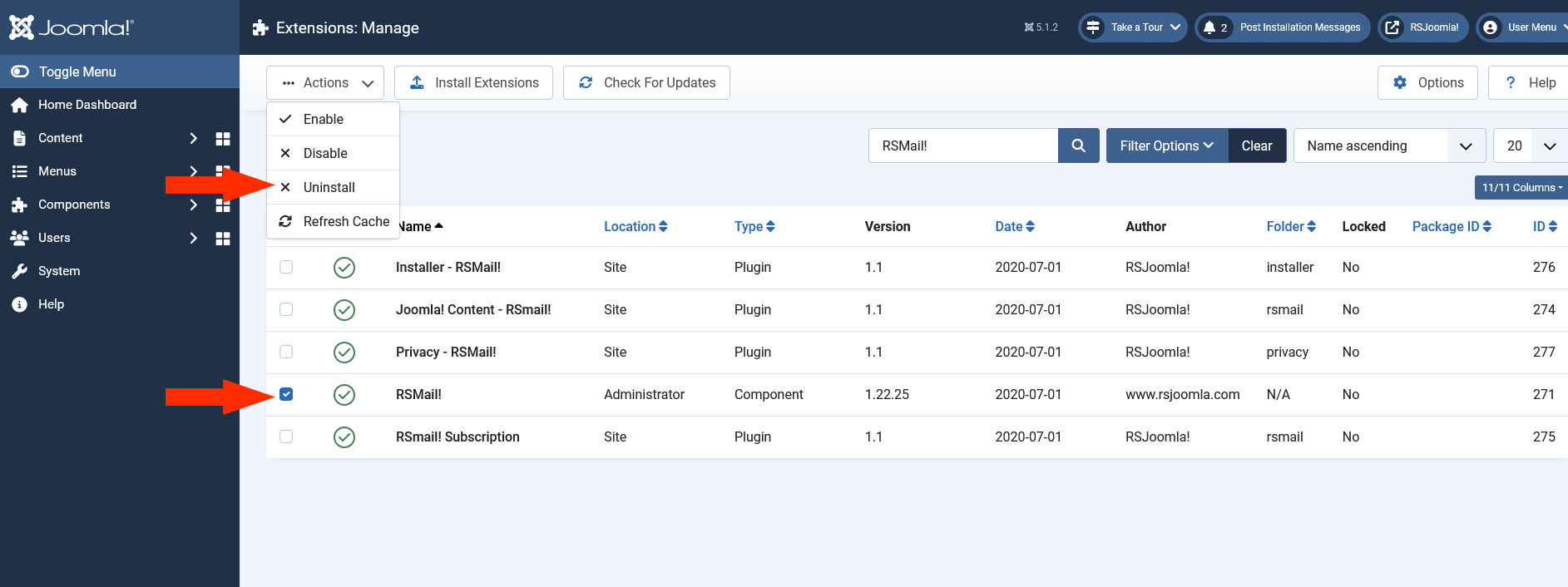
Select RSMail! and click the Uninstall button to remove RSMail! from your Joomla! installation.
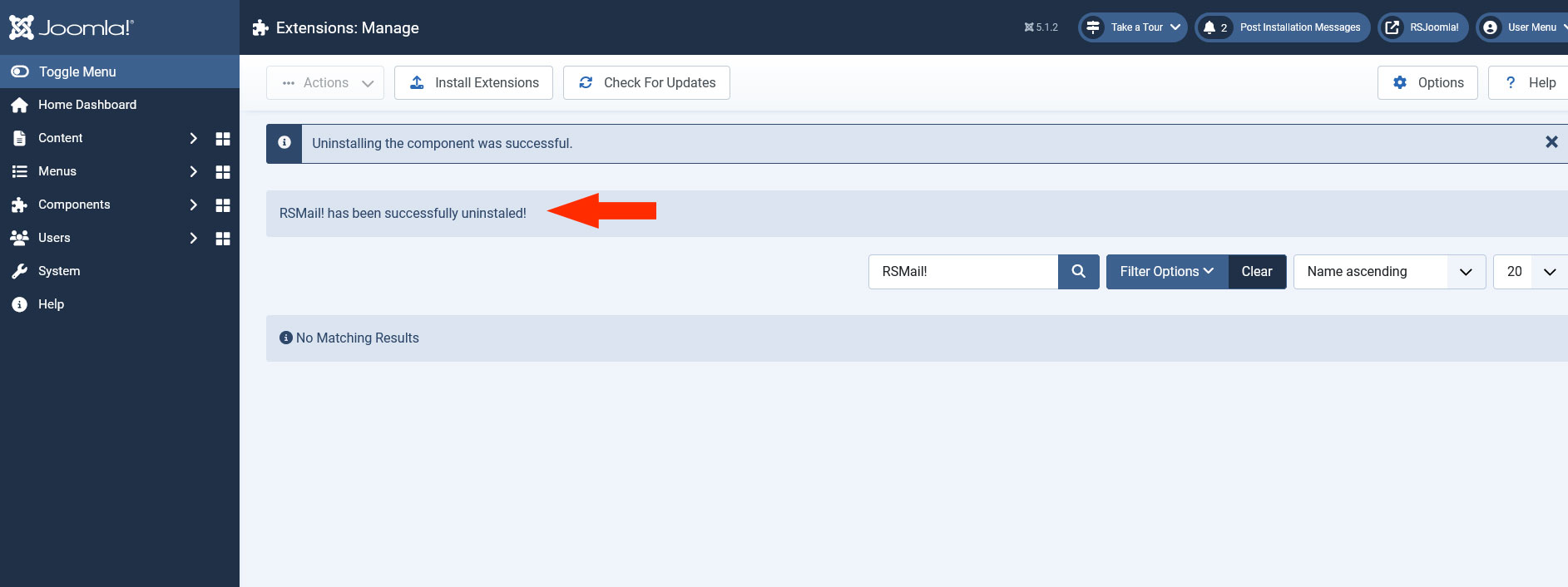
If the uninstall was successful, you should see this message.
If you encounter problems when uninstalling RSMail! check out the Manual uninstall guide
One person found this article helpful.
