Installing a new language file
Multi-language files for RSForm!Pro consist in ZIP installation packages that mostly include Joomla! translations for each language. You can find an updated listing of RSForm!Pro's Joomla! language pack on the product page.
Note: You will not be able to install an RSForm!Pro language file if your Joomla! installation does not have that particular language file already installed. If, for example, you wish to install the Dutch language file for RSForm! Pro you will have to install Joomla Dutch language packs (front-end and back-end, usually included in the same package) first. You can find more information on this in the present article, have a look at the Installing a Joomla! language pack section below.
Downloading an RSForm!Pro Language Pack
All RSJoomla! language packs can be downloaded from our website. Here's what you need to do:
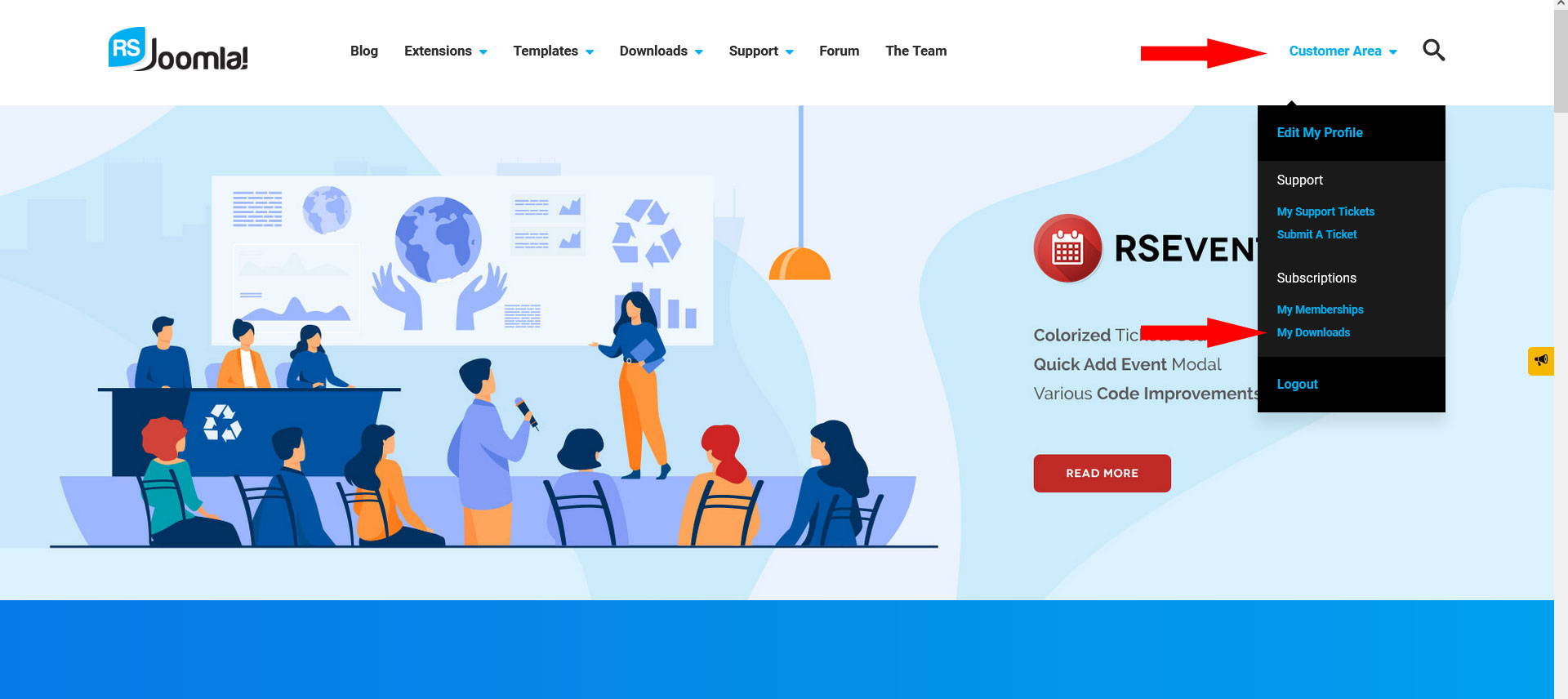
Login to RSJoomla! with the account that holds the active RSForm!Pro subscription, then go to Customer area > My Downloads;
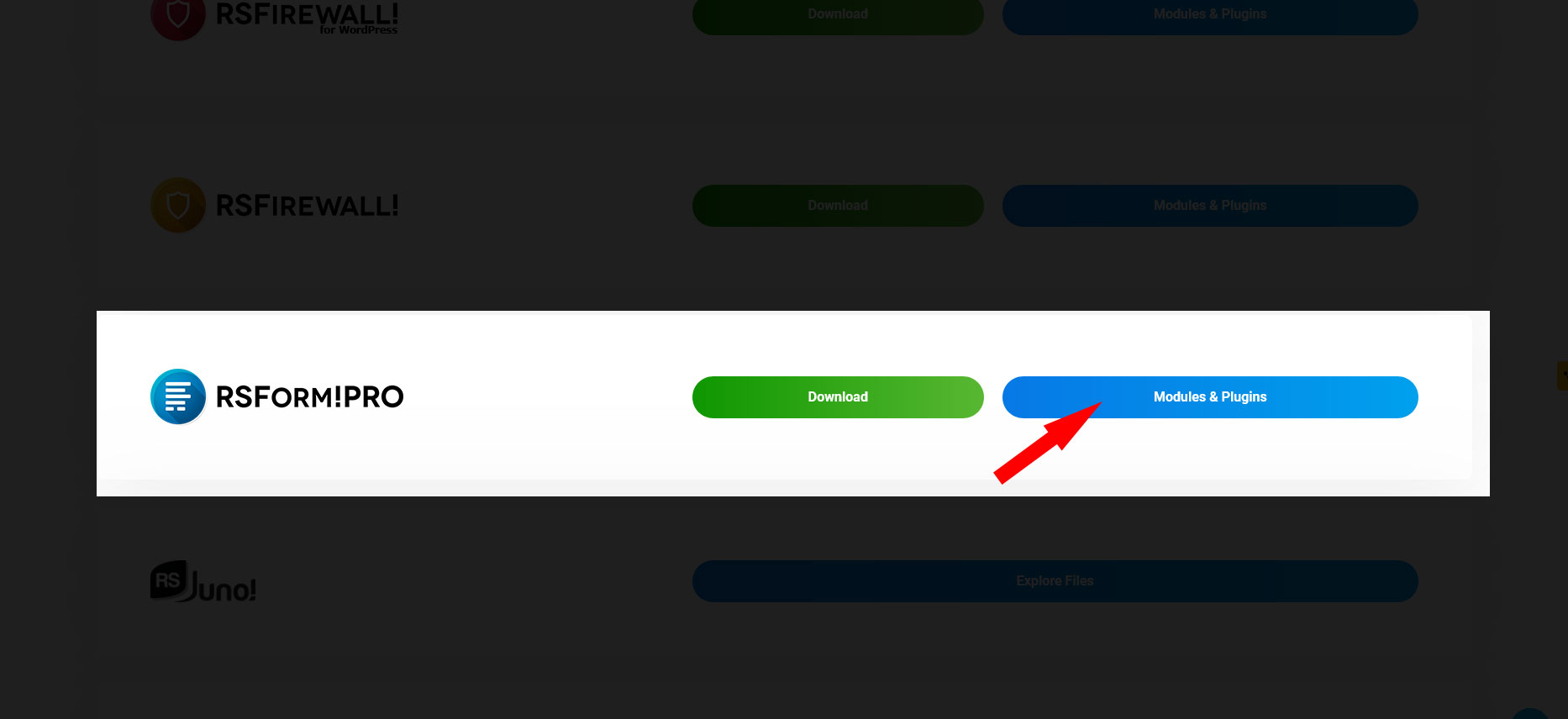
Click on the Modules & Plugins button that is associated with the RSForm!Pro license;
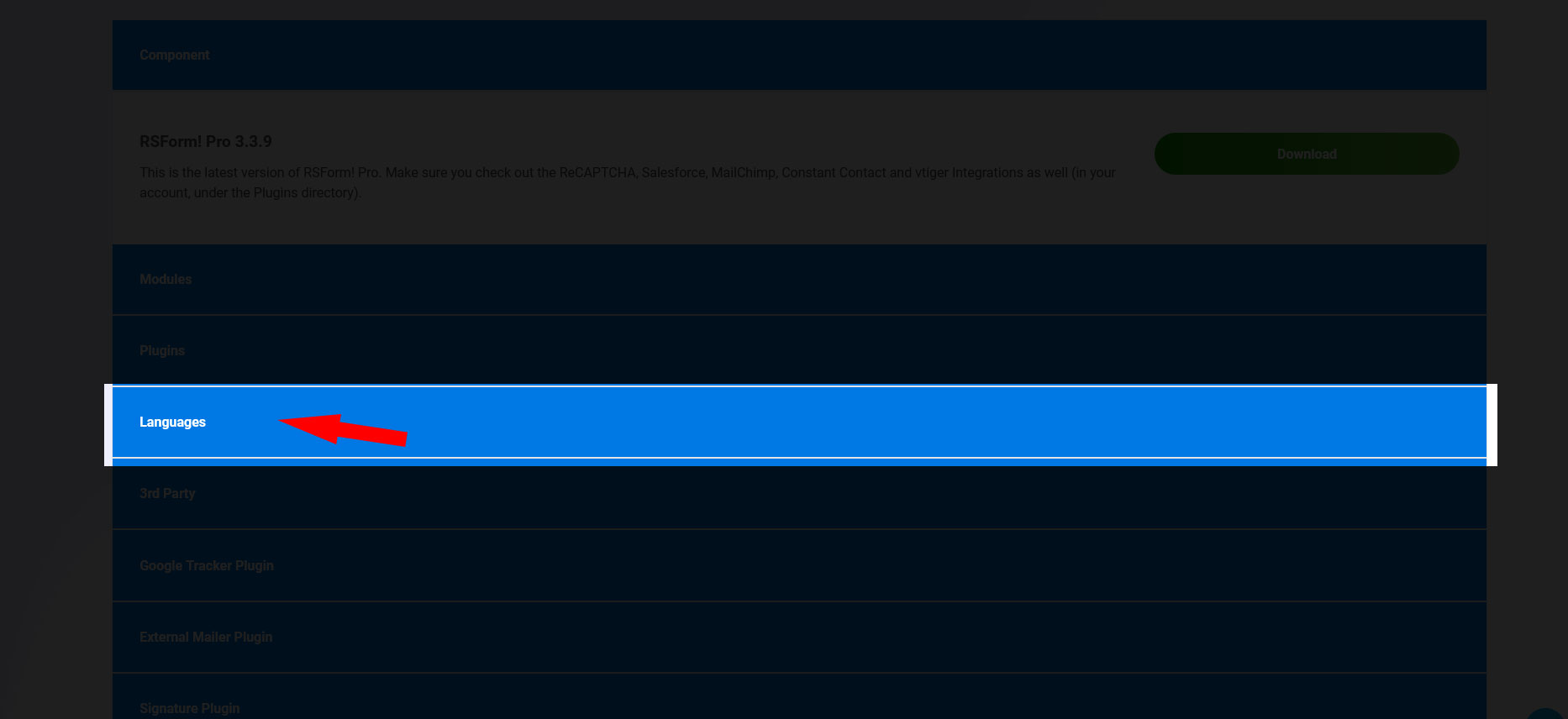
Click on the Languages tab to open the available language packs for RSForm!Pro;
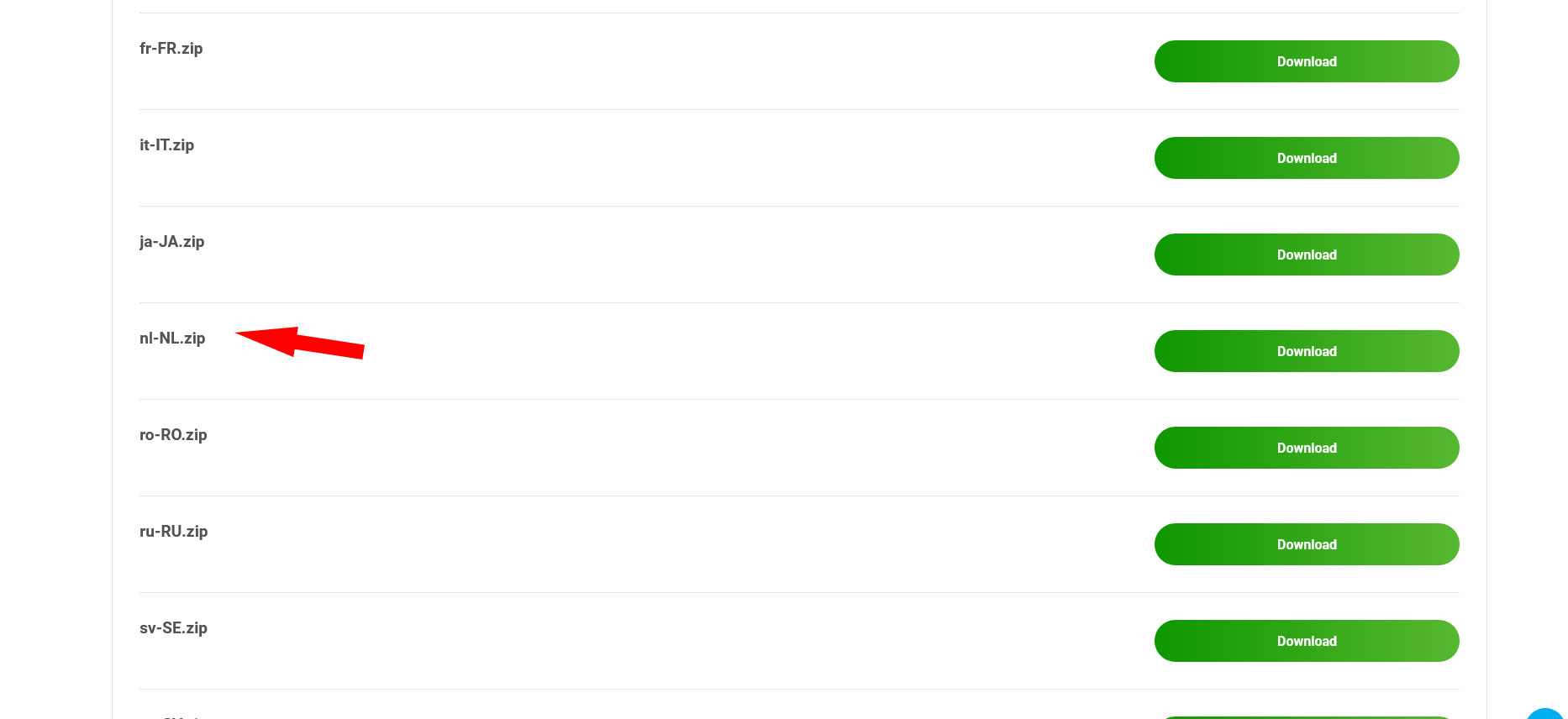
Search for the right language and click on the Download button.
Installing the RSForm!Pro Language Pack
Language packs get installed just like any other Joomla! component, plugin or module. Please refer to the article linked below:
RSForm!Pro package installation
Installing a Joomla! language pack

Head to System > Manage > Languages;

Click on the Install Language button;
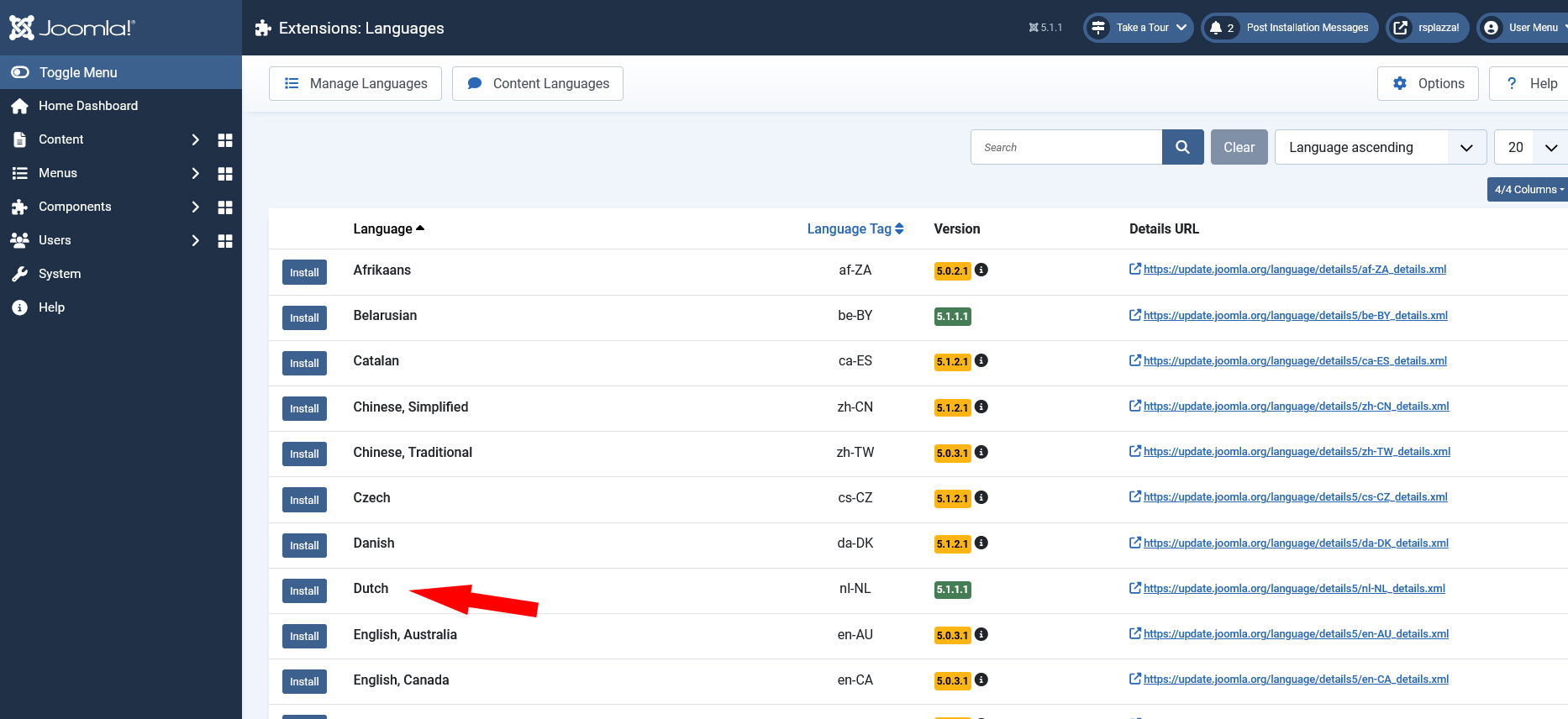
Search for the appropriate language, select the result and click on Install.
Further Help
Joomla!'s language servers are not always functioning properly. You can try the following links should you find yourself in such a situation:
10 persons found this article helpful.
